Astro 提供的免费卫星电视服务。终身收看娱乐,新闻,学习和资讯节目等。

图片仅供参考。
免费观看15多个电视频道和10+个广播频道。
* 需遵守Astro条款和条件。


步骤一 |
步骤二 |
步骤三 |
选择配套然后提交您的申请。 |
等待安装。 |
享受您的新 Astro / 宽频! |
探索我们的电视配套,其中包含各种娱乐频道。

为家庭中的每个人制作必看的本地和国际内容。

最好的本地和国际卡通片和教育娱乐片。

汇集全球电影和剧集,充满动作、剧情和震撼刺激。

在您探索世界秘密的同时,您还可以了解最新的突发新闻和时事。

见证每场主要联赛和现场体育赛事以及家庭娱乐活动。

集电影、体育和各种流媒体应用于一体的终极娱乐体验。
适合家居办公及串流。以 100Mbps 的速度连接并享受不间断的流媒体、游戏和浏览。

免费 数据机
免费 WiFi-6 路由器
无限数据
| 包括什么? |
Entertainment Pack RM49.99 |
100Mbps Astro Fibre RM99.00 |
| 包括什么? |
Entertainment Pack + Kids RM59.98 |
100Mbps Astro Fibre RM99.00 |
| 包括什么? |
Entertainment Pack + Blockbuster RM59.98 |
100Mbps Astro Fibre RM99.00 |
| 包括什么? |
Entertainment Pack + News & Documentaries RM64.98 |
100Mbps Astro Fibre RM99.00 |
| 包括什么? |
Sports Pack RM99.99 |
100Mbps Astro Fibre RM99.00 |
| 包括什么? |
Epic Pack RM199.99 |
100Mbps Astro Fibre RM99.00 |
适合有4K串流及游戏需求的小型家庭。以 500Mbps 的速度连接并享受快速稳定的互联网,满足您的所有需求。

免费 数据机
免费 WiFi-6 路由器
无限数据
| 包括什么? |
Entertainment Pack RM49.99 |
500Mbps Astro Fibre RM149.00 |
| 包括什么? |
Entertainment Pack + Kids RM59.98 |
500Mbps Astro Fibre RM149.00 |
| 包括什么? |
Entertainment Pack + Blockbuster RM59.98 |
500Mbps Astro Fibre RM149.00 |
| 包括什么? |
Entertainment Pack + News & Documentaries RM64.98 |
500Mbps Astro Fibre RM149.00 |
| 包括什么? |
Sports Pack RM99.99 |
500Mbps Astro Fibre RM149.00 |
| 包括什么? |
Epic Pack RM199.99 |
500Mbps Astro Fibre RM149.00 |
完美符合中型家庭的工作及游戏需求。以 1Gbps 的速度连接,让您体验到超快的互联网速度。

免费 数据机
免费 WiFi-7 路由器
无限数据
| 包括什么? |
Entertainment Pack RM49.99 |
1Gbps Astro Fibre RM229.00 |
| 包括什么? |
Entertainment Pack + Kids RM59.98 |
1Gbps Astro Fibre RM229.00 |
| 包括什么? |
Entertainment Pack + Blockbuster RM59.98 |
1Gbps Astro Fibre RM229.00 |
| 包括什么? |
Entertainment Pack + News & Documentaries RM64.98 |
1Gbps Astro Fibre RM229.00 |
| 包括什么? |
Sports Pack RM99.99 |
1Gbps Astro Fibre RM229.00 |
| 包括什么? |
Epic Pack RM199.99 |
1Gbps Astro Fibre RM229.00 |
为满足所有人的一切需求而设的终极高速互联网。以 2Gbps 的速度连接,享受闪电般的网络速度。

免费 数据机
免费 WiFi-7 路由器
无限数据
| 包括什么? |
Entertainment Pack RM49.99 |
2Gbps Astro Fibre RM319.00 |
| 包括什么? |
Entertainment Pack + Kids RM59.98 |
2Gbps Astro Fibre RM319.00 |
| 包括什么? |
Entertainment Pack + Blockbuster RM59.98 |
2Gbps Astro Fibre RM319.00 |
| 包括什么? |
Entertainment Pack + News & Documentaries RM64.98 |
2Gbps Astro Fibre RM319.00 |
| 包括什么? |
Sports Pack RM99.99 |
2Gbps Astro Fibre RM319.00 |
| 包括什么? |
Epic Pack RM199.99 |
2Gbps Astro Fibre RM319.00 |



Astro 提供的免费卫星电视服务。终身收看娱乐,新闻,学习和资讯节目等。
图片仅供参考。
新的解码器,不包含卫星天线和电缆。您必须已安装 Astro/Njoi 卫星天线和电缆并正常运作。
包括安装。
新的解码器配有卫星天线和电缆。
包括安装。


无限数据,unifi TV和具有unifi光纤宽带的高性能无线路由器。
可靠的宽频配套可实现更高层次的业务增长。
支持最多 5 台设备上的 2-3 个用户。
支持最多 10 台设备上的 6 个用户。
支持多台设备上最多10个重度用户。
支持多台设备上最多 10 名高级用户。
为多台设备上最多 10 位高级用户提供终极支持。
适合家居办公及串流。
100Mbps/50Mbps
免费 Standard Router (RG5)
100Mbps/50Mbps
免费 Standard Router (RG5)
 Netflix Basic
适合全高清串流及浏览。
300Mbps/50Mbps
免费 WiFi-6 Combo Box
300Mbps/50Mbps
免费 WiFi-6 Combo Box
Netflix Basic
适合有4K串流及游戏需求的小型家庭。
500Mbps/100Mbps
免费 WiFi-6 Combo Box
500Mbps/100Mbps
免费 WiFi-6 Combo Box
Netflix Standard
完美符合中型家庭的工作及游戏需求。
1Gbps/500Mbps
免费 WiFi-6 Combo Box
1Gbps/500Mbps
免费 WiFi-6 Combo Box
Netflix Standard
为满足所有人的一切需求而设的终极高速互联网。
2Gbps/1Gbps
免费 WiFi-6 Combo Box
2Gbps/1Gbps
免费 WiFi-6 Combo Box
Netflix Standard
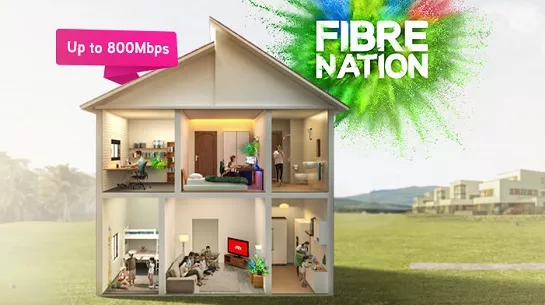
可靠的宽频配套可实现更高层次的业务增长。
支持最多 5 台设备上的 2-3 个用户。
支持最多 5 台设备上的 2-3 个用户。
固定 IP。
支持最多 10 台设备上的 6 个用户。
支持最多 10 台设备上的 6 个用户。
固定 IP。
支持多台设备上最多10个重度用户。
支持多台设备上最多10个重度用户。
固定 IP。
支持多台设备上最多 10 名高级用户。
支持多台设备上最多 10 名高级用户。
固定 IP。
适合家居办公及串流。
免费 WiFi-6 Router
免费 WiFi-6 Router
无限语音通话
适合全高清串流及浏览。
免费 WiFi-6 Router
免费 WiFi-6 Router
无限语音通话
适合有4K串流及游戏需求的小型家庭。
免费 WiFi-6 Router
免费 WiFi-6 Router
无限语音通话
完美符合中型家庭的工作及游戏需求。
免费 WiFi-6 Router
免费 WiFi-6 Router
无限语音通话
为满足所有人的一切需求而设的终极高速互联网。
免费 WiFi-6 Router
免费 WiFi-6 Router
无限语音通话
签购
| Astro Njoi UniFi Maxis |
在这里找到您要的答案。
我们提供一站式服务为您申请Astro和Broadband。不必开车,排队和在销售柜台等候。 我们可以帮助您处理您的申请。
我们不收取额外费用。 无需提供信用卡信息。 费用与您在销售柜台申请的费用相同。
首先,您可以在线申请,我们将在工作时间内立即与您联系。 通过WhatsApp/电子邮件/传真发送您的身份证-IC(马来西亚公民)/ 护照(外国人)的复印件给我们。 收到所有资料后,我们将立即处理您的申请。
一旦收到您的完整资料,我们将在工作时间内立即处理您的申请。一旦您的申请获得批准,服务提供商的承包商将与您联系以进行安装预约。
ASTRO 和宽频收费同时在一张账单,享受更大的节省和无忧的账单支付。 在24个月的合约期内,您可以每月以折扣价享受 Astro 和宽频。
Astro 提供多种电视配套,包括娱乐、体育、电影和儿童配套。您可以选择符合您观看需求的配套,并在适用情况下添加额外的串流应用服务。
可以,您可以只订阅 Astro 电视配套而无需绑定宽频。不过,将 Astro 电视与光纤宽频绑定可享有更好的每月优惠,并且只需支付一张综合账单,更加方便。
对于小型家庭以及轻度上网和串流使用者,100Mbps 通常已足够。较大家庭、游戏玩家或重度串流用户则可选择 500Mbps 或 1Gbps 配套,以获得更流畅的多设备使用体验。
大多数 Astro 电视和光纤宽频配套都附带 24 个月合约期。如在合约期满前取消服务,可能会产生提前终止费用。
可以,您可在符合资格及覆盖范围的情况下随时升级电视配套或宽频速度。根据升级情况,可能需要重新计算合约期限。
您的每月账单将由 Astro 直接发出。您可通过电子邮件接收账单,或通过 Astro 账户在线查看。绑定配套用户将收到电视与宽频服务的综合账单。
付款方式包括网上银行、自动扣款、信用卡或 Astro 提供的其他认可付款渠道。我们的团队将在申请过程中为您提供协助。
如果您遇到任何服务中断问题,可联系 Astro 客户服务寻求技术协助。大多数情况下可远程解决,如有需要将安排技术人员上门处理。
可以,迁移服务需视新地址是否在服务覆盖范围内而定。根据您的配套,可能会产生迁移费用及合约调整。
不需要,提交申请时无需提供信用卡资料。服务获批后,付款安排将由 Astro 直接处理。
部分 Astro 电视配套可根据当前促销及服务情况添加串流服务等附加项目。可能需支付额外月费。
是的,光纤安装时通常会提供 WiFi 路由器。路由器型号可能会根据所选宽频速度配套而有所不同。
可以,我们会在处理您的申请前确认您地址的服务覆盖范围,以确保该地区可安装宽频服务。
马来西亚公民需提供 MyKad 复印件。外籍人士则需在提交宽频申请时提供护照复印件。
申请获批后,服务提供商通常会在 2 至 7 个工作日内联系您安排宽频安装预约。
大多数 Astro 宽频配套附带 24 个月合约期,从安装日期开始计算。如您搬迁,可能需要在新地址重新签订 24 个月合约。
可以,您可在新地址具备服务覆盖的情况下迁移宽频服务。合约期限可能会从新安装日期起重新计算 24 个月。
可以,您可申请在家中调整宽频设备位置。若属于非标准安装,可能会产生额外费用,并需在评估后直接支付给安装人员。
可以,您可转用 Astro 宽频。为避免服务中断,建议在终止现有宽频合约前先开通新的宽频服务。
标准安装在促销期间可能免费,但非标准安装(如设备迁移或复杂布线)可能会产生额外费用,并需直接支付给安装人员。
Bahasa Malaysia (BM) and Traditional Chinese subtitles will be available where rights permit. However, subtitle availability may vary depending on the title.
Astro wants to give our members the convenience of having all their favourite series, exciting originals, vernacular signatures, live sports and local blockbuster movies in one place. Astro customers will be able to enjoy greater convenience by having Netflix bundled with their Astro subscription, consolidating the subscriptions, and providing easy access for payment in a single bill, at the best value.
There will be no automatic migration. Customers will continue with their existing Astro plans as usual and may choose to subscribe to Astro X3 separately if they wish.
You can make changes to your Netflix plans that are included in your Bundle through My Astro app
You can change your non Astro-bundled a-la carte Netflix plan at any time by signing into Netflix.com and visiting the Account page, then selecting Change Plan to view and select available plans.
Intermittent internet connection using LAN cable
Looks like there is something wrong with your service connection.
Please run a Ping Test, Traceroute Test and attach the picture or screenshot of both test results in the Feedback Form below, in order for us to provide further assistances.
Please ensure to attach the required screenshot(s) in ONE file (i.e. Microsoft Word document, PDF, Image file) before submitting the form.
Intermittent internet connection using WiFi
If the problem persists, please run a Ping Test, Traceroute Test and attach the picture or screenshot of both test results in the Feedback Form below, in order for us to provide further assistances.
Please make sure to attach the required screenshot(s) in ONE file (i.e. Microsoft Word document, PDF, Image file) before submitting the form.
Quick Info
A Ping Test shows how long it takes for packets to reach host.
A Traceroute Test traces the route of packets to destination host from our server.
Netflix changes their prices and plans from time to time to reflect the improvements that they make to the service. They continue to invest heavily in great new shows and films, to deliver great value for money.
Download the iQIYI app > Select "Profile" > Click on "Log in with Astro ID" > Click on "Do not have an Astro ID? Click here".
No, if your account is suspended or disconnected, you will retain your existing subscription when you reconnect.
This convenient option allows you to complete your registration without the need to provide hard copy documents physically to the sales agent. The identity verification process helps to secure your Account and protect it from unauthorised usage.
No, your Viu app is accessible within Malaysia only.
Please ensure that you have subscribed to the mentioned channel.
If you're subscribed to this channel, follow below steps.
STEP 1
You need to refresh the signal on your box.
Refer to Refresh signal of your box guide.
STEP 2
If issue persist after 30 minutes, proceed to submit report via WhatsApp or Feedback Form.
Yes, starting 9 December 2024, the new packs will be the default offering from Astro.
The TVBAnywhere+ app offers over 40,000 hours of Chinese entertainment, including the latest drama series, variety shows, evergreen classics, and unlimited TVB originals that can be enjoyed anytime, anywhere. It also features exclusive dramas, known as TVBAnywhere+ Originals, such as
Ghost Cleansing Ltd
and
OPM
, which are available exclusively on the app. In addition, the app includes selected movie titles for on-demand viewing, providing more flexibility compared to the TVB channels on Astro.
No there will not be any penalty.
For the Multiroom subscription on a box setup, if your subscription is within the 24-month contractual period. Then a pro-rated penalty of RM600 will be applied for any Astro box except for Ultra Box, which the penalty will be RM1,000.
We try to make as many movies and TV shows available for download. However, for some titles, while we may have the rights to offer them via streaming, we may not be able to offer them for download.
If you would like for more information, kindly visit our Multiroom page via Astro website https://www.astro.com.my/multiroom
To view the terms and conditions, click here.
Please contact your issuing bank to enable card-not-present (CNP) transactions. This security measure helps us to protect your card information from being misused in fraudulent transactions.
You can cancel your Simply South subscription here. Kindly note that we will not be able to offer a refund if you do decide to leave Simply South app before your subscription ends.
To subscribe to the Netflix 24-month ala-carte plan, you'll need to upgrade your current Astro subscription to an Astro One Pack. Once upgraded, the Netflix 24- month ala-carte plan will be available for both the Astro One Entertainment and Sport Pack.
1. Return your device to us via Arranged Pick-up:
Step 1: Please call Astro's Contact Centre at 03-9543 3838 to schedule an arranged pick-up by one of our courier partners.
Step 2: Just sit back and relax! A courier agent will come to your doorstep to retrieve the devices.
For Residential Astro Pay TV customers: You may change your contract from e.g., 12-month to 24-month without incurring a switching fee or cancellation fee. However, if you change your contract from e.g., 24-month to 12-month, will be charged a cancellation fee accordingly if still within minimum term (contract) period. No switching fee applicable.
If you're trying to visit a website and it won't load, but others do, there could be a variety of causes. If the site itself is down, there's not much you can do but wait.
If you can load the site on other computers or devices (make sure you try different means of connecting to the internet), there may be an issue with your computer or network.
There are some quick fixes that will solve most problems, but you may have to get your hands a little dirty.
Try loading the website on your phone or on another computer. If the website loads on the other device, the problem lies with your computer.
If the website doesn't load on another device, the problem is either with the network or the website itself.
Oftentimes, a simple reboot will fix the problem you're having. Reboot your computer and test the website again.
There may be some settings configured incorrectly on your browser. Try a different web browser to see if you can load the website.
Your antivirus software may be interfering with your ability to load certain websites.
Try disabling the software and then loading the site again. Make sure you enable it again once you have identified the problem.
Traffic to or from a certain website may be getting tripped up by your modem or router. Resetting these devices may allow you to access the website again.
If your date or time is set incorrectly, you may not be able to connect to secure (https://) websites.
Check your computer or mobile device's clock to make sure that it is set to the correct time and date.
In the event the problem persists, please provide below details for further escalation:
i. List of websites effected.
ii. Run the Speed Test via LAN (cable) and Wi-Fi connection - Please click here for Speed Test guideline.
iii. Run the Traceroute Test - Please click here for Traceroute Test guideline.
iv. Run the Ping Test - Please click here for Ping Test guideline.
Once you've gathered all the results, kindly send them all through the Feedback Form below.
Quick Info
A Speedtest is a service that provides free analysis of Internet access parameters, such as connection data rate.
A Ping Test shows how long it takes for packets to reach host.
A Traceroute Test traces the route of packets to destination host from our server.
Only the account holder is allowed to manage the auto-debit facility. However, a third-party card holder has the right to withdraw their registered card from the linked-account with proper validation.
Yes, your primary box must be on Ultra/Ulti Box to get 2 months of access to Prime Video at no additional charge.
Worry not, if your primary box is the older box, contact us via WhatsApp by typing “Hi” at 03-9543 3838 to upgrade the box to Ultra/Ulti box within 24 April 2025 – 23 June 2025 to get the access.
Please follow the steps below:
Step1: Fill in Merge/Split Equipment Form (Part A & Part B)
Step2: A full payment to be made on any outstanding balance for all related accounts (if any).
Step3: Submit all documents via feedback form or walk in to nearest Astro Customer Service Centre (CSC).
Step4: Customer will expect a call from our validation team (Note: Turnaround time for merge/ split of account is 3-5 working days upon receiving all complete documentation).
Note:
1. There might be a loss of transmission during the processing of transfer equipment ownership, split or merge of equipment.
STEP 1
Try to change channels on your Astro remote. Check the LED light.
If the LED is blinking 3 times or if it is not blinking, replace the batteries and proceed to STEP 2.
Otherwise, if the LED is blinking 1 time, your remote is working fine, let's proceed to STEP 3.
STEP 2
Check if you can change channels using your Astro remote control. You should no longer be experiencing this problem if is a battery issue.
If issue remain after batteries replacement, proceed to STEP 3.
STEP 3
You need to refresh the box setting manually from the box front panel.
Refer to Refresh Box setting (Clear NVRAM) - Ultra / Ulti Box.
If issue persist, please submit the issue on our Feedback Form.
The Multi-user Profile feature allows customers to create individual profiles within their Astro Box and Astro GO with the following personalisation:
The MUP feature is a great way to allow individual users to tailor personal Astro experiences whilst using a shared device (e.g.: Astro Box) in the household, providing them with better personalised recommendations and encouraging better content discovery.
Unfortunately, this means that you are using a TV model that does not support 4K UHD resolution (Sony BRAVIA 4K GB, Sony BRAVIA 4K UR or Sony BRAVIA VH).
Not to worry, we are working with the Sony team to ensure you will be able to enjoy these 4K UHD channels soon. We will keep you posted once these channels are available to you!
Existing Netflix add-on customers will be notified prior to their next bill cycle via email.
Please ensure that your mobile number is up to date in our database to ensure that payment reminders are sent to the right person.
You can do so via:
1. Astro Self-Service Portal
2. Call our Customer Call Centre (CCC)
**Only account holder can update the mobile number
Effective from the bill date 9th July 2024 onwards, the Service Tax for the Broadband Bundle/Fibre Bundle will be streamlined at a rate of 6%. The prorated adjustment for your Pay TV subscription will be calculated based on 6% service tax rate on your next bill, following your current subscription's tax rate.
No, it is not necessary to change to one of the new packs. Customers can continue to enjoy the entertainment experience with their existing packs.
No, you will not be automatically switched to the new pricing. To perform a manual switch, please contact us at 03-9543 3838.
Starting 1 January 2026, Astro is required under Section 82C(11) of the Income Tax Act 1967 to submit any monthly invoice of RM10,000 or more directly to LHDN. This process does not require customer consent and is part of regulatory compliance. Rest assured, it will not affect your billing or Astro services.
You will receive an SMS from us informing you of the receipt of your Astro Box. However, if you wish to track the delivery of your Astro Box, you can use the tracking number available on the consignment note.
Your Astro X3 pack will be activated immediately after you complete your sign-up. Once your sign-up is complete, you can start streaming its content immediately via the Astro app on your Smart TV or through Astro GO on supported devices
a) If you sign up via Astro’s Official Website:
You will be required to create an Astro ID and password during sign-up. Once your subscription is successfully activated, you will receive a "Welcome to Astro" email confirming your activation and can start streaming right away.
To find out more, please visit: Here
i. If you sign up via Astro Sales Agents:
ii. You will receive a “Welcome to Astro” email prompting you to create your Astro ID password and confirming your successful activation. Once your password is set, you can start streaming.
b)Important Notes:
i. When creating your Astro ID, you will be required to use an Astro ID that is not linked to an active Astro account. If the Astro ID (i.e. email address) you enter is already linked to an active Astro account, you will be prompted to use a different Astro ID
ii. However, if the Astro ID you enter is linked to an inactive Astro account, you will have the option to reuse that Astro ID.
Your two-months Prime Video access begins on the day you activate your account.
Please use your Astro ID to log in to the Astro Fibre App. If you do not have an Astro ID, kindly follow the simple steps here to create one.
Please contact us through one of our platforms found here or Self-serve by logging in to Astro Self-Service Portal within 3-7 days before moving out and we will sort everything out for you!