签购与安装 Astro / Broadband | 签购与安装 Astro / Broadband。

Astro

现在您可以享受令人惊叹的全新 Astro 电视套餐。

我们全新策划的 Astro 电视套餐已重新设计,为您带来喜爱的内容。


电视配套   新安装 更改现有配套    

探索我们的电视配套,其中包含各种娱乐频道。

新安装 更改现有配套    
❯ ❮
Entertainment Pack
Entertainment Pack
RM49.99 /月
查看频道列表

为家庭中的每个人制作必看的本地和国际内容。

Entertainment Pack + Kids
RM59.98 /月
查看频道列表

最好的本地和国际卡通片和教育娱乐片。

Entertainment Pack + Blockbuster
RM59.98 /月
查看频道列表

汇集全球电影和剧集,充满动作、剧情和震撼刺激。

Entertainment Pack + News & Documentaries
RM64.98 /月
查看频道列表

在您探索世界秘密的同时,您还可以了解最新的突发新闻和时事。

Sports Pack
Sports Pack
RM99.99 /月
查看频道列表

见证每场主要联赛和现场体育赛事以及家庭娱乐活动。

Epic Pack
Epic Pack
RM199.99 /月
查看频道列表

集电影、体育和各种流媒体应用于一体的终极娱乐体验。


100Mbps Astro Fibre   新安装 更改现有配套    

适合家居办公及串流。以 100Mbps 的速度连接并享受不间断的流媒体、游戏和浏览。

新安装 更改现有配套    
❯ ❮
100Mbps
100Mbps
RM99.00 /月
不含电视频道

免费 数据机

免费 WiFi-6 路由器

无限数据

Entertainment Pack + 100Mbps
RM148.99 /月
查看频道列表
包括什么?
Entertainment Pack
RM49.99
100Mbps Astro Fibre
RM99.00
RM99.00
Entertainment Pack + Kids + 100Mbps
RM158.98 /月
查看频道列表
包括什么?
Entertainment Pack + Kids
RM59.98
100Mbps Astro Fibre
RM99.00
RM99.00
Entertainment Pack + Blockbuster + 100Mbps
RM158.98 /月
查看频道列表
包括什么?
Entertainment Pack + Blockbuster
RM59.98
100Mbps Astro Fibre
RM99.00
RM99.00
Entertainment Pack + News & Documentaries + 100Mbps
RM163.98 /月
查看频道列表
包括什么?
Entertainment Pack + News & Documentaries
RM64.98
100Mbps Astro Fibre
RM99.00
RM99.00
Sports Pack + 100Mbps
RM198.99 /月
查看频道列表
包括什么?
Sports Pack
RM99.99
100Mbps Astro Fibre
RM99.00
RM99.00
Epic Pack + 100Mbps
Epic Pack + 100Mbps
RM298.99 /月
查看频道列表
包括什么?
Epic Pack
RM199.99
100Mbps Astro Fibre
RM99.00
RM99.00


500Mbps Astro Fibre   新安装 更改现有配套    

适合有4K串流及游戏需求的小型家庭。以 500Mbps 的速度连接并享受快速稳定的互联网,满足您的所有需求。

新安装 更改现有配套    
❯ ❮
500Mbps
500Mbps
RM149.00 /月
不含电视频道

免费 数据机

免费 WiFi-6 路由器

无限数据

Entertainment Pack + 500Mbps
RM198.99 /月
查看频道列表
包括什么?
Entertainment Pack
RM49.99
500Mbps Astro Fibre
RM149.00
RM149.00
Entertainment Pack + Kids + 500Mbps
RM208.98 /月
查看频道列表
包括什么?
Entertainment Pack + Kids
RM59.98
500Mbps Astro Fibre
RM149.00
RM149.00
Entertainment Pack + Blockbuster + 500Mbps
RM208.98 /月
查看频道列表
包括什么?
Entertainment Pack + Blockbuster
RM59.98
500Mbps Astro Fibre
RM149.00
RM149.00
Entertainment Pack + News & Documentaries + 500Mbps
RM213.98 /月
查看频道列表
包括什么?
Entertainment Pack + News & Documentaries
RM64.98
500Mbps Astro Fibre
RM149.00
RM149.00
Sports Pack + 500Mbps
RM248.99 /月
查看频道列表
包括什么?
Sports Pack
RM99.99
500Mbps Astro Fibre
RM149.00
RM149.00
Epic Pack + 500Mbps
Epic Pack + 500Mbps
RM348.99 /月
查看频道列表
包括什么?
Epic Pack
RM199.99
500Mbps Astro Fibre
RM149.00
RM149.00


1Gbps Astro Fibre   新安装 更改现有配套    

完美符合中型家庭的工作及游戏需求。以 1Gbps 的速度连接,让您体验到超快的互联网速度。

新安装 更改现有配套    
❯ ❮
1Gbps
1Gbps
RM229.00 /月
不含电视频道

免费 数据机

免费 WiFi-7 路由器

无限数据

Entertainment Pack + 1Gbps
RM278.99 /月
查看频道列表
包括什么?
Entertainment Pack
RM49.99
1Gbps Astro Fibre
RM229.00
RM229.00
Entertainment Pack + Kids + 1Gbps
RM288.98 /月
查看频道列表
包括什么?
Entertainment Pack + Kids
RM59.98
1Gbps Astro Fibre
RM229.00
RM229.00
Entertainment Pack + Blockbuster + 1Gbps
RM288.98 /月
查看频道列表
包括什么?
Entertainment Pack + Blockbuster
RM59.98
1Gbps Astro Fibre
RM229.00
RM229.00
Entertainment Pack + News & Documentaries + 1Gbps
RM293.98 /月
查看频道列表
包括什么?
Entertainment Pack + News & Documentaries
RM64.98
1Gbps Astro Fibre
RM229.00
RM229.00
Sports Pack + 1Gbps
Sports Pack + 1Gbps
RM328.99 /月
查看频道列表
包括什么?
Sports Pack
RM99.99
1Gbps Astro Fibre
RM229.00
RM229.00
Epic Pack + 1Gbps
Epic Pack + 1Gbps
RM428.99 /月
查看频道列表
包括什么?
Epic Pack
RM199.99
1Gbps Astro Fibre
RM229.00
RM229.00


2Gbps Astro Fibre   新安装 更改现有配套    

为满足所有人的一切需求而设的终极高速互联网。以 2Gbps 的速度连接,享受闪电般的网络速度。

新安装 更改现有配套    
❯ ❮
2Gbps
2Gbps
RM319.00 /月
不含电视频道

免费 数据机

免费 WiFi-7 路由器

无限数据

Entertainment Pack + 2Gbps
RM368.99 /月
查看频道列表
包括什么?
Entertainment Pack
RM49.99
2Gbps Astro Fibre
RM319.00
RM319.00
Entertainment Pack + Kids + 2Gbps
RM378.98 /月
查看频道列表
包括什么?
Entertainment Pack + Kids
RM59.98
2Gbps Astro Fibre
RM319.00
RM319.00
Entertainment Pack + Blockbuster + 2Gbps
RM378.98 /月
查看频道列表
包括什么?
Entertainment Pack + Blockbuster
RM59.98
2Gbps Astro Fibre
RM319.00
RM319.00
Entertainment Pack + News & Documentaries + 2Gbps
RM383.98 /月
查看频道列表
包括什么?
Entertainment Pack + News & Documentaries
RM64.98
2Gbps Astro Fibre
RM319.00
RM319.00
Sports Pack + 2Gbps
Sports Pack + 2Gbps
RM418.99 /月
查看频道列表
包括什么?
Sports Pack
RM99.99
2Gbps Astro Fibre
RM319.00
RM319.00
Epic Pack + 2Gbps
Epic Pack + 2Gbps
RM518.99 /月
查看频道列表
包括什么?
Epic Pack
RM199.99
2Gbps Astro Fibre
RM319.00
RM319.00


Astro Rate Card

Astro Rate Card

 
Njoi

免费终身娱乐。

NJOI HD Box 包含免费的15多个电视频道和10+个广播频道,提供来自本地、国际、儿童、最新新闻和体育频道的各种娱乐!

Njoi

Astro 提供的免费卫星电视服务。终身收看娱乐,新闻,学习和资讯节目等。

 

Njoi

图片仅供参考。

免费观看15多个电视频道和10+个广播频道。


* 需遵守Astro条款和条件。

Njoi
 
❯ ❮
njoi
New Decoder
RM325.00

新的解码器,不包含卫星天线和电缆。您必须已安装 Astro/Njoi 卫星天线和电缆并正常运作。

包括安装。

njoi
New Decoder & Satellite Dish
RM415.00

新的解码器配有卫星天线和电缆。

包括安装。


Unifi
unifi-logo

100Mbps @ RM89/月

无限数据,unifi TV和具有unifi光纤宽带的高性能无线路由器。


Unifi Business Broadband   

可靠的宽频配套可实现更高层次的业务增长。

❯ ❮
Unifi Biz
100M
RM99.00 /月

支持最多 5 台设备上的 2-3 个用户。

Unifi Biz
300M (MESH6)
RM139.00 /月

支持最多 10 台设备上的 6 个用户。

Unifi Biz
500M (MESH6)
RM179.00 /月

支持多台设备上最多10个重度用户。

Unifi Biz
1Gbps (MESH6)
RM319.00 /月

支持多台设备上最多 10 名高级用户。

Unifi Biz
2Gbps (MESH6)
RM369.00 /月

为多台设备上最多 10 位高级用户提供终极支持。


100Mbps Unifi Home Broadband   

适合家居办公及串流。

❯ ❮
Unifi Home
100Mbps
RM89.00 /月

100Mbps/50Mbps

免费 Standard Router (RG5)
Unifi Home
100Mbps + Netflix Basic
RM118.90 /月

100Mbps/50Mbps

免费 Standard Router (RG5)

 Netflix Basic


300Mbps Unifi Home Broadband   

适合全高清串流及浏览。

❯ ❮
Unifi Home
300Mbps
RM129.00 /月

300Mbps/50Mbps

免费 WiFi-6 Combo Box

Unifi Home
300Mbps + Netflix Basic
RM142.00 /月

300Mbps/50Mbps

免费 WiFi-6 Combo Box

 Netflix Basic


500Mbps Unifi Home Broadband   

适合有4K串流及游戏需求的小型家庭。

❯ ❮
Unifi Home
500Mbps
RM149.00 /月

500Mbps/100Mbps

免费 WiFi-6 Combo Box

Unifi Home
500Mbps + Netflix Standard
RM203.90 /月

500Mbps/100Mbps

免费 WiFi-6 Combo Box

 Netflix Standard
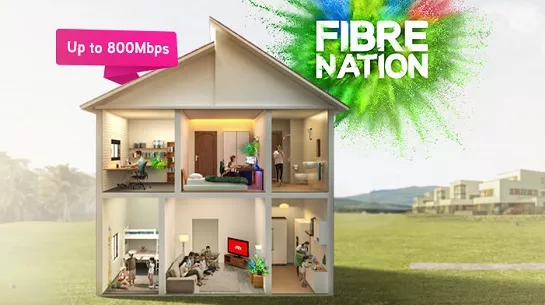


1Gbps Unifi Home Broadband   

完美符合中型家庭的工作及游戏需求。

❯ ❮
Unifi Home
1Gbps
RM249.00 /月

1Gbps/500Mbps

免费 WiFi-6 Combo Box

Unifi Home
1Gbps + Netflix Standard
RM293.90 /月

1Gbps/500Mbps

免费 WiFi-6 Combo Box

 Netflix Standard


2Gbps Unifi Home Broadband   

为满足所有人的一切需求而设的终极高速互联网。

❯ ❮
Unifi Home
2Gbps
RM319.00 /月

2Gbps/1Gbps

免费 WiFi-6 Combo Box

Unifi Home
2Gbps + Netflix Standard
RM363.90 /月

2Gbps/1Gbps

免费 WiFi-6 Combo Box

 Netflix Standard


MaxisONE Fibre Internet

享受Maxis为您打造的更好的WiFi体验

获得与网状WiFi配对的超快光纤,以实现更好的覆盖范围,并由Maxperts优化,以满足您一家大小的互联网需求。


Maxis Business Fibre   

可靠的宽频配套可实现更高层次的业务增长。

❯ ❮
Maxis Business Fibre
100Mbps
RM119.00 /月

支持最多 5 台设备上的 2-3 个用户。

Maxis Business Fibre
100Mbps + Fixed IP
RM319.00 /月

支持最多 5 台设备上的 2-3 个用户。

固定 IP。

Maxis Business Fibre
300Mbps
RM179.00 /月

支持最多 10 台设备上的 6 个用户。

Maxis Business Fibre
300Mbps + Fixed IP
RM379.00 /月

支持最多 10 台设备上的 6 个用户。

固定 IP。

Maxis Business Fibre
500Mbps
RM219.00 /月

支持多台设备上最多10个重度用户。

Maxis Business Fibre
500Mbps + Fixed IP
RM419.00 /月

支持多台设备上最多10个重度用户。

固定 IP。

Maxis Business Fibre
1Gbps
RM299.00 /月

支持多台设备上最多 10 名高级用户。

Maxis Business Fibre
1Gbps + Fixed IP
RM499.00 /月

支持多台设备上最多 10 名高级用户。

固定 IP。


100Mbps Maxis Home Fibre   

适合家居办公及串流。

❯ ❮
Maxis Home Fibre
100Mbps
RM89.00 /月

免费 WiFi-6 Router

Maxis Home Fibre
100Mbps + Voice Unlimited
RM99.00 /月

免费 WiFi-6 Router

无限语音通话


300Mbps Maxis Home Fibre   

适合全高清串流及浏览。

❯ ❮
Maxis Home Fibre
300Mbps
RM99.00 /月

免费 WiFi-6 Router

Maxis Home Fibre
300Mbps + Voice Unlimited
RM109.00 /月

免费 WiFi-6 Router

无限语音通话


500Mbps Maxis Home Fibre   

适合有4K串流及游戏需求的小型家庭。

❯ ❮
Maxis Home Fibre
500Mbps
RM149.00 /月

免费 WiFi-6 Router

Maxis Home Fibre
500Mbps + Voice Unlimited
RM159.00 /月

免费 WiFi-6 Router

无限语音通话


1Gbps Maxis Home Fibre   

完美符合中型家庭的工作及游戏需求。

❯ ❮
Maxis Home Fibre
1Gbps
RM249.00 /月

免费 WiFi-6 Router

Maxis Home Fibre
1Gbps + Voice Unlimited
RM259.00 /月

免费 WiFi-6 Router

无限语音通话


2Gbps Maxis Home Fibre   

为满足所有人的一切需求而设的终极高速互联网。

❯ ❮
Maxis Home Fibre
2Gbps
RM319.00 /月

免费 WiFi-6 Router

Maxis Home Fibre
2Gbps + Voice Unlimited
RM329.00 /月

免费 WiFi-6 Router

无限语音通话


全国范围内安装


签购

Astro  Njoi  UniFi  Maxis 


请输入您的全名(根据身份证)

姓名 (根据身份证)

请输入您的身份证/护照号码

身份证 / 护照

请输入您的手机号码

手机号码

请输入完整的安装地址

安装地址

请输入您的邮编
邮编
请输入您的城镇
城镇
请输入您的州
州


常问问题

在这里找到您要的答案。


为什么要在这里申请?

我们提供一站式服务为您申请Astro和Broadband。不必开车,排队和在销售柜台等候。 我们可以帮助您处理您的申请。


在这里申请需付多少费用?

我们不收取额外费用。 无需提供信用卡信息。 费用与您在销售柜台申请的费用相同。


申请程序如何?

首先,您可以在线申请,我们将在工作时间内立即与您联系。 通过WhatsApp/电子邮件/传真发送您的身份证-IC(马来西亚公民)/ 护照(外国人)的复印件给我们。 收到所有资料后,我们将立即处理您的申请。


申请程序有多快?

一旦收到您的完整资料,我们将在工作时间内立即处理您的申请。一旦您的申请获得批准,服务提供商的承包商将与您联系以进行安装预约。


为什么要同时申请 ASTRO 和宽频?

ASTRO 和宽频收费同时在一张账单,享受更大的节省和无忧的账单支付。 在24个月的合约期内,您可以每月以折扣价享受 Astro 和宽频。


有哪些电视配套可供选择?

Astro 提供多种电视配套,包括娱乐、体育、电影和儿童配套。您可以选择符合您观看需求的配套,并在适用情况下添加额外的串流应用服务。


我可以只订阅电视而不订阅宽频吗?

可以,您可以只订阅 Astro 电视配套而无需绑定宽频。不过,将 Astro 电视与光纤宽频绑定可享有更好的每月优惠,并且只需支付一张综合账单,更加方便。


我家需要多少宽频速度?

对于小型家庭以及轻度上网和串流使用者,100Mbps 通常已足够。较大家庭、游戏玩家或重度串流用户则可选择 500Mbps 或 1Gbps 配套,以获得更流畅的多设备使用体验。


是否有合约期限?

大多数 Astro 电视和光纤宽频配套都附带 24 个月合约期。如在合约期满前取消服务,可能会产生提前终止费用。


之后可以升级电视配套或宽频计划吗?

可以,您可在符合资格及覆盖范围的情况下随时升级电视配套或宽频速度。根据升级情况,可能需要重新计算合约期限。


我将如何收到我的账单?

您的每月账单将由 Astro 直接发出。您可通过电子邮件接收账单,或通过 Astro 账户在线查看。绑定配套用户将收到电视与宽频服务的综合账单。


有哪些付款方式?

付款方式包括网上银行、自动扣款、信用卡或 Astro 提供的其他认可付款渠道。我们的团队将在申请过程中为您提供协助。


如果服务中断怎么办?

如果您遇到任何服务中断问题,可联系 Astro 客户服务寻求技术协助。大多数情况下可远程解决,如有需要将安排技术人员上门处理。


我可以将 ASTRO 服务迁移到新地址吗?

可以,迁移服务需视新地址是否在服务覆盖范围内而定。根据您的配套,可能会产生迁移费用及合约调整。


申请时需要信用卡吗?

不需要,提交申请时无需提供信用卡资料。服务获批后,付款安排将由 Astro 直接处理。


我可以在电视配套中添加串流服务吗?

部分 Astro 电视配套可根据当前促销及服务情况添加串流服务等附加项目。可能需支付额外月费。


安装光纤时是否提供 WIFI 路由器?

是的,光纤安装时通常会提供 WiFi 路由器。路由器型号可能会根据所选宽频速度配套而有所不同。


申请前可以查询宽频覆盖范围吗?

可以,我们会在处理您的申请前确认您地址的服务覆盖范围,以确保该地区可安装宽频服务。


申请宽频需要准备哪些文件?

马来西亚公民需提供 MyKad 复印件。外籍人士则需在提交宽频申请时提供护照复印件。


申请后多久可以安装?

申请获批后,服务提供商通常会在 2 至 7 个工作日内联系您安排宽频安装预约。


宽频合约期限是多久?

大多数 Astro 宽频配套附带 24 个月合约期,从安装日期开始计算。如您搬迁,可能需要在新地址重新签订 24 个月合约。


我可以将宽频迁移到新地址吗?

可以,您可在新地址具备服务覆盖的情况下迁移宽频服务。合约期限可能会从新安装日期起重新计算 24 个月。


我可以要求更改安装位置或移动家中设备吗?

可以,您可申请在家中调整宽频设备位置。若属于非标准安装,可能会产生额外费用,并需在评估后直接支付给安装人员。


如果我已有宽频合约,可以转到 ASTRO 宽频吗?

可以,您可转用 Astro 宽频。为避免服务中断,建议在终止现有宽频合约前先开通新的宽频服务。


非标准安装是否需要额外费用?

标准安装在促销期间可能免费,但非标准安装(如设备迁移或复杂布线)可能会产生额外费用,并需直接支付给安装人员。


I SIGNED UP FOR THE ENTERTAINMENT PLUS / MOVIES PLUS / SPORTS PLUS PACK THAT INCLUDES NETFLIX. HOW DO I ACTIVATE MY NETFLIX ACCOUNT?

You should have received an email or SMS with your activation details, please click on the link provided to be redirected to the Netflix website to activate your account.

Alternatively, you can also activate Netflix on your Ultra/Ulti Box. Please surf to CH 741 on your Ultra/Ulti Box (or click the Netflix button on your Astro remote) and follow the instructions on the screen.


WHAT IS "ADD BILLING REMINDER TO GOOGLE CALENDAR" AND HOW DOES IT HELP?

You can add a reminder to pay your bill, on your Google Calendar with one click. Enjoy uninterrupted services, by remembering to pay your bill on time.


HOW WILL ASTRO NOTIFY CUSTOMERS ON IT’S NETFLIX PRICE REVISION?

Existing Netflix add-on customers will be notified prior to their next bill cycle via email.


UPDATING YOUR MOBILE NUMBER VIA YOUR SET TOP BOX (STB)

If you’re facing issues updating your mobile number via My Astro, here’s how you can update your mobile number through your Set Top Box (STB).

  • Follow Method A if your box uses a satellite dish (Applicable to all boxes).
  • Follow Method B if you are on Ultra or Ulti box that is connected to the internet.
  • If your box has both, either method will work.


Method A:

  1. Switch on your box and navigate to Channel 105 OR Channel 201 OR Channel 308 OR Channel 802.
  2. Press on the red button on your Astro remote control and a QR code will be displayed on your screen.
  3. Scan the QR code on a mobile device.
  4. On the newly opened webpage, please enter your new mobile number.
  5. To verify your identity, please enter the last 6 digits of the Astro account holder’s MyKad/Passport.
  6. Please enter the OTP sent to the new mobile number.
  7. Once the OTP is verified, your mobile number will be updated.


Method B:

  1. Switch on your box and launch My Astro through the top menu or from the ‘Apps’ section.
  2. Once you are in My Astro, press the yellow button on your Astro remote control to visit your ‘Account details’.
  3. Press the down button to view ‘Personal info’.
  4. Press the left button and focus on the edit icon for mobile number, press on "OK" to change your contact details.
  5. To verify your identity, please enter the last 6 digits of the Astro account holder’s MyKad/Passport.
  6. Please enter your new mobile number.
  7. Please enter the OTP sent to the new mobile number.
  8. Once the OTP is verified, your mobile number will be updated.


If you’re still unable to update your mobile number, kindly reach out to us via our Feedback Form and a representative from our team will get in touch to assist you soon.


WHEN WILL THE 2 MONTHS ACCESS ON PRIME VIDEO WILL EXPIRE?

The 2 months of access will expire exactly two months after your account is activated. For example:

  • If you activate on 24 April 2025, your access will expire on 23 June 2025.
  • If you activate on 10 May 2025, your access will expire on 9 July 2025.
  • If you activate on 23 June 2025, your access will expire on 22 August 2025.


HOW DO I PROVIDE FEEDBACK IF THE MY ASTRO APP DOESN'T WORK?

If your My Astro App is still accessible, you may go to Account then scroll down to Support & Settings. Click Submit Your Enquiry to provide your feedback either through the feedback form.

OR

You may submit your feedback here.


CAN I WATCH THE NEW CHANNELS ON ASTRO GO?

Yes. If you’re on any Bundle which includes the Movies Pack, have the Movies Add‑On, are subscribed to the HBO Pack Add‑On or Astro One Epic Pack, you can stream the new channels on Astro GO from 1 March 2026 and 1 April 2026 accordingly.


TELL ME MORE ABOUT ASTRO'S AFTER-SALES SERVICE FEES.

Ultra Box with Contract:

Astro customers are entitled to a two (2) years manufacturer warranty and Installation warranty. During this period, after-sales service is free of charge. However, when your warranty period is over, all after-sales service is subject to a minimal service charge starting from RM65 inclusive of 8% Service Tax.

Other Decoders/Ultra Box Without contract:

Astro customers are entitled to a one (1) year manufacturer warranty and (6) months Installation warranty. During this period, after-sales service is free of charge. However, when your Installation warranty period is over, all after-sales service is subject to a minimal service charge starting fromRM65 inclusive of 8% service tax.


CAN I REQUEST A TERMINATION OF ACCOUNT THROUGH ASTRO EXCLUSIVE PARTNERS (AEP)/ASTRO EXPERIENCE STORE (AES)/ASTRO PREMIUM KIOSK (APK)/ASTRO AUTHORISED RETAILER (AAR)?

No, customer must submit the termination notice via Astro Hotline.
Refer here for details.


CAN I WATCH CONTENT ON MULTIPLE DEVICES USING THE SAME ACCOUNT?

Yes, you can watch content on up to 4 different devices simultaneously using the same account. You can have 4 logged-in devices and 4 profiles, allowing for 4 concurrent streams.


HOW DO I ACCESS WETV VIP ON MY ULTRA/ULTI BOX?

After completing the subscription process in Q4, follow the simple steps below to access WeTV VIP on your Ultra/Ulti Box:
Step 1: Go to your Ultra/Ulti Box Home Page and select "WeTV" under the Apps rail
Step 2: Click "Log in" and scan the QR code on your TV with your mobile device to download/launch the WeTV app
Step 3: On your mobile device, create a new account or log in using your registered mobile number and click "Login Authorization" to pair your device to your TV
Step 4: Once pairing is complete, please press the back button on your remote to start enjoying VIP-exclusive shows!

Important note: Please ensure that the mobile number used to log in to the app is the same one used to purchase your WeTV VIP subscription. Email login is not applicable for Astro Billing WeTV VIP customers.
*We highly encourage our customers to only use their device’s built-in camera to scan the QR code if available. Alternatively, only use QR code scanner apps that are from a trusted 3rd party provider. By using an untrusted QR code scanner app, you assume all responsibility for any damages or losses that may occur.


UNABLE TO BROWSE OR ACCESS CERTAIN WEBSITE - ALLO

If you're trying to visit a website and it won't load, but others do, there could be a variety of causes. If the site itself is down, there's not much you can do but wait.

If you can load the site on other computers or devices (make sure you try different means of connecting to the internet), there may be an issue with your computer or network.

There are some quick fixes that will solve most problems, but you may have to get your hands a little dirty.

  1. Try loading the site on a different device.
    • Try loading the website on your phone or on another computer. If the website loads on the other device, the problem lies with your computer.
    • If the website doesn't load on another device, the problem is either with the network
  2. Restart your computer.
    • Oftentimes, a simple reboot will fix the problem you're having. Reboot your computer and test the website again.
  3. Try loading the site in a different browser.
    • There may be some settings configured incorrectly on your browser. Try a different web browser to see if you can load the website.
  4. Temporarily disable your antivirus program.
    • Your antivirus software may be interfering with your ability to load certain websites.
    • Try disabling the software and then loading the site again. Make sure you enable it again once you have identified the problem.
  5. Reset your modem and router.
    • Traffic to or from a certain website may be getting tripped up by your modem or router. Resetting these devices may allow you to access the website again.
  6. Check your computer's date and time settings.
    • If your date or time is set incorrectly, you may not be able to connect to secure (https://) websites.
    • Check your computer or mobile device's clock to make sure that it is set to the correct time and date.


In the event the problem persists, please provide below details for further escalation:

i. List of websites effected.
ii. Run the Speed Test via LAN (cable) and Wi-Fi connection - Please click here for Speed Test guideline.
iii. Run the Traceroute Test - Please click here for Traceroute Test guideline.
iv. Run the Ping Test - Please click here for Ping Test guideline.


Once you've gathered all the results, kindly send them all through the Feedback Form below.

Quick Info
A Speedtest is a service that provides free analysis of Internet access parameters, such as connection data rate.
A Ping Test shows how long it takes for packets to reach host.
A Traceroute Test traces the route of packets to destination host from our server.


HOW MANY DEVICES CAN I USE TO STREAM WETV AT THE SAME TIME?

You can access your WeTV VIP account on up to 2 devices at a time, including your Ultra/Ulti Box. To ensure a smoother streaming experience, please sign out from any unused devices.


CAN I ACCESS THE SUN NXT APP OUTSIDE OF MALAYSIA?

No. The Sun NXT app subscription is currently only accessible within Malaysia.


IF I CANCEL MY ASTRO X3 SUBSCRIPTION MID-MONTH WHILE STILL IN CONTRACT, WILL I RECEIVE A REFUND?

If you cancel your Astro X3 subscription mid-month while still under contract, the termination will take effect at the end of your current billing cycle. Your service will remain active until then, and no partial or prorated refund will be provided. And early termination fee charges may still apply.

However, refunds may be applicable if there is an excess credit balance in your account, such as an overpayment or duplicate payment. Any eligible refund will be processed in accordance with Astro's refund policy.


CAN I WITHDRAW MY TERMINATION REQUEST?

  • Yes, you are allowed to cancel the termination request within the schedule date by calling Astro.
  • For terminated Regular (DTH) account and still holding the equipment, please contact Astro for further action.
  • For terminated account with Broadband, we’re unable to re-instate your service. A new application is required.


HOW MANY DEVICES CAN I USE TO WATCH BEIN SPORTS CONNECT?

You can have up to five (5) devices registered to your account at any given time. However, you can only stream from one (1) device at a time.


CAN I RETURN THE BOX EVEN AFTER I HAVE BEEN CHARGED FOR THE BOX FEE?

Yes, you can return the Astro Box & Smart Card/SIM Card even after being charged for the box fee. After successfully returning the box, Astro will proceed to refund the box fee within 30 days from the confirmation date of the returned items to our Astro warehouse.


I HAVE UPGRADED OR DOWNGRADED MY CURRENT PACK; CAN I STILL CONTINUOUSLY ACCESS PRIME VIDEO?

Yes, you can continue to access Prime Video if you have an active subscription to the Epic or Movie packs, where Prime Video is included.

If you upgraded to a pack that includes Prime, you do not need to reactivate Prime Video. Streaming access will continue seamlessly.

If you downgraded from a pack that includes Prime Video, you will need to reactivate Prime Video to resume streaming and retain your watch history.

Your watch history is linked to the Prime Video account that was initially activated. Therefore, if you reactivate Prime Video using the same email address or mobile number used during the original activation, your previous watch history will be restored.

Note: If you are on any other pack, you will need to purchase Prime Video separately at RM25 month to continue enjoying access.


WHAT SHOULD I DO IF THE ULTRA/ULTI PLUG & PLAY BOX/ASTRO SIM CARD IS FAULTY?

There several possible reasons for a faulty SIM card. You may visit Astro's Help & Support page and scroll to 2. Technical Troubleshooting - Ultra Box / Ulti Box to find the scenario that best matches your situation. Then follow the troubleshooting steps provided.


CAN I USE A NON-MALAYSIAN MOBILE NUMBER TO REGISTER AND ACTIVATE MY DISNEY+ SUBSCRIPTION?

No. You will need to use a Malaysian mobile number registered with a local mobile network operator to register and activate your Disney+ subscription through Astro.


WHAT IF A CUSTOMER INSISTS ON THE REFUND THREE (3) MONTHS AFTER BEING CHARGED?

Customer can return the Ultra Box / Ulti Box by dropping to the nearest Astro Authorize Courier Partner and the adjustment will be made into the next bill once the box received.


DO I NEED AN INTERNET CONNECTION TO APPROVE TRANSACTIONS WITH SECUREGO?

A stable internet connection is required to ensure your transactions are smooth using SecureGo.


I'M CURRENTLY ON THE ENTERTAINMENT PACK WITH INDIAN FAVOURITES AND I AM CONSIDERING TO UPGRADE TO ASTRO ONE EPIC PACK. WILL I STILL HAVE ACCESS TO THE SUN NXT LITE APP IF I UPGRADE?

Yes, your complimentary access to the Sun NXT Lite app will continue even after upgrading to the Astro One Epic Pack.


CAN I PURCHASE MY PREFERRED CHANNELS INDIVIDUALLY (ALA CARTE) WITH THE ASTRO ONE PACKS?

While we understand that some customers prefer to buy individual channels, the new packs are designed to offer content at a more affordable price by bundling channels together. As a result, individual channel purchases (ala carte) are not available with the new packs. This approach helps us provide a wider range of content at better value for all customers.


WHEN WILL THE NEW CHANNELS BE AVAILABLE?

  • Starting 1 March 2026 - Astro Showtime (CH 411), Rock Action (CH 414), and Rock X Stream (CH 415) will be available to customers
  • Starting 1 April 2026 - Astro FAM Time (CH 412) will be available to customers


AM I STILL ENTITLED FOR MULTIROOM DISCOUNT IF I WOULD LIKE TO TRANSFER OF EQUIPMENT OWNERSHIP / SPLIT OF EQUIPMENT OF MY ACCOUNT?

Multiroom discount rates will be removed upon splitting the account.


I AM AN EXISTING VIU PREMIUM MEMBER; CAN I SUBSCRIBE TO THE APP VIA ASTRO INSTEAD?

Yes, you can switch your current Asian Favourites selection to Viu Premium for FREE or purchase
Viu Premium as an add-on to your subscription for as low as RM8.40/month. Please refer to Q5
to Q9 for more information.

Please ensure that your existing Viu Premium account is terminated directly via the Viu mobile
app so you are not billed twice on two separate accounts. You can also reach out to Viu's
Customer Service (refer to Q18) or click on the “Contact Us” tab in the Viu app should you
require further assistance.


CAN I STREAM ON MORE THAN ONE DEVICE AT THE SAME TIME?

No, you can only stream the beIN SPORTS CONNECT app on one device at a time.


WHEN CAN I START ENJOYING MY VIP SUBSCRIPTION?

You will be able to enjoy all the content on the iQIYI app immediately upon successful purchase from the Astro website. You may enjoy your VIP privileges from the iQIYI app on your Ultra Box, Ulti Box, mobile devices (Android & iOS), Apple TV, Android TV, as well as on Web (www.iq.com).Please ensure that the account used to log in to the app is the same one used to purchase your iQIYI VIP subscription.


CAN I ACCESS THE BEIN SPORTS CONNECT APP OUTSIDE OF MALAYSIA?

No, you will not be able to watch beIN SPORTS CONNECT content outside of Malaysia as the app is geo-blocked for each country.


HOW LONG WILL THE MULTIROOM (SMART TV) MONTHLY REBATE OF RM15 BE APPLICABLE FOR?

The monthly RM15 rebate (before govt. tax) will be applicable to all on-going Multiroom (Smart TV) subscriptions until further notice. However, in the event of rebate expiry, Astro will notify impacted customers in advance via email or SMS. To update your contact details, please reach out via a feedback form here.


CAN SOMEONE ELSE MAKE THE ADVANCE PAYMENT ON MY BEHALF?

Yes, a third party is allowed to make the advance payment on your behalf. In the case of refund, the amount will be returned to the owner of the third-party account (source of payment).


IS THERE ANYTHING I NEED TO DO FOR THE NEW DISNEY+ APP?

For Astro Ultra and Ulti Box customers

  • No action is required.
  • The new Disney+ app will be made available automatically on your Astro Box from 7 October 2026.
  • You can sign in using the same email address or mobile number associated with your existing Disney+ account to start streaming.


For customers who watch on personal devices (e.g. mobile phones, tablets or Smart TVs)

  • Download the new Disney+ app to continue streaming Disney+.
  • You can sign in using the same email address or mobile number associated with your existing Disney+ account to start streaming.
  • The current Disney+ app will remain available until 4 November 2026, giving customers time to make the switch.
  • Samsung and LG Smart TV users are encouraged to download the new app before 20 October 2026.


HOW TO REFRESH MY SMARTCARD IN MY ASTRO?

Here's how to refresh your smartcard in My Astro:

  1. Open/Download the My Astro app or visit My Astro web
  2. Login with your Astro ID
  3. Go to Account
  4. Tap on Subscription or TV pack
  5. Tap on Rooms
  6. For the box that you would like to refresh the smartcard, tap on 'Refresh' button. This will refresh your Astro box signal


📡 Experiencing technical issues?

📱 Download the My Astro app to:
- Perform self-troubleshoot
- Solve in a few minutes
- No need to call customer service


HOW DO I MANAGE MY MULTIROOM (SMART TV) SUBSCRIPTION?

You may manage your Multiroom (Smart TV) subscription via My Astro app. Download here or on your App Store or Google Play Store.


WHAT HAPPENS IF I REMOVE MY ROUTER FROM THE LIST UNDER “MESH” AND HOW DO I ADD IT BACK?

If you accidentally delete your mesh:

  1. Login to the Astro Fibre App.
  2. Go to Network > click on the plus (+) sign.
  3. Enter your serial number (starts with SRXxxxxx).
  4. Click OK to add the mesh back.


CAN SOMEONE APART FROM THE ACCOUNT HOLDER REDEEM AN ASTRO REWARDS REDEMPTION?

Redemption should be done by the account holder. However, if the account holder is unavailable, immediate family members can make the redemption provided that the account holder has given them the permission to redeem using his account credentials.


IF YOU ENCOUNTER ANY ISSUES WITH PRIME VIDEO ON ASTRO, YOU CAN CONTACT ASTRO'S CUSTOMER SERVICE CENTRE BY:

1. Sending a WhatsApp message with "Hi" to 03-9543 3838 for assistance.

2. Submitting a feedback form at www.astro.com.my/contactus/form.

Alternatively, for any issues related to Prime Video, users can visit the Prime Video Help page for further assistance from Prime Video.


WHERE CAN I FIND MY ACCOUNT NUMBER?

You can retrieve your Astro account number by referring to the top right corner of your Astro bill, which has a 10-digit combination (e.g.08XXXXXXXX or 09XXXXXXXX).

Another way to retrieve your account number is via My Astro:

My Astro app on your Internet-connected Ulti/Ultra Box

1. Press "Home"
2. Launch My Astro app on the Ultra/Ulti Box (shortcut icon next to Settings icon on Home screen, or launch the app through app rail)
3. Once the app is loaded, press Yellow button on your Astro remote control to reveal Account Details

My Astro app or web

1. Download the My Astro app or visit My Astro web
2. Login using your Astro ID
3. You will see your account number tied to your subscription located at the top corner of the home page.

Astro GO

  1. Go to "Settings"
  2. Select "My Device"
  3. Your 8-digits "Household ID" can also be treated as your Astro account number.


🔄 Want to manage your Astro subscription easily?

📱 Download the My Astro app to:
- Manage your pack subscriptions
- Get add-ons in just minutes
- Get details about your contract


CAN I PERFORM EKYC VERIFICATION ON BEHALF OF ANOTHER PERSON, E.G: MY PARENTS OR SPOUSE, IN THEIR ABSENCE?

No, the eKYC verification process must be done by the individual themselves, using their MyKad and selfie in real-time.


Tags: 签购与安装 Astro / Broadband maxis seacoast avenue mahkota selatan 签购与安装 Astro / Broadband uniifi lingai 签购与安装 Astro / Broadband faq tadika kemas pasir raja 签购与安装 Astro / Broadband enjoi taman yik 签购与安装 Astro / Broadband fiber business park d alpinia 签购与安装 Astro / Broadband unufi pejabat tanah daerah 签购与安装 Astro / Broadband uninfi tmn rose 2 kg cacar baru 签购与安装 Astro / Broadband uniifi perkampungan felda selendang 1 签购与安装 Astro / Broadband fiber masjid kompleks penjara 签购与安装 Astro / Broadband unifi blok h desa mutiara 签购与安装 Astro / Broadband injoi mukim pengerang 签购与安装 Astro / Broadband enjoy taman wira indah 2 签购与安装 Astro / Broadband injoy tan sindumin 签购与安装 Astro / Broadband unifii ppr taman murni 签购与安装 Astro / Broadband unifi block c2 apartment cendekiawan 签购与安装 Astro / Broadband unufi jamnah view condominium block 30 签购与安装 Astro / Broadband unifi taman iks bukit katil 签购与安装 Astro / Broadband injoy quarters borneo samudera 签购与安装 Astro / Broadband fiber jalan sungai korok 签购与安装 Astro / Broadband wifi perumahan munawarah kampung batu 3 binjai 签购与安装 Astro / Broadband injoy jkr 1483 签购与安装 Astro / Broadband fibre pejabat ladang gelung gajah 签购与安装 Astro / Broadband njoi kampung bombong 签购与安装 Astro / Broadband unifi villa bestari apartment block a 签购与安装 Astro / Broadband maxis sekolah agama taman perling 2 签购与安装 Astro / Broadband wifi blok 44 apartment mahsuri 签购与安装 Astro / Broadband unifi kg bukit payung 签购与安装 Astro / Broadband injoy kg chemperoh 签购与安装 Astro / Broadband unufi blok j anjung felda 签购与安装 Astro / Broadband fiber blok b kuaters nahrim 签购与安装 Astro / Broadband injoi taman sarahana kampung rekang hilir 签购与安装 Astro / Broadband astro blok 70 flat sri sabah 签购与安装 Astro / Broadband fiber blok a meridian medini 签购与安装 Astro / Broadband unifi absolate base sdn bhd 签购与安装 Astro / Broadband injoy pangsapuri rakyat seri perdana paroi 签购与安装 Astro / Broadband unufi jade villa 签购与安装 Astro / Broadband enjoi tmwifiunifi stadium batu pahat11 签购与安装 Astro / Broadband injoi taman wu lien teh 签购与安装 Astro / Broadband wifi pangsapuri tun perak block h 签购与安装 Astro / Broadband injoi pinetop villa 签购与安装 Astro / Broadband njoy yi lai industry berhad 签购与安装 Astro / Broadband enjoi pairt 3 sungai burung 签购与安装 Astro / Broadband astro the cue snooker center 签购与安装 Astro / Broadband injoy politeknik sultanah bahiyah 1 签购与安装 Astro / Broadband anjoi 6 capsquare 签购与安装 Astro / Broadband unufi kampung no 5 签购与安装 Astro / Broadband fiber melinsung sumer bay 签购与安装 Astro / Broadband anjoi blok 4 dpuncak suasana 签购与安装 Astro / Broadband uniifi jalan kubong 签购与安装 Astro / Broadband wifi kompleks pendidikan agama islam bangi 签购与安装 Astro / Broadband injoy kampung kuala bagan tiang 签购与安装 Astro / Broadband anjoi paradigm mall jb 签购与安装 Astro / Broadband injoi mapa gloves sdn bhd 签购与安装 Astro / Broadband unufi kedai baju 签购与安装 Astro / Broadband anjoy city point 签购与安装 Astro / Broadband anjoy hadapan sekolah padang perahu 签购与安装 Astro / Broadband enjoi kampung seling dayak 签购与安装 Astro / Broadband anjoi pekan dalam anak bukit 签购与安装 Astro / Broadband injoy townvilla sibujaya 签购与安装 Astro / Broadband injoy blok 14