Astro 提供的免费卫星电视服务。终身收看娱乐,新闻,学习和资讯节目等。

图片仅供参考。
免费观看15多个电视频道和10+个广播频道。
* 需遵守Astro条款和条件。


步骤一 |
步骤二 |
步骤三 |
选择配套然后提交您的申请。 |
等待安装。 |
享受您的新 Astro / 宽频! |
探索我们的电视配套,其中包含各种娱乐频道。

为家庭中的每个人制作必看的本地和国际内容。

最好的本地和国际卡通片和教育娱乐片。

汇集全球电影和剧集,充满动作、剧情和震撼刺激。

在您探索世界秘密的同时,您还可以了解最新的突发新闻和时事。

见证每场主要联赛和现场体育赛事以及家庭娱乐活动。

集电影、体育和各种流媒体应用于一体的终极娱乐体验。
适合家居办公及串流。以 100Mbps 的速度连接并享受不间断的流媒体、游戏和浏览。

免费 数据机
免费 WiFi-6 路由器
无限数据
| 包括什么? |
Entertainment Pack RM49.99 |
100Mbps Astro Fibre RM99.00 |
| 包括什么? |
Entertainment Pack + Kids RM59.98 |
100Mbps Astro Fibre RM99.00 |
| 包括什么? |
Entertainment Pack + Blockbuster RM59.98 |
100Mbps Astro Fibre RM99.00 |
| 包括什么? |
Entertainment Pack + News & Documentaries RM64.98 |
100Mbps Astro Fibre RM99.00 |
| 包括什么? |
Sports Pack RM99.99 |
100Mbps Astro Fibre RM99.00 |
| 包括什么? |
Epic Pack RM199.99 |
100Mbps Astro Fibre RM99.00 |
适合有4K串流及游戏需求的小型家庭。以 500Mbps 的速度连接并享受快速稳定的互联网,满足您的所有需求。

免费 数据机
免费 WiFi-6 路由器
无限数据
| 包括什么? |
Entertainment Pack RM49.99 |
500Mbps Astro Fibre RM149.00 |
| 包括什么? |
Entertainment Pack + Kids RM59.98 |
500Mbps Astro Fibre RM149.00 |
| 包括什么? |
Entertainment Pack + Blockbuster RM59.98 |
500Mbps Astro Fibre RM149.00 |
| 包括什么? |
Entertainment Pack + News & Documentaries RM64.98 |
500Mbps Astro Fibre RM149.00 |
| 包括什么? |
Sports Pack RM99.99 |
500Mbps Astro Fibre RM149.00 |
| 包括什么? |
Epic Pack RM199.99 |
500Mbps Astro Fibre RM149.00 |
完美符合中型家庭的工作及游戏需求。以 1Gbps 的速度连接,让您体验到超快的互联网速度。

免费 数据机
免费 WiFi-7 路由器
无限数据
| 包括什么? |
Entertainment Pack RM49.99 |
1Gbps Astro Fibre RM229.00 |
| 包括什么? |
Entertainment Pack + Kids RM59.98 |
1Gbps Astro Fibre RM229.00 |
| 包括什么? |
Entertainment Pack + Blockbuster RM59.98 |
1Gbps Astro Fibre RM229.00 |
| 包括什么? |
Entertainment Pack + News & Documentaries RM64.98 |
1Gbps Astro Fibre RM229.00 |
| 包括什么? |
Sports Pack RM99.99 |
1Gbps Astro Fibre RM229.00 |
| 包括什么? |
Epic Pack RM199.99 |
1Gbps Astro Fibre RM229.00 |
为满足所有人的一切需求而设的终极高速互联网。以 2Gbps 的速度连接,享受闪电般的网络速度。

免费 数据机
免费 WiFi-7 路由器
无限数据
| 包括什么? |
Entertainment Pack RM49.99 |
2Gbps Astro Fibre RM319.00 |
| 包括什么? |
Entertainment Pack + Kids RM59.98 |
2Gbps Astro Fibre RM319.00 |
| 包括什么? |
Entertainment Pack + Blockbuster RM59.98 |
2Gbps Astro Fibre RM319.00 |
| 包括什么? |
Entertainment Pack + News & Documentaries RM64.98 |
2Gbps Astro Fibre RM319.00 |
| 包括什么? |
Sports Pack RM99.99 |
2Gbps Astro Fibre RM319.00 |
| 包括什么? |
Epic Pack RM199.99 |
2Gbps Astro Fibre RM319.00 |



Astro 提供的免费卫星电视服务。终身收看娱乐,新闻,学习和资讯节目等。
图片仅供参考。
新的解码器,不包含卫星天线和电缆。您必须已安装 Astro/Njoi 卫星天线和电缆并正常运作。
包括安装。
新的解码器配有卫星天线和电缆。
包括安装。


无限数据,unifi TV和具有unifi光纤宽带的高性能无线路由器。
可靠的宽频配套可实现更高层次的业务增长。
支持最多 5 台设备上的 2-3 个用户。
支持最多 10 台设备上的 6 个用户。
支持多台设备上最多10个重度用户。
支持多台设备上最多 10 名高级用户。
为多台设备上最多 10 位高级用户提供终极支持。
适合家居办公及串流。
100Mbps/50Mbps
免费 Standard Router (RG5)
100Mbps/50Mbps
免费 Standard Router (RG5)
 Netflix Basic
适合全高清串流及浏览。
300Mbps/50Mbps
免费 WiFi-6 Combo Box
300Mbps/50Mbps
免费 WiFi-6 Combo Box
Netflix Basic
适合有4K串流及游戏需求的小型家庭。
500Mbps/100Mbps
免费 WiFi-6 Combo Box
500Mbps/100Mbps
免费 WiFi-6 Combo Box
Netflix Standard
完美符合中型家庭的工作及游戏需求。
1Gbps/500Mbps
免费 WiFi-6 Combo Box
1Gbps/500Mbps
免费 WiFi-6 Combo Box
Netflix Standard
为满足所有人的一切需求而设的终极高速互联网。
2Gbps/1Gbps
免费 WiFi-6 Combo Box
2Gbps/1Gbps
免费 WiFi-6 Combo Box
Netflix Standard
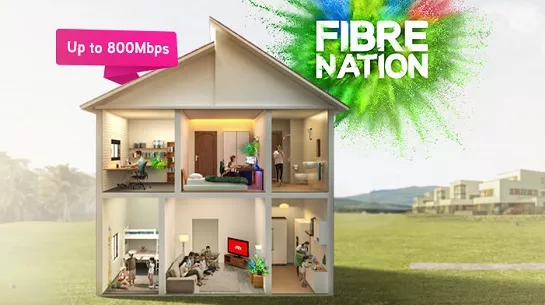
可靠的宽频配套可实现更高层次的业务增长。
支持最多 5 台设备上的 2-3 个用户。
支持最多 5 台设备上的 2-3 个用户。
固定 IP。
支持最多 10 台设备上的 6 个用户。
支持最多 10 台设备上的 6 个用户。
固定 IP。
支持多台设备上最多10个重度用户。
支持多台设备上最多10个重度用户。
固定 IP。
支持多台设备上最多 10 名高级用户。
支持多台设备上最多 10 名高级用户。
固定 IP。
适合家居办公及串流。
免费 WiFi-6 Router
免费 WiFi-6 Router
无限语音通话
适合全高清串流及浏览。
免费 WiFi-6 Router
免费 WiFi-6 Router
无限语音通话
适合有4K串流及游戏需求的小型家庭。
免费 WiFi-6 Router
免费 WiFi-6 Router
无限语音通话
完美符合中型家庭的工作及游戏需求。
免费 WiFi-6 Router
免费 WiFi-6 Router
无限语音通话
为满足所有人的一切需求而设的终极高速互联网。
免费 WiFi-6 Router
免费 WiFi-6 Router
无限语音通话
签购
| Astro Njoi UniFi Maxis |
在这里找到您要的答案。
我们提供一站式服务为您申请Astro和Broadband。不必开车,排队和在销售柜台等候。 我们可以帮助您处理您的申请。
我们不收取额外费用。 无需提供信用卡信息。 费用与您在销售柜台申请的费用相同。
首先,您可以在线申请,我们将在工作时间内立即与您联系。 通过WhatsApp/电子邮件/传真发送您的身份证-IC(马来西亚公民)/ 护照(外国人)的复印件给我们。 收到所有资料后,我们将立即处理您的申请。
一旦收到您的完整资料,我们将在工作时间内立即处理您的申请。一旦您的申请获得批准,服务提供商的承包商将与您联系以进行安装预约。
ASTRO 和宽频收费同时在一张账单,享受更大的节省和无忧的账单支付。 在24个月的合约期内,您可以每月以折扣价享受 Astro 和宽频。
Astro 提供多种电视配套,包括娱乐、体育、电影和儿童配套。您可以选择符合您观看需求的配套,并在适用情况下添加额外的串流应用服务。
可以,您可以只订阅 Astro 电视配套而无需绑定宽频。不过,将 Astro 电视与光纤宽频绑定可享有更好的每月优惠,并且只需支付一张综合账单,更加方便。
对于小型家庭以及轻度上网和串流使用者,100Mbps 通常已足够。较大家庭、游戏玩家或重度串流用户则可选择 500Mbps 或 1Gbps 配套,以获得更流畅的多设备使用体验。
大多数 Astro 电视和光纤宽频配套都附带 24 个月合约期。如在合约期满前取消服务,可能会产生提前终止费用。
可以,您可在符合资格及覆盖范围的情况下随时升级电视配套或宽频速度。根据升级情况,可能需要重新计算合约期限。
您的每月账单将由 Astro 直接发出。您可通过电子邮件接收账单,或通过 Astro 账户在线查看。绑定配套用户将收到电视与宽频服务的综合账单。
付款方式包括网上银行、自动扣款、信用卡或 Astro 提供的其他认可付款渠道。我们的团队将在申请过程中为您提供协助。
如果您遇到任何服务中断问题,可联系 Astro 客户服务寻求技术协助。大多数情况下可远程解决,如有需要将安排技术人员上门处理。
可以,迁移服务需视新地址是否在服务覆盖范围内而定。根据您的配套,可能会产生迁移费用及合约调整。
不需要,提交申请时无需提供信用卡资料。服务获批后,付款安排将由 Astro 直接处理。
部分 Astro 电视配套可根据当前促销及服务情况添加串流服务等附加项目。可能需支付额外月费。
是的,光纤安装时通常会提供 WiFi 路由器。路由器型号可能会根据所选宽频速度配套而有所不同。
可以,我们会在处理您的申请前确认您地址的服务覆盖范围,以确保该地区可安装宽频服务。
马来西亚公民需提供 MyKad 复印件。外籍人士则需在提交宽频申请时提供护照复印件。
申请获批后,服务提供商通常会在 2 至 7 个工作日内联系您安排宽频安装预约。
大多数 Astro 宽频配套附带 24 个月合约期,从安装日期开始计算。如您搬迁,可能需要在新地址重新签订 24 个月合约。
可以,您可在新地址具备服务覆盖的情况下迁移宽频服务。合约期限可能会从新安装日期起重新计算 24 个月。
可以,您可申请在家中调整宽频设备位置。若属于非标准安装,可能会产生额外费用,并需在评估后直接支付给安装人员。
可以,您可转用 Astro 宽频。为避免服务中断,建议在终止现有宽频合约前先开通新的宽频服务。
标准安装在促销期间可能免费,但非标准安装(如设备迁移或复杂布线)可能会产生额外费用,并需直接支付给安装人员。
If you see the error message "There is No Internet Connection" while using the Astro app on your Smart TV, please follow these troubleshooting steps:
1. Check Your Internet Connection
2. Check the LAN Cable Connection (if using Ethernet)
3. Test the LAN Cable
4. Reconnect to Wi-Fi (if using Wi-Fi)
5. Check Other Devices
6. Restart Your Devices
If you are still having issues, proceed to submit report via WhatsApp or Feedback Form and provide:
This will help our support team investigate and assist you further.
At this point in time, the Disney+ app on Astro Ultra and Ulti Box does not support Dolby audio. We are working to enable this in a future update.
SecureGo is an authentication process that allows you to approve your My Astro transactions safely and easily using one-tap verification. This feature is available on the My Astro app.
Once SecureGo is activated, it will be your default transaction approval method on the My Astro app.
If you require any assistance with the app, you may:
1. Visit the WeTV official Facebook Page for more information: WeTV Malaysia - Home | Facebook; or
2. Drop the WeTV team a message via Facebook chat here
If you encounter any issues with your Astro billing and entitlement, you may contact our Customer Service by:
1. Submitting a feedback form here: www.astro.com.my/contactus/form; or
2. Reaching to us via WhatsApp by typing "Hi"at 03-9543 3838
Mesh WiFi technology greatly improves the WiFi network coverage within your home and virtually eliminates all WiFi “dead spots”. However, like all technologies there are limitations that you should be aware of.
The pairing of Mesh unit to the WiFi router is automatically handled between the WiFi router and the Mesh unit after it calculates its current position in relation to the WiFi router and surrounding Mesh unit (if available) already connected to the WiFi router.
If you are self-installing the mesh at your house, it is advisable for you to always pair the Mesh unit(s) with the WiFi router only regardless of how many Mesh unit available at your house.
Please note that if you have a Mesh connected to another Mesh, the expected performance of the WiFi speed will not perform as optimally as when compared to a Mesh connected directly to the WiFi router. Adding more points (also referred as Number of hops) in between your device to the WiFi router which will cause a reduction in bandwidth and add latency.
Customers who subscribe to the HBO Max app as an ala carte add‑on via Astro after 1 March 2026 will have direct access to content such as HBO Originals, blockbuster movies, and exclusive series, all available via the app.
The iQIYI app offers subtitles in multiple languages for all their content excluding some variety shows. However, no dubbing option is available yet. You will be able to select or switch off your subtitles when you play your video in full screen.
If you don't know your HBO Max password, you can reset it. You need to have access to your account email to reset your password:
Now, sign in with your account email and your new password.If you don't get a HBO Max Password Reset email, go to Can't reset password.
Within the packs itself, it is not possible to replace or swap out specific services or content. These new packs are designed to provide the best value and content variety at an affordable price. We encourage you to enjoy your experience with the pack and if you’d like, to consider any suitable add-ons for content/service/apps to complement your viewing experience further.
Follow the steps below to access the TVBAnywhere+ app on your Ultra/Ulti box:
Step 1: At Astro Home, go to the app rail and select "beIN SPORTS CONNECT"
Step 2: Go to the Profile icon at the top of your screen and click "OK"
Step 3: A QR code will be presented on your screen. Use the in-app QR code scanner on your mobile device to scan the QR code
Step 4: Your TV screen will refresh automatically and you will be able to enjoy the beIN SPORTS CONNECT app on your TV!
After completing the subscription process, you will be able to access the iQIYI App on the Ultra/Ulti Box by following the steps below:
On your Ultra/Ulti Box
Step 1: At the Home menu, go to the App Rail and select "iQIYI"
Step 2: Click "OK" on your Astro remote
Step 3: While on the iQIYI App Home Page, navigate to "VIP account" located at the top left pane and click "Login". A page with a QR Code will be presented on your TV screen
Step 4: Scan the QR code using your mobile device and you will be directed to the iQIYI mobile app
Step 5: Follow the steps under "On Mobile App" below to pair your iQIYI account with your Ultra/Ulti Box
On the iQIYI Mobile App
Step 1: Download the iQIYI App on your mobile device
Step 2: At the login page, select "Continue with Astro"
Step 3: Log in with your Astro ID
Step 4: Click on the "Me" icon located at the bottom of the screen, and you will be presented with your iQIYI profile page
Step 5: Click on the in-app QR code scanner located at the top right corner of the screen
Step 6: Scan the QR Code displayed on your TV screen with the in-app QR code scanner. Refer to Step 3 under "On your Ultra/Ulti Box" above
Step 7: The screen on your TV will reload automatically and the iQIYI App home screen will be displayed. Now, you can enjoy the iQIYI App on your Ultra/Ulti Box!
There are two ways for you to switch your preferred bill delivery method:
A. Customers can manage their account via the My Astro Portal by following these easy steps:
B. Customers can also manage their account via Astro’s mobile application, the My Astro app by following these easy steps:
Astro introduces the new Ulti Box with a redesigned new interface, Cloud recording feature, enhanced search capabilities and more. Just connect the all new Ulti Box to the Internet and take control of your entertainment and stream up to 100,000 videos on demand, anytime.
The features of the new Ulti Box include:
· New Home Screen -Everything you see is yours
· Discover Video on Demand (VOD) - Discover 100,000 videos, stream anytime, anywhere
· Search - Search for your favorite show or video faster and easier
· Play from Start - Missed the start of the show? Just restart.
· Stop Here, Continue There -Stop on one screen and continue on another device
· Multi-Screen - Stream seamlessly across any device
· Cloud Recording - Record all the programmers you want at the same time
. **Continuous viewing - Enable to continue watching your favorite shows during raining.
We recommend an Internet speed of 10Mbps and above for optimal access to cloud recording, streaming on demand videos and search functions.
Note: ** Except 4K UHD, Astro First and all radio channels
You may retain your watch history and settings of your existing Netflix account by using the same email of your Netflix account during the linking of your Netflix account with Astro.
No. You will need to use a Malaysian mobile number registered with a local mobile network operator to register and activate your Disney+ subscription through Astro.
No. An Astro-billed Disney+ subscription cannot be transferred to a Disney+-billed subscription.
If you choose to subscribe directly with Disney+, your subscription and billing will be managed by Disney+. We recommend reviewing your current Disney+ subscription arrangement before signing up to ensure it best meets your needs.
Please note that subscribing directly through Disney+ while maintaining an active Astro-billed Disney+ subscription may result in you having multiple Disney+ subscriptions and being charged separately for each subscription.
- The Mesh unit can only be used indoors. It can be mounted onto a wall or be placed horizontally on a desktop. Do not install it in other mode, such as on the ceiling.
- Keep a clearance of at least 10 cm around the device to ensure proper ventilation.
- Keep the device away from electrical appliances that generate strong magnetic or electric fields, such as microwave ovens.
When you have reached the duration (years) needed for the upgrade, we will upgrade you into your new tier and your shiny new rewards will appear in the My Astro app. You are still eligible for all the rewards from previous tiers too.
Occasionally, an additional verification step may be required, such as entering a mobile number. This helps ensure a smooth and secure activation experience.
For customers that would like to subscribe to Multiroom with a box installation,
(i) customers on the old packages (example Family Pack, Starter Pack, Value Pack, Super Pack or Super Pack Plus) will have to subscribe to our new packages first by sending "Switch" to 03-9543 3838 via WhatsApp;
(ii) customers on the new Astro packages can subscribe by visiting product.astro.com.my/multiroom or WhatsApp "Hi" to 03-9543 3838.
Prime Video is Amazon’s over-the-top (OTT) streaming and rental service that offers access to a wide range of content including, exclusive Amazon originals, blockbuster movies and hit shows.
Astro customers can make payments via My Astro app, Auto-debit, WhatsApp,Astro Quick Pay and other authorised payment channels withoutsurcharge for the easiest and fastest way to pay their Astro bills.
Bill payments at selected petrolstations, convenience stores, retail/mobile shops, kiosks, and e-Wallets, may incur a surcharge of up to RM0.50 per transaction by the appointed collection agencies of RMS (Razer), ATX, MobilityOne and e-Pay.
The surcharge is imposed by third-party payment collection partners for services rendered.
You can refer to all our payment options below. Those marked with ‘*’ will be subject to a surcharge by appointed collection agencies.
A. ASTRO SELF-SERVICE METHODS
My Astro App:
My Astro Web:
Astro Quick Pay:
B. OTHER HASSLE-FREE METHODS
Auto-Debit: Click here for step-by-stepinstructions on how to activate auto-debit payment via My Astro app.
JomPAY: Look for the JomPAY logo on your latest bill, log into your preferred online banking platform, and submit your payment details.
• Biller Code: 9639 (unique to Astro only)
• Ref-1: <10-digit Astro account number> (E.g. 08XXXXXXXX)
C. BANKS
Maybank:
Visit maybank2u.com.my for more information.
Public Bank:
Visit pbebank.com for more information.
Bank Simpanan Nasional:
Visit mybsn.com.my for more information.
Agrobank:
Visit agrobank.com.my for more information.
D. e-WALLETS
ATX*
Boost, GoPayz, KelantanPay, Zcity (GEM REWARD), SabahPay, Tapay, GoPay,MerchantTradeMoney, ToneGroup, Elinking, Mpay, Mcash, and other various smaller wallets.
e-Pay*
Touch n Go (TnG), Grab Pay, Shopee, BigPay, True Money
E. OTHER METHODS
Associated Retailers:
RMS (Razer/ MOL)*
7-Eleven, 99 Speedmart, Caring Pharmacy
ATX*
RedONE Shop, Mobile Money, Runcit Hero (telecommunication shops), Parcel Hub (courier shops), Kiosk, DHL
Mobility One*
Kedai D’mart, Happy Mart, Pasaraya Sakan, PusatKomuniti Desa (PKD), Aeon Big and various sundry shops
e-Pay*
Petrol stations (Petronas, Shell, BHP, Caltex, Petron), KK Mart, Mydin, MyNews, SenHeng, Hai-O, Giant, TF ValueMart, Billion, Big Pharmacy
💳 Want to manage your Astro bills easily?
📱 Download the My Astro app to:
- View and download bill statements
- Check payment history
- Pay in just a few taps
You may contact Astro's Customer Service by:
Yes, English subtitles are available for all movies. Additionally, Malay and Arabic subtitles are available for selected movies. In addition, selected titles will be dubbed in multiple languages such as Tamil, Telugu, or Malayalam.
1. Clearly indicate full name of Astro customer, contact number and Astro subscription account number when making each payment (e.g. on bank-in slips)
2. For Direct Debit, please contact your bank for standing instructions. Provide the full name of Astro customer and Astro account number. The Direct Debit service may not be available with all banks. Please check with your bank for confirmation of Direct Debit service.
3. Please inform us of any changes in billing address/information by contacting us via one of these platforms.
IMPORTANT NOTICE: To avoid any problems in payment processing, please pay only at authorised Astro payment channels
You will be able to enjoy all the content on WeTV via your Ultra/Ulti Box,
wetv.vip
and the WeTV mobile app immediately upon successful purchase from the Astro website. Please ensure that the mobile number used to log in to the app is the same one used to purchase your WeTV VIP subscription.
Yes, subtitles are available in various languages including English, Malay, Chinese (Simplified & Traditional) etc.
To enable this feature, click on the subtitles selection option at the bottom right corner of the video player, then click on the language you desire.
If you accidentally delete your mesh:
You can access your ZEE5 Premium account on up to five (5) devices at a time, including your Ultra/Ulti Box. To ensure a smoother streaming experience, please sign out from any unused devices.
No, price for Astro customers will remain unchanged. Only the RRP price from iQIYI is changed.
Yes, another person may register their credit card to your account's auto-debit facility. If you are performing this action via our call centre, the respective card holder is required to be present.
You will be able to check your balance, switch to e-billing, request for payment barcode and request for reconnect at standard telco rate.
After completing the subscription process in Q4, follow the simple steps below to access WeTV VIP on your Ultra/Ulti Box:
Step 1: Go to your Ultra/Ulti Box Home Page and select "WeTV" under the Apps rail
Step 2: Click "Log in" and scan the QR code on your TV with your mobile device to download/launch the WeTV app
Step 3: On your mobile device, create a new account or log in using your registered mobile number and click "Login Authorization" to pair your device to your TV
Step 4: Once pairing is complete, please press the back button on your remote to start enjoying VIP-exclusive shows!
Important note: Please ensure that the mobile number used to log in to the app is the same one used to purchase your WeTV VIP subscription. Email login is not applicable for Astro Billing WeTV VIP customers.
*We highly encourage our customers to only use their device’s built-in camera to scan the QR code if available. Alternatively, only use QR code scanner apps that are from a trusted 3rd party provider. By using an untrusted QR code scanner app, you assume all responsibility for any damages or losses that may occur.
There will be no changes to your Netflix account when you move to a new address.
Of course not! It is a value-added service introduced for your convenience.
To subscribe to the Netflix 24-month ala-carte plan, you'll need to upgrade your current Astro subscription to an Astro One Pack. Once upgraded, the Netflix 24- month ala-carte plan will be available for both the Astro One Entertainment and Sport Pack.
Customers are given 90-days from their service termination date to return the Astro Box and SIM Card. If the box is not returned within this period, a “Box Fee” will be charged and appear as an itemized entry on their final bill when 90 days ended.
The new packs and access to Netflix on the Ultra Box and Ulti Box is available for Astro IPTV customers.