Astro 提供的免费卫星电视服务。终身收看娱乐,新闻,学习和资讯节目等。

图片仅供参考。
免费观看15多个电视频道和10+个广播频道。
* 需遵守Astro条款和条件。


步骤一 |
步骤二 |
步骤三 |
选择配套然后提交您的申请。 |
等待安装。 |
享受您的新 Astro / 宽频! |
探索我们的电视配套,其中包含各种娱乐频道。

为家庭中的每个人制作必看的本地和国际内容。

最好的本地和国际卡通片和教育娱乐片。

汇集全球电影和剧集,充满动作、剧情和震撼刺激。

在您探索世界秘密的同时,您还可以了解最新的突发新闻和时事。

见证每场主要联赛和现场体育赛事以及家庭娱乐活动。

集电影、体育和各种流媒体应用于一体的终极娱乐体验。
适合家居办公及串流。以 100Mbps 的速度连接并享受不间断的流媒体、游戏和浏览。

免费 数据机
免费 WiFi-6 路由器
无限数据
| 包括什么? |
Entertainment Pack RM49.99 |
100Mbps Astro Fibre RM99.00 |
| 包括什么? |
Entertainment Pack + Kids RM59.98 |
100Mbps Astro Fibre RM99.00 |
| 包括什么? |
Entertainment Pack + Blockbuster RM59.98 |
100Mbps Astro Fibre RM99.00 |
| 包括什么? |
Entertainment Pack + News & Documentaries RM64.98 |
100Mbps Astro Fibre RM99.00 |
| 包括什么? |
Sports Pack RM99.99 |
100Mbps Astro Fibre RM99.00 |
| 包括什么? |
Epic Pack RM199.99 |
100Mbps Astro Fibre RM99.00 |
适合有4K串流及游戏需求的小型家庭。以 500Mbps 的速度连接并享受快速稳定的互联网,满足您的所有需求。

免费 数据机
免费 WiFi-6 路由器
无限数据
| 包括什么? |
Entertainment Pack RM49.99 |
500Mbps Astro Fibre RM149.00 |
| 包括什么? |
Entertainment Pack + Kids RM59.98 |
500Mbps Astro Fibre RM149.00 |
| 包括什么? |
Entertainment Pack + Blockbuster RM59.98 |
500Mbps Astro Fibre RM149.00 |
| 包括什么? |
Entertainment Pack + News & Documentaries RM64.98 |
500Mbps Astro Fibre RM149.00 |
| 包括什么? |
Sports Pack RM99.99 |
500Mbps Astro Fibre RM149.00 |
| 包括什么? |
Epic Pack RM199.99 |
500Mbps Astro Fibre RM149.00 |
完美符合中型家庭的工作及游戏需求。以 1Gbps 的速度连接,让您体验到超快的互联网速度。

免费 数据机
免费 WiFi-7 路由器
无限数据
| 包括什么? |
Entertainment Pack RM49.99 |
1Gbps Astro Fibre RM229.00 |
| 包括什么? |
Entertainment Pack + Kids RM59.98 |
1Gbps Astro Fibre RM229.00 |
| 包括什么? |
Entertainment Pack + Blockbuster RM59.98 |
1Gbps Astro Fibre RM229.00 |
| 包括什么? |
Entertainment Pack + News & Documentaries RM64.98 |
1Gbps Astro Fibre RM229.00 |
| 包括什么? |
Sports Pack RM99.99 |
1Gbps Astro Fibre RM229.00 |
| 包括什么? |
Epic Pack RM199.99 |
1Gbps Astro Fibre RM229.00 |
为满足所有人的一切需求而设的终极高速互联网。以 2Gbps 的速度连接,享受闪电般的网络速度。

免费 数据机
免费 WiFi-7 路由器
无限数据
| 包括什么? |
Entertainment Pack RM49.99 |
2Gbps Astro Fibre RM319.00 |
| 包括什么? |
Entertainment Pack + Kids RM59.98 |
2Gbps Astro Fibre RM319.00 |
| 包括什么? |
Entertainment Pack + Blockbuster RM59.98 |
2Gbps Astro Fibre RM319.00 |
| 包括什么? |
Entertainment Pack + News & Documentaries RM64.98 |
2Gbps Astro Fibre RM319.00 |
| 包括什么? |
Sports Pack RM99.99 |
2Gbps Astro Fibre RM319.00 |
| 包括什么? |
Epic Pack RM199.99 |
2Gbps Astro Fibre RM319.00 |



Astro 提供的免费卫星电视服务。终身收看娱乐,新闻,学习和资讯节目等。
图片仅供参考。
新的解码器,不包含卫星天线和电缆。您必须已安装 Astro/Njoi 卫星天线和电缆并正常运作。
包括安装。
新的解码器配有卫星天线和电缆。
包括安装。


无限数据,unifi TV和具有unifi光纤宽带的高性能无线路由器。
可靠的宽频配套可实现更高层次的业务增长。
支持最多 5 台设备上的 2-3 个用户。
支持最多 10 台设备上的 6 个用户。
支持多台设备上最多10个重度用户。
支持多台设备上最多 10 名高级用户。
为多台设备上最多 10 位高级用户提供终极支持。
适合家居办公及串流。
100Mbps/50Mbps
免费 Standard Router (RG5)
100Mbps/50Mbps
免费 Standard Router (RG5)
 Netflix Basic
适合全高清串流及浏览。
300Mbps/50Mbps
免费 WiFi-6 Combo Box
300Mbps/50Mbps
免费 WiFi-6 Combo Box
Netflix Basic
适合有4K串流及游戏需求的小型家庭。
500Mbps/100Mbps
免费 WiFi-6 Combo Box
500Mbps/100Mbps
免费 WiFi-6 Combo Box
Netflix Standard
完美符合中型家庭的工作及游戏需求。
1Gbps/500Mbps
免费 WiFi-6 Combo Box
1Gbps/500Mbps
免费 WiFi-6 Combo Box
Netflix Standard
为满足所有人的一切需求而设的终极高速互联网。
2Gbps/1Gbps
免费 WiFi-6 Combo Box
2Gbps/1Gbps
免费 WiFi-6 Combo Box
Netflix Standard
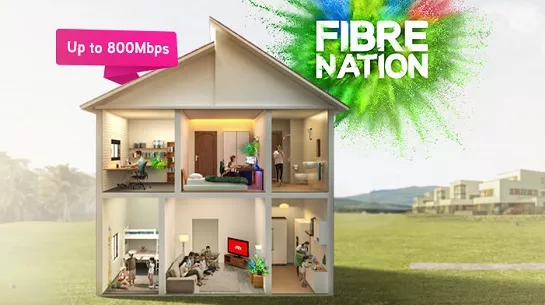
可靠的宽频配套可实现更高层次的业务增长。
支持最多 5 台设备上的 2-3 个用户。
支持最多 5 台设备上的 2-3 个用户。
固定 IP。
支持最多 10 台设备上的 6 个用户。
支持最多 10 台设备上的 6 个用户。
固定 IP。
支持多台设备上最多10个重度用户。
支持多台设备上最多10个重度用户。
固定 IP。
支持多台设备上最多 10 名高级用户。
支持多台设备上最多 10 名高级用户。
固定 IP。
适合家居办公及串流。
免费 WiFi-6 Router
免费 WiFi-6 Router
无限语音通话
适合全高清串流及浏览。
免费 WiFi-6 Router
免费 WiFi-6 Router
无限语音通话
适合有4K串流及游戏需求的小型家庭。
免费 WiFi-6 Router
免费 WiFi-6 Router
无限语音通话
完美符合中型家庭的工作及游戏需求。
免费 WiFi-6 Router
免费 WiFi-6 Router
无限语音通话
为满足所有人的一切需求而设的终极高速互联网。
免费 WiFi-6 Router
免费 WiFi-6 Router
无限语音通话
签购
| Astro Njoi UniFi Maxis |
在这里找到您要的答案。
我们提供一站式服务为您申请Astro和Broadband。不必开车,排队和在销售柜台等候。 我们可以帮助您处理您的申请。
我们不收取额外费用。 无需提供信用卡信息。 费用与您在销售柜台申请的费用相同。
首先,您可以在线申请,我们将在工作时间内立即与您联系。 通过WhatsApp/电子邮件/传真发送您的身份证-IC(马来西亚公民)/ 护照(外国人)的复印件给我们。 收到所有资料后,我们将立即处理您的申请。
一旦收到您的完整资料,我们将在工作时间内立即处理您的申请。一旦您的申请获得批准,服务提供商的承包商将与您联系以进行安装预约。
ASTRO 和宽频收费同时在一张账单,享受更大的节省和无忧的账单支付。 在24个月的合约期内,您可以每月以折扣价享受 Astro 和宽频。
Astro 提供多种电视配套,包括娱乐、体育、电影和儿童配套。您可以选择符合您观看需求的配套,并在适用情况下添加额外的串流应用服务。
可以,您可以只订阅 Astro 电视配套而无需绑定宽频。不过,将 Astro 电视与光纤宽频绑定可享有更好的每月优惠,并且只需支付一张综合账单,更加方便。
对于小型家庭以及轻度上网和串流使用者,100Mbps 通常已足够。较大家庭、游戏玩家或重度串流用户则可选择 500Mbps 或 1Gbps 配套,以获得更流畅的多设备使用体验。
大多数 Astro 电视和光纤宽频配套都附带 24 个月合约期。如在合约期满前取消服务,可能会产生提前终止费用。
可以,您可在符合资格及覆盖范围的情况下随时升级电视配套或宽频速度。根据升级情况,可能需要重新计算合约期限。
您的每月账单将由 Astro 直接发出。您可通过电子邮件接收账单,或通过 Astro 账户在线查看。绑定配套用户将收到电视与宽频服务的综合账单。
付款方式包括网上银行、自动扣款、信用卡或 Astro 提供的其他认可付款渠道。我们的团队将在申请过程中为您提供协助。
如果您遇到任何服务中断问题,可联系 Astro 客户服务寻求技术协助。大多数情况下可远程解决,如有需要将安排技术人员上门处理。
可以,迁移服务需视新地址是否在服务覆盖范围内而定。根据您的配套,可能会产生迁移费用及合约调整。
不需要,提交申请时无需提供信用卡资料。服务获批后,付款安排将由 Astro 直接处理。
部分 Astro 电视配套可根据当前促销及服务情况添加串流服务等附加项目。可能需支付额外月费。
是的,光纤安装时通常会提供 WiFi 路由器。路由器型号可能会根据所选宽频速度配套而有所不同。
可以,我们会在处理您的申请前确认您地址的服务覆盖范围,以确保该地区可安装宽频服务。
马来西亚公民需提供 MyKad 复印件。外籍人士则需在提交宽频申请时提供护照复印件。
申请获批后,服务提供商通常会在 2 至 7 个工作日内联系您安排宽频安装预约。
大多数 Astro 宽频配套附带 24 个月合约期,从安装日期开始计算。如您搬迁,可能需要在新地址重新签订 24 个月合约。
可以,您可在新地址具备服务覆盖的情况下迁移宽频服务。合约期限可能会从新安装日期起重新计算 24 个月。
可以,您可申请在家中调整宽频设备位置。若属于非标准安装,可能会产生额外费用,并需在评估后直接支付给安装人员。
可以,您可转用 Astro 宽频。为避免服务中断,建议在终止现有宽频合约前先开通新的宽频服务。
标准安装在促销期间可能免费,但非标准安装(如设备迁移或复杂布线)可能会产生额外费用,并需直接支付给安装人员。
We would need you to run few tests in order for us to understand your issue and to assist you in fixing the problem.
You may proceed with the troubleshooting steps below which should not require any longer than 15 minutes.
Quick Info
A Speedtest is a service that provides free analysis of Internet access parameters, such as connection data rate.
A Ping Test shows how long it takes for packets to reach host.
A Traceroute Test traces the route of packets to destination host from our server.
Please follow the steps below to retrieve your Astro ID:
Note: Only Astro customers whose Astro ID is linked to their subscription can retrieve their Astro ID this way. Otherwise, you would need to create a new account.
Step 1: Download the My Astro app from either the App Store, Google Play or HUAWEI AppGallery.
Step 2: Sign in with your Astro ID.
Step 3: Select "Rewards" on the home screen to get started.
Watch this tutorial to learn how to create your Astro ID.
Multiroom (Smart TV) is a secondary subscription that allows you to enjoy your favourite Astro shows instantly in different rooms at the same time on your Smart TV. Subscribe to Multiroom (Smart TV) at RM29.99 per month (excl. any govt. tax), and simply download the Astro app on your second TV-screen and connect to your home Wi-Fi to stream.
No additional subscription is required. Video On-Demand (VOD) is a value-added service for all Astrro customers with connected Astro boxes (Ultra Box, Ulti Box, HD-PVR & PVR boxes). All you have to do is connect your decoder to your home Wi-Fi and you'll be able to access the world of on demand. Binge-watch, rewind, fast-froward and stream all your favourite shows anytime.
Multiroom discount rates will be removed upon splitting the account.
For Residential Astro Pay TV customers: You may change your contract from e.g., 12-month to 24-month without incurring a switching fee or cancellation fee. However, if you change your contract from e.g., 24-month to 12-month, will be charged a cancellation fee accordingly if still within minimum term (contract) period. No switching fee applicable.
Step 1: Open your My Astro app
Step 2: Select "Astro Rewards"
Step 3: Scroll through your rewards to see what you're entitled to
Step 4: Select the rewards that take your fancy and follow the instructions stated on how to redeem them (redemption instructions may vary based on reward)
Please note that only one Disney+ Hotstar access is bundled to each TV Pack subscription which allows two concurrent streams on Disney+ Hotstar.
-The Mesh unit can only be used indoors. It can be mounted onto a wall or be placed horizontally on a desktop. Do not install it in other mode, such as on the ceiling.
-Keep a clearance of at least 10 cm around the device to ensure proper ventilation.
-Keep the device away from electrical appliances that generate strong magnetic or electric fields, such as microwave ovens.
Connect your Ultra Box/Ulti Box today and get the full value for your subscription. We believe we can provide you the best entertainment experience in Malaysia, and it all starts with connecting your box to the internet.
Want to enjoy these features for free?
STEP 1
On your remote, press the HOME button and the home menu will be displayed on top of your screen.

STEP 2
Navigate to Settings.

STEP 3
Scroll to Network Settings and press "OK". Select New Wi-Fi Connection and press "OK".


STEP 4
Select your Wi-Fi network and press "OK". Please enter the password to connect to your network.


STEP 5
You have successfully connected when this screen appears.

We noticed that you've recently requested for a change in your Astro account.
As this change will affect your overall monthly subscription, the expiry date for your Disney+ Hotstar (3-months Pass) subscription has been deferred to xxx (date) to consolidate the final monthly subscription pricing.
From 1st July 2023 onwards, Astro will ONLY accept cheques deposited at Public Bank Berhad.
To simplify your monthly payments, here are some recommended alternatives you can look into.
To find out more on how you can make your payments via these channels, kindly visit here.
Should you choose to continue with cheque payment, do ensure that you follow these steps below.
Step 1: Fill in the cheque
Step 2: Ensure that your 10-digit Astro account number is accurately written at the back of the cheque
Step 3: Go to your nearest Public Bank
Step 4: Locate the Cheque Deposit Machine
Step 5: Select “Bill Payment” on the screen
Step 6: Select “Astro”
Step 7: Drop your cheque in
Step 8: Collect your receipt
To cancel your Multiroom (Smart TV) subscription, please call us at 03-9543 3838.
STEP 1
On your remote, press the HOME button.

STEP 2
Navigate to SETTINGS icon and press "OK".

STEP 3
Navigate to Manage Satellite Frequency and press “OK”.

STEP 4
Choose Test Satellite Frequency and press “OK”.

STEP 5
Choose "Confirm" to continue Test Satellite Frequency and press “OK”.

STEP 6
Satellite Frequency Test progress screen will be displayed.

STEP 7
The test result will be displayed once completed.

To subscribe, WhatsApp "Smart TV' or call 03-9543 3838.
Astro customers on the previous packages (e.g. Family Pack, Starter Pack, Value Pack, Super Pack Lite, Super Pack or Super Pack Plus) will first have to sign up to our new packages on astro.com.my before they are able to sign up for Multiroom (Smart TV).
You can subscribe to Multiroom (Smart TV) here or via any of our sales channels.
STEP 1
On your remote, press the Home button and the home menu will be displayed on your screen.
STEP 2
Navigate to Profile.
STEP 3
The Profile Selection Screen will be displayed.
STEP 4
Navigate to Add Profile.
STEP 5
Choose your Profile.
STEP 6
Input the Profile Name and navigate to DONE.
STEP 7
Choose the Age Group of the new profile and press "OK".
STEP 8
Your new profile will be shown in the Profile Selection Screen.
The supported app platforms are iOS (requires iOS 13.0 or later), and Android (requires Android 8.1 or later), and all Harmony OS.
The supported web browser are Google Chrome, Safari, Mozilla Firefox, Microsoft Edge, Internet Explorer, Opera and other web browser.
You may verify if your speed plan has been successfully upgraded during the installation process with your Astro installer before sign-off. If you would like to confirm the status of your speed upgrade after installation, you may contact Astro’s Contact Centre at 03-9543 1543 and an Astro agent will be available to assist you immediately.
STEP 1
Check the Audio settings on your box and set to Auto.
Refer guide to change Set HDMI Audio.
STEP 2
If issue persist, check if there is any 3rd party device (sound system/hdmi splitter) connected between box and TV.
STEP 3
If using 3rd party devices, bypass/remove 3rd party device and make sure HDMI cable connected directly from box to TV.
STEP 4
If issue persist, connect to Live Agent via WhatsApp for help.
Your documents will be handled in compliance with standards set by PDPA (Personal Data Protection Act 2010) and will not be used for other means without your specific consent.
Astro introduces Liga Malaysia for all Astro customers to watch the Malaysian Football League’s Liga Malaysia competitions LIVE, comprising Perlawanan Sumbangsih (Piala Sultan Haji Ahmad Shah), Liga Super, Piala FA and Piala Malaysia live in HD on Astro Arena (CH801), Arena Bola channels (CH803 and CH804) and stream on Astro GO until further notice.
Astro invests billions of ringgits in content annually to keep Malaysians entertained and informed. Hence, we work alongside industry players, content partners and regulators in protecting intellectual property so that Astro can continue to produce and aggregate compelling content for our viewers.
We continue to educate and raise awareness among the public and businesses about the economic and social losses caused by content piracy. You can play your part in combating piracy by reporting potential copyright infringement of Astro content to the Domestic Trade and Consumer Affairs Ministry (KPDNHEP) on the following channels:
Please visit any of Astro’s digital platform that you would like to log into, such as Astro’s official website (www.astro.com.my). Then, create a new Astro ID using your email address or mobile number by clicking “No Astro ID? Create Now!”. After creating your new Astro ID, please use it to log into our digital platforms moving forward.
If you have an active Astro subscription, you may also link it to your Astro ID. Please click here for the guide.
SST of 6% and 8% will be applied accordingly to your bundle services:
STEP 1
On your remote, press the HOME button and the home menu will be displayed on top of your screen.
STEP 2
Navigate to Settings.
STEP 3
Navigate to Menu Language and press "OK".

STEP 4
Navigate to your preferred language selection and press “OK”.

Zee5 is the only app that has a change in price upon the SST increase. Prices of Netflix, Disney+ Hotstar, Viu, iQIYI, WeTV and Qalbox will not be affected.

1. Please standby computer/laptop to access to the internet and connection must be via LAN (cable) [Connect the LAN (cable) to the yellow port in Maxis Router and direct to computer/laptop].
2. You may open any web browser such as Google Chrome, Internet Explorer, Mozilla Firefox and etc.
3. On the address bar, please go to http://192.168.1.254 and below page will appear.

If below box appear, please enter required details as below:

USERNAME: Administrator
PASSWORD: (ACCESS KEY AT THE RGW STICKER)
(These are the defaults, if you have done previous configuration on your router the password may be different)
4. Once enter into the page ‘’TECHNICOLOR TG784N V3’’, you may follow below step for the wireless information.
i. Click "Configure”

ii. Once clicked configure button, below screen will appear.

A. This is your current password. Please delete and enter the new password.
B. Once completed the selection; click the "Apply" button. Router will auto reboot and connection re-establish after few minutes.
Please re-connect your wireless using the new password.
STEP 1
Try to change channels on your Astro remote. Check the LED light.
If the LED is blinking 3 times or if it is not blinking, replace the batteries and proceed to STEP 2.
Otherwise, if the LED is blinking 1 time, your remote is working fine, let's proceed to STEP 3.
STEP 2
Check if you can change channels using your Astro remote control. You should no longer be experiencing this problem if is a battery issue.
If issue remain after batteries replacement, proceed to STEP 3.
STEP 3
You need to refresh the box setting manually from the box front panel.
Refer to Refresh Box setting (Clear NVRAM) - Ultra / Ulti Box.
If issue persist, please submit the issue on our Feedback Form.
Do ensure that you are logging in with the correct Astro ID and password. If you are still unable to remember your password, please proceed to use the “forgot password” function to reset your password.
If the issue persists, you may submit an enquiry through our feedback form here. Choose feedback type as “Technical issues” and the issue as “I have an enquiry/issue with Apps.” Then, select the app you’re having trouble logging into, and submit the form. We will get in touch with you within 48 hours.
Kindly note that you will need to link yourAstro ID with an active Astro subscription to use Astro GO, My Astro, and other partner apps that is included in your subscription. You may refer to the steps here on how to do this.
You may retain your watch history and settings of your existing Netflix account by using the same email of your Netflix account during the linking of your Netflix account with Astro.
The all-new Astro Fibre is Astro's own internet service whereby customers would be able to enjoy the Astro content over the internet via wireless connection along with high-speed internet service ranging from 50Mbps - 800Mbps.
While Astro & Broadband offers Astro content in partnership with Maxis Fibre Broadband or Allo City Broadband for customers to enjoy the best entertainment through Astro while staying connected with high-speed internet.
STEP 1
Switch off the power for your box and make sure that the adapter's power light is off.

STEP 2
Locate the SIM card at the left side and gently pull it out.

STEP 3
Wipe the SIM card's gold chip clean using a dry soft cloth.

STEP 4
Make sure the gold chip is facing down and reinsert it all the way in.

STEP 5
Switch on the power for your box and make sure that the adapter's power light is on.
Please wait for 5 minutes.

STEP 6
Turn on your Ultra Box. You should no longer be experiencing this problem.

If issue persist, please submit the issue in our Feedback Form with the error details and provide sim card number for assistance.
If you have a random Astro power cable, remote control or old box lying around at home, you are required to discard them only at registered collection centres for proper handling and management of e-waste in an environmentally sound manner. Click here to find a registered collection centre near you.
For all recycling-related questions, please click here.
Step 1:
Type ASTRO EBILL <Your 10-Digit Smart Card Number> <Your Email Address>
Example: ASTRO EBILL 0156123412 abcdabcd@gmail.com
Step 2:
Send SMS to 66688
Note: This request must be sent from account holder’s mobile/primary number
*Standard telco charges and Terms & Conditions apply
No, Astro & Broadband only offers a 24-month contract period upon sign up.
The speeds shown under “My Network Map†are the WiFi speeds of your connected devices based on factors such as signal strength, distance of devices from your router, obstructing objects etc. This function allows users to know the signal strengths achievable from every room in their house or any distance from their router, giving users accurate indication If additional mesh is needed or if the placement of their router requires adjustment.
However, the speeds shown under “My Devices†are the recent WiFi consumption of your connected devices, which allows you to monitor every user’s internet consumption in your household.
For self-installation, in your first bill upon activation of your Plug& Play Box, the activation fee will be included as a separate line item in your bill alongside the subscription fee.
If you choose to install the Plug & Play Box via installer, you can pay the installation fee and activation fee directly to the installer upon installation. This will be reflected in your next bill itemised as setup fee.
The WiFi SSID and password of the Mesh unit will be automatically synchronized to the WiFi router. Hence, there is no need to configure the WiFi parameters.
*WiFi SSID (Service Set Identifier) is the name of your wireless network, also known as Network ID. It is viewable to anyone with a wireless device within reachable distance of your network.
Starting 12 December 2023, Multiroom Smart TV app customers can enjoy two 4K Ultra HD (4K UHD) channels, namely CH549 Love Nature and CH805 Astro SuperSport. “Love Nature” is available to all customers regardless of their subscribed TV Pack. It celebrates the complexity of life on earth, presenting nature stories in stunning detail and colours.
Additionally, “Astro SuperSport” is only available to customers on the Sports, Sports Plus, Premium 1, Premium 2, Premium 4, Platinum Lite and Platinum Packs. This channel showcases a variety of sporting events, selected to appeal to the Malaysian viewing audience.
electronic Know-Your-Customer (eKYC) is an online process of identifying and verifying individual customers using electronic means. This enables a person to be an Astro customer anytime and anywhere, hassle-free and helps to secure your Astro account by protecting it from unauthorised usage.
Mesh WiFi technology greatly improves the WiFi network coverage within your home and virtually eliminates all WiFi “dead spots”. However, like all technologies there are limitations that you should be aware of.
The pairing of Mesh unit to the WiFi router is automatically handled between the WiFi router and the Mesh unit after it calculates its current position in relation to the WiFi router and surrounding Mesh unit (if available) already connected to the WiFi router.
If you are self-installing the mesh at your house, it is advisable for you to always pair the Mesh unit(s) with the WiFi router only regardless of how many Mesh unit available at your house.
Please note that if you have a Mesh connected to another Mesh, the expected performance of the WiFi speed will not perform as optimally as when compared to a Mesh connected directly to the WiFi router. Adding more points (also referred as Number of hops) in between your device to the WiFi router which will cause a reduction in bandwidth and add latency.
You may report the incident on WhatsApp at 03-9543 3838 by typing PNP and our access our user guide or request for further help from our dedicated agents. Please have your Airway Bill tracking numbers ready for validation.If a replacement box/Astro SIM card is deemed necessary, a new Box and a new Astro SIM card will be couriered to your service address.
For customers who wish to have their physical tax invoices reprinted, there will be a flat fee of RM10.00 levied as part of the process which has been implemented since year 2015.
We would need you to run few tests in order for us to understand your issue and to assist you in fixing the problem.
You may proceed with the troubleshooting steps below which should not require any longer than 15 minutes.
1. Please run each of the tests according to your your Laptop/ PC Software.
2. Compile the pictures/ screenshots of your test results in one file (i.e Microsof Word document, PDF file) and attach them in the Support Ticket below in order for us to assist you further:
3. Once you've gathered all the results, kindly send them all through the Feedback Form below,
Quick Info
A Speedtest is a service that provides free analysis of Internet access parameters, such as connection data rate.
A Ping Test shows how long it takes for packets to reach host.
A Traceroute Test traces the route of packets to destination host from our server.
Astro customers are entitled to a two (2) years manufacturer warranty and Installation warranty. During this period, after-sales service is free of charge. However, when your warranty period is over, all after-sales service is subject to a minimal service charge starting from RM65 inclusive of 8% Service Tax.
Other Decoders/Ultra Box Without contract:
Astro customers are entitled to a one (1) year manufacturer warranty and (6) months Installation warranty. During this period, after-sales service is free of charge. However, when your Installation warranty period is over, all after-sales service is subject to a minimal service charge starting fromRM65 inclusive of 8% service tax.
Astro sends regular payment reminders to customers via SMS until their current charges have been paid. However, we encourage customers to pay their bill as soon as possible to avoid disconnection of Astro service. Please reach out to us here if you require more information about payment reminders or to change your contact details.
You must subscribe to an Astro subscription (NJOI customers are not eligible) in order to get the Ulti Box.
The eligibility criteria for the Ulti Box are as follows:
New Customers
All new Astro customers with a monthly subscription fee of below RM100 will be entitled to select the Ulti Box upon signing up for Astro’s packages.
Existing Customers (Box Upgrade for Primary or Multiroom)
Existing customers are required to have an internet connection at home with a recommended internet speed of 10Mbps and above in order to upgrade your existing box to Ulti Box.
Note:
· Existing Ultra Box customers are not eligible for a swap to the Ulti Box.
· If your existing box is a PVR, you will lose access to all the recordings stored in the PVR
Multiroom (New subscription)
Customers subscribing for an additional multiroom subscription are entitled to select the Ulti Box as part of the subscription.
· Bill
· Log into your Astro Self-Service (location)
When Band Steering is enabled, only one SSID network name with one password is available. Example:
i.SSID: SSID, Password: 12345678