签购与安装 Astro / Broadband | 签购与安装 Astro / Broadband。

Astro

现在您可以享受令人惊叹的全新 Astro 电视套餐。

我们全新策划的 Astro 电视套餐已重新设计,为您带来喜爱的内容。


电视配套   新安装 更改现有配套    

探索我们的电视配套,其中包含各种娱乐频道。

新安装 更改现有配套    
❯ ❮
Entertainment Pack
Entertainment Pack
RM49.99 /月
查看频道列表

为家庭中的每个人制作必看的本地和国际内容。

Entertainment Pack + Kids
RM59.98 /月
查看频道列表

最好的本地和国际卡通片和教育娱乐片。

Entertainment Pack + Blockbuster
RM59.98 /月
查看频道列表

汇集全球电影和剧集,充满动作、剧情和震撼刺激。

Entertainment Pack + News & Documentaries
RM64.98 /月
查看频道列表

在您探索世界秘密的同时,您还可以了解最新的突发新闻和时事。

Sports Pack
Sports Pack
RM99.99 /月
查看频道列表

见证每场主要联赛和现场体育赛事以及家庭娱乐活动。

Epic Pack
Epic Pack
RM199.99 /月
查看频道列表

集电影、体育和各种流媒体应用于一体的终极娱乐体验。


100Mbps Astro Fibre   新安装 更改现有配套    

适合家居办公及串流。以 100Mbps 的速度连接并享受不间断的流媒体、游戏和浏览。

新安装 更改现有配套    
❯ ❮
100Mbps
100Mbps
RM99.00 /月
不含电视频道

免费 数据机

免费 WiFi-6 路由器

无限数据

Entertainment Pack + 100Mbps
RM148.99 /月
查看频道列表
包括什么?
Entertainment Pack
RM49.99
100Mbps Astro Fibre
RM99.00
RM99.00
Entertainment Pack + Kids + 100Mbps
RM158.98 /月
查看频道列表
包括什么?
Entertainment Pack + Kids
RM59.98
100Mbps Astro Fibre
RM99.00
RM99.00
Entertainment Pack + Blockbuster + 100Mbps
RM158.98 /月
查看频道列表
包括什么?
Entertainment Pack + Blockbuster
RM59.98
100Mbps Astro Fibre
RM99.00
RM99.00
Entertainment Pack + News & Documentaries + 100Mbps
RM163.98 /月
查看频道列表
包括什么?
Entertainment Pack + News & Documentaries
RM64.98
100Mbps Astro Fibre
RM99.00
RM99.00
Sports Pack + 100Mbps
RM198.99 /月
查看频道列表
包括什么?
Sports Pack
RM99.99
100Mbps Astro Fibre
RM99.00
RM99.00
Epic Pack + 100Mbps
Epic Pack + 100Mbps
RM298.99 /月
查看频道列表
包括什么?
Epic Pack
RM199.99
100Mbps Astro Fibre
RM99.00
RM99.00


500Mbps Astro Fibre   新安装 更改现有配套    

适合有4K串流及游戏需求的小型家庭。以 500Mbps 的速度连接并享受快速稳定的互联网,满足您的所有需求。

新安装 更改现有配套    
❯ ❮
500Mbps
500Mbps
RM149.00 /月
不含电视频道

免费 数据机

免费 WiFi-6 路由器

无限数据

Entertainment Pack + 500Mbps
RM198.99 /月
查看频道列表
包括什么?
Entertainment Pack
RM49.99
500Mbps Astro Fibre
RM149.00
RM149.00
Entertainment Pack + Kids + 500Mbps
RM208.98 /月
查看频道列表
包括什么?
Entertainment Pack + Kids
RM59.98
500Mbps Astro Fibre
RM149.00
RM149.00
Entertainment Pack + Blockbuster + 500Mbps
RM208.98 /月
查看频道列表
包括什么?
Entertainment Pack + Blockbuster
RM59.98
500Mbps Astro Fibre
RM149.00
RM149.00
Entertainment Pack + News & Documentaries + 500Mbps
RM213.98 /月
查看频道列表
包括什么?
Entertainment Pack + News & Documentaries
RM64.98
500Mbps Astro Fibre
RM149.00
RM149.00
Sports Pack + 500Mbps
RM248.99 /月
查看频道列表
包括什么?
Sports Pack
RM99.99
500Mbps Astro Fibre
RM149.00
RM149.00
Epic Pack + 500Mbps
Epic Pack + 500Mbps
RM348.99 /月
查看频道列表
包括什么?
Epic Pack
RM199.99
500Mbps Astro Fibre
RM149.00
RM149.00


1Gbps Astro Fibre   新安装 更改现有配套    

完美符合中型家庭的工作及游戏需求。以 1Gbps 的速度连接,让您体验到超快的互联网速度。

新安装 更改现有配套    
❯ ❮
1Gbps
1Gbps
RM229.00 /月
不含电视频道

免费 数据机

免费 WiFi-7 路由器

无限数据

Entertainment Pack + 1Gbps
RM278.99 /月
查看频道列表
包括什么?
Entertainment Pack
RM49.99
1Gbps Astro Fibre
RM229.00
RM229.00
Entertainment Pack + Kids + 1Gbps
RM288.98 /月
查看频道列表
包括什么?
Entertainment Pack + Kids
RM59.98
1Gbps Astro Fibre
RM229.00
RM229.00
Entertainment Pack + Blockbuster + 1Gbps
RM288.98 /月
查看频道列表
包括什么?
Entertainment Pack + Blockbuster
RM59.98
1Gbps Astro Fibre
RM229.00
RM229.00
Entertainment Pack + News & Documentaries + 1Gbps
RM293.98 /月
查看频道列表
包括什么?
Entertainment Pack + News & Documentaries
RM64.98
1Gbps Astro Fibre
RM229.00
RM229.00
Sports Pack + 1Gbps
Sports Pack + 1Gbps
RM328.99 /月
查看频道列表
包括什么?
Sports Pack
RM99.99
1Gbps Astro Fibre
RM229.00
RM229.00
Epic Pack + 1Gbps
Epic Pack + 1Gbps
RM428.99 /月
查看频道列表
包括什么?
Epic Pack
RM199.99
1Gbps Astro Fibre
RM229.00
RM229.00


2Gbps Astro Fibre   新安装 更改现有配套    

为满足所有人的一切需求而设的终极高速互联网。以 2Gbps 的速度连接,享受闪电般的网络速度。

新安装 更改现有配套    
❯ ❮
2Gbps
2Gbps
RM319.00 /月
不含电视频道

免费 数据机

免费 WiFi-7 路由器

无限数据

Entertainment Pack + 2Gbps
RM368.99 /月
查看频道列表
包括什么?
Entertainment Pack
RM49.99
2Gbps Astro Fibre
RM319.00
RM319.00
Entertainment Pack + Kids + 2Gbps
RM378.98 /月
查看频道列表
包括什么?
Entertainment Pack + Kids
RM59.98
2Gbps Astro Fibre
RM319.00
RM319.00
Entertainment Pack + Blockbuster + 2Gbps
RM378.98 /月
查看频道列表
包括什么?
Entertainment Pack + Blockbuster
RM59.98
2Gbps Astro Fibre
RM319.00
RM319.00
Entertainment Pack + News & Documentaries + 2Gbps
RM383.98 /月
查看频道列表
包括什么?
Entertainment Pack + News & Documentaries
RM64.98
2Gbps Astro Fibre
RM319.00
RM319.00
Sports Pack + 2Gbps
Sports Pack + 2Gbps
RM418.99 /月
查看频道列表
包括什么?
Sports Pack
RM99.99
2Gbps Astro Fibre
RM319.00
RM319.00
Epic Pack + 2Gbps
Epic Pack + 2Gbps
RM518.99 /月
查看频道列表
包括什么?
Epic Pack
RM199.99
2Gbps Astro Fibre
RM319.00
RM319.00


Astro Rate Card

Astro Rate Card

 
Njoi

免费终身娱乐。

NJOI HD Box 包含免费的15多个电视频道和10+个广播频道,提供来自本地、国际、儿童、最新新闻和体育频道的各种娱乐!

Njoi

Astro 提供的免费卫星电视服务。终身收看娱乐,新闻,学习和资讯节目等。

 

Njoi

图片仅供参考。

免费观看15多个电视频道和10+个广播频道。


* 需遵守Astro条款和条件。

Njoi
 
❯ ❮
njoi
New Decoder
RM325.00

新的解码器,不包含卫星天线和电缆。您必须已安装 Astro/Njoi 卫星天线和电缆并正常运作。

包括安装。

njoi
New Decoder & Satellite Dish
RM415.00

新的解码器配有卫星天线和电缆。

包括安装。


Unifi
unifi-logo

100Mbps @ RM89/月

无限数据,unifi TV和具有unifi光纤宽带的高性能无线路由器。


Unifi Business Broadband   

可靠的宽频配套可实现更高层次的业务增长。

❯ ❮
Unifi Biz
100M
RM99.00 /月

支持最多 5 台设备上的 2-3 个用户。

Unifi Biz
300M (MESH6)
RM139.00 /月

支持最多 10 台设备上的 6 个用户。

Unifi Biz
500M (MESH6)
RM179.00 /月

支持多台设备上最多10个重度用户。

Unifi Biz
1Gbps (MESH6)
RM319.00 /月

支持多台设备上最多 10 名高级用户。

Unifi Biz
2Gbps (MESH6)
RM369.00 /月

为多台设备上最多 10 位高级用户提供终极支持。


100Mbps Unifi Home Broadband   

适合家居办公及串流。

❯ ❮
Unifi Home
100Mbps
RM89.00 /月

100Mbps/50Mbps

免费 Standard Router (RG5)
Unifi Home
100Mbps + Netflix Basic
RM118.90 /月

100Mbps/50Mbps

免费 Standard Router (RG5)

 Netflix Basic


300Mbps Unifi Home Broadband   

适合全高清串流及浏览。

❯ ❮
Unifi Home
300Mbps
RM129.00 /月

300Mbps/50Mbps

免费 WiFi-6 Combo Box

Unifi Home
300Mbps + Netflix Basic
RM142.00 /月

300Mbps/50Mbps

免费 WiFi-6 Combo Box

 Netflix Basic


500Mbps Unifi Home Broadband   

适合有4K串流及游戏需求的小型家庭。

❯ ❮
Unifi Home
500Mbps
RM149.00 /月

500Mbps/100Mbps

免费 WiFi-6 Combo Box

Unifi Home
500Mbps + Netflix Standard
RM203.90 /月

500Mbps/100Mbps

免费 WiFi-6 Combo Box

 Netflix Standard
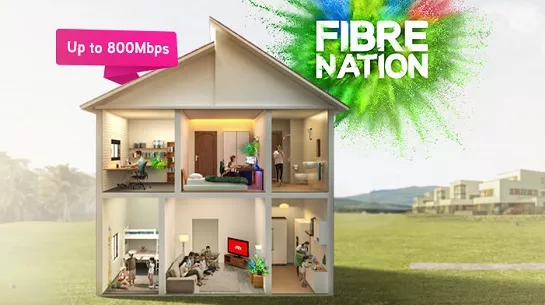


1Gbps Unifi Home Broadband   

完美符合中型家庭的工作及游戏需求。

❯ ❮
Unifi Home
1Gbps
RM249.00 /月

1Gbps/500Mbps

免费 WiFi-6 Combo Box

Unifi Home
1Gbps + Netflix Standard
RM293.90 /月

1Gbps/500Mbps

免费 WiFi-6 Combo Box

 Netflix Standard


2Gbps Unifi Home Broadband   

为满足所有人的一切需求而设的终极高速互联网。

❯ ❮
Unifi Home
2Gbps
RM319.00 /月

2Gbps/1Gbps

免费 WiFi-6 Combo Box

Unifi Home
2Gbps + Netflix Standard
RM363.90 /月

2Gbps/1Gbps

免费 WiFi-6 Combo Box

 Netflix Standard


MaxisONE Fibre Internet

享受Maxis为您打造的更好的WiFi体验

获得与网状WiFi配对的超快光纤,以实现更好的覆盖范围,并由Maxperts优化,以满足您一家大小的互联网需求。


Maxis Business Fibre   

可靠的宽频配套可实现更高层次的业务增长。

❯ ❮
Maxis Business Fibre
100Mbps
RM119.00 /月

支持最多 5 台设备上的 2-3 个用户。

Maxis Business Fibre
100Mbps + Fixed IP
RM319.00 /月

支持最多 5 台设备上的 2-3 个用户。

固定 IP。

Maxis Business Fibre
300Mbps
RM179.00 /月

支持最多 10 台设备上的 6 个用户。

Maxis Business Fibre
300Mbps + Fixed IP
RM379.00 /月

支持最多 10 台设备上的 6 个用户。

固定 IP。

Maxis Business Fibre
500Mbps
RM219.00 /月

支持多台设备上最多10个重度用户。

Maxis Business Fibre
500Mbps + Fixed IP
RM419.00 /月

支持多台设备上最多10个重度用户。

固定 IP。

Maxis Business Fibre
1Gbps
RM299.00 /月

支持多台设备上最多 10 名高级用户。

Maxis Business Fibre
1Gbps + Fixed IP
RM499.00 /月

支持多台设备上最多 10 名高级用户。

固定 IP。


100Mbps Maxis Home Fibre   

适合家居办公及串流。

❯ ❮
Maxis Home Fibre
100Mbps
RM89.00 /月

免费 WiFi-6 Router

Maxis Home Fibre
100Mbps + Voice Unlimited
RM99.00 /月

免费 WiFi-6 Router

无限语音通话


300Mbps Maxis Home Fibre   

适合全高清串流及浏览。

❯ ❮
Maxis Home Fibre
300Mbps
RM99.00 /月

免费 WiFi-6 Router

Maxis Home Fibre
300Mbps + Voice Unlimited
RM109.00 /月

免费 WiFi-6 Router

无限语音通话


500Mbps Maxis Home Fibre   

适合有4K串流及游戏需求的小型家庭。

❯ ❮
Maxis Home Fibre
500Mbps
RM149.00 /月

免费 WiFi-6 Router

Maxis Home Fibre
500Mbps + Voice Unlimited
RM159.00 /月

免费 WiFi-6 Router

无限语音通话


1Gbps Maxis Home Fibre   

完美符合中型家庭的工作及游戏需求。

❯ ❮
Maxis Home Fibre
1Gbps
RM249.00 /月

免费 WiFi-6 Router

Maxis Home Fibre
1Gbps + Voice Unlimited
RM259.00 /月

免费 WiFi-6 Router

无限语音通话


2Gbps Maxis Home Fibre   

为满足所有人的一切需求而设的终极高速互联网。

❯ ❮
Maxis Home Fibre
2Gbps
RM319.00 /月

免费 WiFi-6 Router

Maxis Home Fibre
2Gbps + Voice Unlimited
RM329.00 /月

免费 WiFi-6 Router

无限语音通话


全国范围内安装


签购

Astro  Njoi  UniFi  Maxis 


请输入您的全名(根据身份证)

姓名 (根据身份证)

请输入您的身份证/护照号码

身份证 / 护照

请输入您的手机号码

手机号码

请输入完整的安装地址

安装地址

请输入您的邮编
邮编
请输入您的城镇
城镇
请输入您的州
州


常问问题

在这里找到您要的答案。


为什么要在这里申请?

我们提供一站式服务为您申请Astro和Broadband。不必开车,排队和在销售柜台等候。 我们可以帮助您处理您的申请。


在这里申请需付多少费用?

我们不收取额外费用。 无需提供信用卡信息。 费用与您在销售柜台申请的费用相同。


申请程序如何?

首先,您可以在线申请,我们将在工作时间内立即与您联系。 通过WhatsApp/电子邮件/传真发送您的身份证-IC(马来西亚公民)/ 护照(外国人)的复印件给我们。 收到所有资料后,我们将立即处理您的申请。


申请程序有多快?

一旦收到您的完整资料,我们将在工作时间内立即处理您的申请。一旦您的申请获得批准,服务提供商的承包商将与您联系以进行安装预约。


为什么要同时申请 ASTRO 和宽频?

ASTRO 和宽频收费同时在一张账单,享受更大的节省和无忧的账单支付。 在24个月的合约期内,您可以每月以折扣价享受 Astro 和宽频。


有哪些电视配套可供选择?

Astro 提供多种电视配套,包括娱乐、体育、电影和儿童配套。您可以选择符合您观看需求的配套,并在适用情况下添加额外的串流应用服务。


我可以只订阅电视而不订阅宽频吗?

可以,您可以只订阅 Astro 电视配套而无需绑定宽频。不过,将 Astro 电视与光纤宽频绑定可享有更好的每月优惠,并且只需支付一张综合账单,更加方便。


我家需要多少宽频速度?

对于小型家庭以及轻度上网和串流使用者,100Mbps 通常已足够。较大家庭、游戏玩家或重度串流用户则可选择 500Mbps 或 1Gbps 配套,以获得更流畅的多设备使用体验。


是否有合约期限?

大多数 Astro 电视和光纤宽频配套都附带 24 个月合约期。如在合约期满前取消服务,可能会产生提前终止费用。


之后可以升级电视配套或宽频计划吗?

可以,您可在符合资格及覆盖范围的情况下随时升级电视配套或宽频速度。根据升级情况,可能需要重新计算合约期限。


我将如何收到我的账单?

您的每月账单将由 Astro 直接发出。您可通过电子邮件接收账单,或通过 Astro 账户在线查看。绑定配套用户将收到电视与宽频服务的综合账单。


有哪些付款方式?

付款方式包括网上银行、自动扣款、信用卡或 Astro 提供的其他认可付款渠道。我们的团队将在申请过程中为您提供协助。


如果服务中断怎么办?

如果您遇到任何服务中断问题,可联系 Astro 客户服务寻求技术协助。大多数情况下可远程解决,如有需要将安排技术人员上门处理。


我可以将 ASTRO 服务迁移到新地址吗?

可以,迁移服务需视新地址是否在服务覆盖范围内而定。根据您的配套,可能会产生迁移费用及合约调整。


申请时需要信用卡吗?

不需要,提交申请时无需提供信用卡资料。服务获批后,付款安排将由 Astro 直接处理。


我可以在电视配套中添加串流服务吗?

部分 Astro 电视配套可根据当前促销及服务情况添加串流服务等附加项目。可能需支付额外月费。


安装光纤时是否提供 WIFI 路由器?

是的,光纤安装时通常会提供 WiFi 路由器。路由器型号可能会根据所选宽频速度配套而有所不同。


申请前可以查询宽频覆盖范围吗?

可以,我们会在处理您的申请前确认您地址的服务覆盖范围,以确保该地区可安装宽频服务。


申请宽频需要准备哪些文件?

马来西亚公民需提供 MyKad 复印件。外籍人士则需在提交宽频申请时提供护照复印件。


申请后多久可以安装?

申请获批后,服务提供商通常会在 2 至 7 个工作日内联系您安排宽频安装预约。


宽频合约期限是多久?

大多数 Astro 宽频配套附带 24 个月合约期,从安装日期开始计算。如您搬迁,可能需要在新地址重新签订 24 个月合约。


我可以将宽频迁移到新地址吗?

可以,您可在新地址具备服务覆盖的情况下迁移宽频服务。合约期限可能会从新安装日期起重新计算 24 个月。


我可以要求更改安装位置或移动家中设备吗?

可以,您可申请在家中调整宽频设备位置。若属于非标准安装,可能会产生额外费用,并需在评估后直接支付给安装人员。


如果我已有宽频合约,可以转到 ASTRO 宽频吗?

可以,您可转用 Astro 宽频。为避免服务中断,建议在终止现有宽频合约前先开通新的宽频服务。


非标准安装是否需要额外费用?

标准安装在促销期间可能免费,但非标准安装(如设备迁移或复杂布线)可能会产生额外费用,并需直接支付给安装人员。


HOW DO I KNOW WHICH TIER I'M IN?

Your Astro Rewards tier is based on how long you've continuously been an Active Astro Pay TV customer:

  • Magenta: 0 - 2 years
  • Silver: >2 - 9 years
  • Gold: >9 - 15 years
  • Diamond: >15+ years

The rewards you will receive depends on which tier you're in. Rewards are cumulative: If you're in Diamond tier, you will be able to enjoy all the benefits from Magenta, Silver, and Gold tiers.

You can check the tier you are entitled to via the My Astro app. Here's how:

1. Download the My Astro app
2. Login using your Astro ID
3. Go to Rewards
4. You can see your tier at the top of the page. Tap on it to see more info

If you cancel your Astro Pay TV services but resubscribe at a later date, your duration (year) with us will reset to zero and restart according to your new activation date. Your Astro Rewards tier will reset to Magenta.


HOW ARE THE PRORATED CHARGES FOR SERVICE TAX CALCULATED?

Service Tax is charged based on the date the service is rendered. For services rendered on or after 1st March 2024, the Service Tax rate would be at 8% whilst for services enjoyed before 1st March 2024, the Service Tax rate would be 6%.


CAN I SWITCH FROM ONE CONTRACT TO ANOTHER FOR THE NEW PACKS? WILL I BE CHARGED A SWITCHING FEE?

For Residential Astro Pay TV customers: You may change your contract from e.g., 12-month to 24-month without incurring a switching fee or cancellation fee. However, if you change your contract from e.g., 24-month to 12-month, will be charged a cancellation fee accordingly if still within minimum term (contract) period. No switching fee applicable.


WHAT IS ULTI BOX?

Astro introduces the new Ulti Box with a redesigned new interface, Cloud recording feature, enhanced search capabilities and more. Just connect the all new Ulti Box to the Internet and take control of your entertainment and stream up to 100,000 videos on demand, anytime.

The features of the new Ulti Box include:

· New Home Screen -Everything you see is yours

· Discover Video on Demand (VOD) - Discover 100,000 videos, stream anytime, anywhere

· Search - Search for your favorite show or video faster and easier

· Play from Start - Missed the start of the show? Just restart.

· Stop Here, Continue There -Stop on one screen and continue on another device

· Multi-Screen - Stream seamlessly across any device

· Cloud Recording - Record all the programmers you want at the same time

. **Continuous viewing - Enable to continue watching your favorite shows during raining.

We recommend an Internet speed of 10Mbps and above for optimal access to cloud recording, streaming on demand videos and search functions.

Note: ** Except 4K UHD, Astro First and all radio channels


WHAT IS THE STORAGE REQUIREMENT FOR CONTENT DOWNLOADING?

The storage requirement is dependent on the type of videos users are downloading as the space needed varies between titles.


WHAT HAPPENS IF I LOSE MY ULTRA BOX, ULTI BOX?

Customers who have lost their Ultra Box or Ulti Box will be charged RM 100 (exclusive of Sales and Service Tax).


WHICH FEATURES ARE NOT AVAILABLE IN THE NEW MY ASTRO?

You will not be able to switch between channels, use the app as a remote control, view favorite channels and programmes, use programme showtime reminder, and remote record feature.


WILL THERE BE AN ADDITIONAL FEE FOR REFUND PROCESSING?

Refund fee is subject to your processing bank. However, Astro did not impose refund processing fee.


CAN I PURCHASE MY PREFERRED CHANNELS INDIVIDUALLY (ALA CARTE) WITH THE ASTRO ONE PACKS?

While we understand that some customers prefer to buy individual channels, the new packs are designed to offer content at a more affordable price by bundling channels together. As a result, individual channel purchases (ala carte) are not available with the new packs. This approach helps us provide a wider range of content at better value for all customers.


WHAT ARE THE 4K UHD CHANNELS THAT ASTRO SMART TV APP CUSTOMERS CAN WATCH?

Starting 12 December 2023, Astro Smart TV app customers can enjoy two 4K Ultra HD (4K UHD) channels, namely CH549 Love Nature 4K and CH805 Astro Sports UHD.

“Love Nature 4K” is available to all customers regardless of their subscribed TV Pack. It celebrates the complexity of life on earth, presenting nature stories in stunning detail and colours.

Additionally, “Astro Sports UHD” is only available to customers with Sports entitlement in their subscribed TV Pack. This channel showcases a variety of sporting events, selected to appeal to the Malaysian viewing audience.


CAN YOU TELL ME MORE ABOUT ASTRO X3’S NO-CONTRACT OPTION?

Astro X3’s no-contract option is part of our upcoming offering to give customers greater flexibility and control over their viewing experience.

It is designed with simplicity and ease in mind—allowing customers to sign up, pause, or cancel at any time. More details on how it works and what’s included will be shared soon.

Stay tuned for updates!


WILL THERE BE ANY PENALTY FEES IF I CANCEL MY IQIYI VIP SUBSCRIPTION?

There will be no penalty fee if you choose to cancel your iQIYI VIP subscription. Your cancellation will take effect upon your current entitlement expiry date. Kindly note that if you cancel your subscription within 24 hours before your entitlement expiry date as reflected in the iQIYI app (not according to Astro billing cycle), your subscription may be auto renewed.


WHEN WILL THE NEW CHANNELS BE AVAILABLE?

  • Starting 1 March 2026 - Astro Showtime (CH 411), Rock Action (CH 414), and Rock X Stream (CH 415) will be available to customers
  • Starting 1 April 2026 - Astro FAM Time (CH 412) will be available to customers


I AM CURRENTLY PREMIUM 1 PACK ON ASTRO, CAN I PURCHASE SIMPLY SOUTH AS AN ADD ON?

Yes, you can! Simply South is available for all Astro customers. Kindly reach out us via WhatsApp by typing “Hi” at 03-9543 3838 to know more!


CAN CUSTOMERS WITHOUT AN ULTRA OR ULTI BOX ENJOY HBO MAX APP?

Customers without an Ultra or Ulti Box can still enjoy the HBO Max app on their smart devices (Android/ iOS) or by visiting

https://www.hbomax.com

. To enjoy HBO Max on the Ulti/ Ultra box, customers can upgrade to the Ulti/Ultra box. You can check your eligibility for a free box swap through the following methods:

  1. Log in to the My Astro app.
  2. Send a WhatsApp message with "Hi" to 03-9543 3838, select "Upgrade," and then select "Box Upgrade."


HOW MUCH DOES IT COST TO JOIN IQIYI AS A VIP?

All new and existing Astro Pay-TV customers are entitled to Astro special price when they signup for iQIYI as a VIP member via Astro at www.astro.com.my/iqiyi.

Package

Monthly Astro Price

Standard VIP

RM12.90

(RRP at RM 16.90)

Premium VIP

RM 18.90

(RRP at RM 24.90)


I AM UNABLE TO LOG IN TO THE ASTRO FIBRE APP; WHAT DO I DO NOW?

To access the app, please ensure the following:
You are an existing Astro Fibre customer, and you have a valid Astro ID and password to log in.

If you still cannot access the app:
Make sure you have the latest app version from the App Store/Google Play Store. If it is not the latest versioan, please update the app and try again.


WHAT HAPPENS IF I PAY MORE THAN WHAT IS STATED IN MY BILL?

The balance will be credited into your account, which will be reflected when you receive your next bill. The balance credit will be used to offset your bill balance.


INTERNET INTERMITTENT OR FREQUENT DISCONNECTION - ALLO

Intermittent internet connection using LAN cable

Looks like there is something wrong with your service connection.

Please run a Ping Test, Traceroute Test and attach the picture or screenshot of both test results in the Feedback Form below, in order for us to provide further assistances.

Please ensure to attach the required screenshot(s) in ONE file (i.e. Microsoft Word document, PDF, Image file) before submitting the form.

Intermittent internet connection using WiFi

  1. Router Positioning
    • Most people underestimate the importance of picking a good spot for a Wi-Fi router. Even a small shift in positioning could end up being the difference between day and night.
    • High vs. Low
      • Put the router as high up as possible to extend the broadcasting range of the radio waves. This also helps clear the router of possible interferences.
    • Concrete & Metals
      • Make sure your router isn't blocked by any other objects, especially devices that are electronic. Also, avoid placing your router in your basement as this area is usually enclosed by a lot of concrete, which can be almost impossible for WiFi signals to penetrate.
    • Distance to Router
      • The further away from your router you get, the weaker the Wi-Fi signal. Therefore, the best option is to place your router as close to your devices as possible, but this is only practical if you have one main area where you tend to use your devices.
      • Otherwise, you should place your router near the center of your home. After all, WiFi broadcasts in 360 degrees, so it doesn't make sense to put it at one end of the house.
  2. Wireless Interference & Noise
    • You've probably never noticed but there are wireless signals all around you wherever you go and they're passing through you all the time. From where? Electronic devices, WiFi routers, satellites, cell towers, and more.
    • Although WiFi is supposed to be on a different frequency than most of these devices, the amount of radio noise can still cause interference. Some common causes of interference include:
      1. Microwaves
      2. Bluetooth Devices
      3. Cordless Phone
  3. Surrounding Wi-Fi signals
    • A truth of the modern world is that every household has their own WiFi network, which can cause issues with channel overlap. This can be somewhat problematic in a townhouse, but is especially problematic in housing complexes and apartments where there can be many routers within close proximity.
    • Which is why it's important that you pick a good channel in your router settings. Modern routers can choose channels for you automatically, but sometimes it's better to investigate and find the best channel yourself.
  4. Usage
    • More likely, however, is that the people on your network such as friends, roommates, or family members are participating in bandwidth-heavy activities like gaming and streaming Ultrabox/ Netflix.
    • Fortunately, if this is the case, you can prioritize your own network traffic by enabling Quality of Service in your router settings.


If the problem persists, please run a Ping Test, Traceroute Test and attach the picture or screenshot of both test results in the Feedback Form below, in order for us to provide further assistances.

Please make sure to attach the required screenshot(s) in ONE file (i.e. Microsoft Word document, PDF, Image file) before submitting the form.

Quick Info
A Ping Test shows how long it takes for packets to reach host.
A Traceroute Test traces the route of packets to destination host from our server.


CAN I STREAM ON MORE THAN ONE DEVICE AT THE SAME TIME?

No, you can only stream the beIN SPORTS CONNECT app on one device at a time.


WHAT SHOULD I HAVE READY BEFORE PERFORMING THE EKYC VERIFICATION?

Please ensure you:

a. Have your original identification card “MyKad” (Front & Back) with you (Malaysian).

b. Have your original Passport & Visa with you (Non-Malaysian).

c. Are in a brightly lit environment


I ALREADY HAVE A WETV SUBSCRIPTION, WHAT WILL HAPPEN IF I USE THE SAME MOBILE NUMBER TO SUBSCRIBE TO WETV VIP VIA ASTRO?

If you already have a WeTV subscription, you are allowed to subscribe to WeTV VIP with the same mobile number via Astro; however, your existing account will continue to run until you manually cancel it. With two active subscriptions with the same mobile number, your subscriptions will be added on top of your existing account and you will be charged twice on two separate accounts.


I AM CURRENTLY ON THE OLD MULTIROOM PRICING. WILL I BE AUTOMATICALLY SWITCHED TO THE NEW PRICING?

No, you will not be automatically switched to the new pricing. To perform a manual switch, please contact us at 03-9543 3838.


I RENTED AN ASTRO FIRST TITLE. HOW WILL I BE CHARGED?

Your purchase will be reflected on your next monthly Astro bill. For example, if you rented a movie for RM 15.00 for 2 days and your next bill statement is in 2 weeks. RM15.00 will be reflected in your Astro subscription bill in two weeks' time.


I AM NOT INTERESTED IN THESE NEW PACKS; CAN I ADD OR UPGRADE MY CURRENT SUBSCRIPTION?

Yes, you may enhance your existing pack with desired content, app and service add-ons via My Astro App or My Astro Web.

STEP 1: Log in using your Astro ID
STEP 2: Go to Account
STEP 3: Tap on Subscription
STEP 4: Tap on Add-ons
STEP 5: Tap on Manage your add-ons to view other steaming apps you are not subsribed to
STEP 6: Tap on the steaming app you wish to add on
STEP 7: Tap on Confirm Order


WHAT ARE THE TERMS AND CONDITIONS OF PAYMENT?

1. Clearly indicate full name of Astro customer, contact number and Astro subscription account number when making each payment (e.g. on bank-in slips)
2. For Direct Debit, please contact your bank for standing instructions. Provide the full name of Astro customer and Astro account number. The Direct Debit service may not be available with all banks. Please check with your bank for confirmation of Direct Debit service.
3. Please inform us of any changes in billing address/information by contacting us via one of these platforms.

IMPORTANT NOTICE: To avoid any problems in payment processing, please pay only at authorised Astro payment channels


ONCE MY E-INVOICING REQUEST IS APPROVED, WILL I BE ISSUED AN E-INVOICE MONTHLY?

Yes, this is a one-time approval, and you do not need to submit your application every month.


WILL I BE CHARGED FOR ASTRO GO+?

For Platinum Pack and Multiroom Smart TV customers, Astro GO+ is included in your subscription at no extra charge. For customers on other packages, you will be able to add-on Astro GO+ to your subscription for RM 5.99/month.


HOW DO I PURCHASE ASTRO FIRST MOVIES/SERIES?

To purchase Astro First easily, you can do it through My Astro. Here's how:

1. Download the My Astro app or visit My Astro web
2. Login using your Astro ID
3. Go to Astro Store > Astro First section
4. Select your preferred movie and click on rent
5. When your rental is confirmed, you will see details on which channel that you can watch your movie

Purchase via WhatsApp

  1. Go to channel 480
  2. Whatsapp the “movie code” to 03-9543 3838
  3. Enter your “smart card number” (this is available on the top right corner of your tv screen)
  4. Type “1” to confirm
  5. The reply will direct you to the entitlement channel accordingly

Purchase via SMS

  1. Go to channel 480
  2. SMS the “movie code” to 32999
  3. The SMS confirmation reply will direct you to the entitlement channel accordingly

*SMS service is available for Maxis, Celcom, Digi and U Mobile only.


From Beyond PVR On Demand interface:

  1. Press the “Home” button on the Astro remote control
  2. Select “On Demand” and press the “OK” button from the Astro remote control
  3. Scroll to “Store” and search for the Movies/series
  4. Select “Buy” and enter Pin Code.

From Ultra/Ulti On Demand interface:

  1. Press the “Home” button on the Astro remote control
  2. Scroll to the Store tab
  3. Scroll to “Astro First: New Releases” or “Astro First: Blockbusters” and search for the Movies
  4. Select “Rent” and enter Pin Code

From Astro Go app (purchases only applicable for Android devices):

  1. Download the Astro Go app from the Google Play store.
  2. Create an ID and link your account / proceed to log in if you have linked your account
  3. Scroll to “Store” and search for “Astro First: New Releases” or “Astro First: Blockbusters”
  4. Select “Rent” and enter Pin Code

*The default pin code is 0000 if you have not pre-set it.

🎁 Want to buy Astro First movies faster & track your rentals?

📱 Download the My Astro app to:
- Browse Astro First titles
- Rent in 1 tap
- Get reminders when new movies launch


HOW MANY DEVICES CAN I USE TO STREAM PRIME VIDEO AT THE SAME TIME?

You can access your Prime Video Account on up to three (3) devices at a time (including your Ultra/Ulti Box), have up to 6 different profiles. However, you are only able to stream 2 devices concurrently for a single show/movie. To ensure a smoother streaming experience, please sign out from any unused devices.

Description

Benefit

Profiles

Up to 6 profiles including Kids profile

Concurrent streams

Up to 3 devices

Simultaneous streams of same content

Up to 2 devices


I AM SUBSCRIBING TO ASTRO FIBRE BUNDLE, WHAT IS THE TAX CHARGED TO THE SERVICES?

SST of 6% and 8% will be applied accordingly to your bundle services:

  1. 8% SST to Astro TV Pack
  2. 6% SST to Astro Fibre


WHAT IS THE CONTRACT PERIOD FOR SUBSCRIBING ASTRO & BROADBAND?

Astro & Broadband comes with 24-month contract commitment.


WHAT WILL HAPPEN IF I DON'T MAKE PAYMENT BEFORE THE DUE DATE?

We wish to advise you to make your payment before the following month's bill is generated in order to avoid interruption in your viewing experience. Please note that to reconnect your subscription, there will be a charge of up to RM20 (excl. gov tax) upon reconnection, except for Commercial & Hotel customers.

Find out more about the reconnection fee here.


DO I NEED AN ULTRA/ULTI BOX AS MY PRIMARY BOX TO GET 2 MONTHS ACCESS TO AMAZON PRIME AT NO ADDITIONAL COST?

Yes, your primary box must be on Ultra/Ulti Box to get 2 months of access to Prime Video at no additional charge.
Worry not, if your primary box is the older box, contact us via WhatsApp by typing “Hi” at 03-9543 3838 to upgrade the box to Ultra/Ulti box within 24 April 2025 – 23 June 2025 to get the access.


WHAT IS MY ASTRO?

My Astro is an easy-to-use, free mobile phone app and responsive web portal that helps Astro customers to manage their Astro accounts. My Astro app allows customers to manage their accounts, pay bills, and get any support they need. In addition, customers can find and purchase the latest shows to be viewed on their Astro Box or on Astro GO. Customers can also receive news about Astro's latest products and content offerings.

Download My Astro app or visit the My Astro website.


CAN I DOWNLOAD THE TVBANYWHERE+ APP ON MY MOBILE PHONE?

Yes. The TVBAnywhere+ app can be downloaded on compatible mobile device via the Apple App Store or Google Play Store. Once installed, customers can log in with their Astro ID to access the app.


CAN I DOWNLOAD CONTENT ON SIMPLY SOUTH FOR OFFLINE VIEWING?

No, currently Simply South is not available for offline viewing.


HOW CAN I CHECK MY ASTRO OR FIBRE/BROADBAND BILL AND OUTSTANDING BALANCE?

You may check your bills and outstanding via My Astro web or My Astro app via this link.


Note: Bill statements and payment history are not available on WhatsApp. For a more complete billing experience, including access to your payment history, download and use the My Astro app.


DOES WATCHING ON THE ASTRO SMART TV APP UTILISE ONE (1) OF MY ASTRO GO CONCURRENCY?

Yes, watching on the Astro Smart TV app will utilise one (1) of your Astro Go concurrency.


WHY CAN'T I GET MAXIMUM SPEED BASED ON MY SUBSCRIPTION PACKAGE (500/800MBPS) ON MY LAPTOP/MOBILE PHONE?

As a rule of thumb, this issue might happen when the devices are not equipped with minimum requirement above that supports the subscribed internet speeds:

  • WiFi technology
  • Network Interface Card (NIC)

As mentioned above however, it is important to note that despite meeting the device minimum requirements, it is not a guarantee that devices connected over WiFi will be able to achieve maximum subscribed internet speeds due to the following:

  1. Bad WiFi signal quality and coverage across the area due to:
    • Distance from the RGW/Mesh AP with connected device
    • Obstruction within the house (walls, metallic surfaces)
    • Interference with other household appliances
  2. Congested bandwidth
    • If there are too many devices connected to the WiFi network, then the bandwidth might be overloaded with traffic hence, slowing down the speed
  3. Devices are connected using WiFi instead of wired using LAN.
    • It is important to note that wired connection offers better reliability and speed over WiFi.
    • WiFi is more prone to interference compared to a wired connection which causes lower speeds and dropped signal.
  4. Router Positioning: Most people underestimate the importance of picking a good spot for a Wi-Fi router. Even a small shift in positioning could end up being the difference between day and night:
    • High vs. Low: Put the router as high up as possible to extend the broadcasting range of the radio waves. This also helps clear the router of possible interferences.
    • Concrete & Metals: Make sure your router isn’t blocked by any other objects, especially devices that are electronic. Also, avoid placing your router in your basement as this area is usually enclosed by a lot of concrete, which can be almost impossible for Wi-Fi signals to penetrate.
    • Distance to Router: The further away from your router you get, the weaker the Wi-Fi signal. Therefore, the best option is to place your router as close to your devices as possible, but this is only practical if you have one main area where you tend to use your devices. Otherwise, you should place your router near the center of your home. After all, Wi-Fi broadcasts in 360 degrees, so it doesn’t make sense to put it at one end of the house.
  5. Usage
    • More likely, however, is that the people on your network such as friends, roommates, or family members are participating in bandwidth-heavy activities like gaming and streaming Ultrabox/Netflix.
    • Fortunately, if this is the case, you can prioritize your own network traffic by enabling Quality of Service in your router settings.
    • If the problem persists, please run a Ping Test/Traceroute Test and attach the picture or screenshot of both test results in the Feedback Form below, in order for us to provide further assistances. Please make sure to attach the required screenshot(s) in ONE file (i.e. Microsoft Word document, PDF, Image file) before submitting the form.


Note:
Astro and its service providers will not offer any guarantees for compatibility of the customer's equipment (e.g., Personal Computer, Notebook, printers) nor provide on site troubleshooting for WiFi service issues related to the customer's equipment.


DO I NEED TO RETURN NON-ULTRA BOX OR ULTI BOX?

For other boxes, customers are advised to recycle them at registered collection centres for proper handling and management of e-waste in an environmentally sound manner. Click here to find a registered collection centre nearby.

For all recycling-related questions, please click here.


I'M CURRENTLY ON THE ENTERTAINMENT PACK WITH INDIAN FAVOURITES AND I AM CONSIDERING TO UPGRADE TO ASTRO ONE EPIC PACK. WILL I STILL HAVE ACCESS TO THE SUN NXT LITE APP IF I UPGRADE?

Yes, your complimentary access to the Sun NXT Lite app will continue even after upgrading to the Astro One Epic Pack.


Tags: 签购与安装 Astro / Broadband anjoi jalan kampung limbawang 签购与安装 Astro / Broadband fiber kuartes klinik kesihatan telupid 签购与安装 Astro / Broadband njoy restoren umbrella steak house 签购与安装 Astro / Broadband njoi medan mall shopping complex 签购与安装 Astro / Broadband faq plaza pandan busines park 签购与安装 Astro / Broadband injoi tanjong express m sdn bhd 签购与安装 Astro / Broadband faq kuartes sek men paka 签购与安装 Astro / Broadband fibre sekolah menengah kebangsaan dabong 签购与安装 Astro / Broadband unifi sekolah kebangsaan pontian 签购与安装 Astro / Broadband njoy kg belukar berangan 签购与安装 Astro / Broadband fiber kapar 签购与安装 Astro / Broadband njoi uniten 签购与安装 Astro / Broadband uninfi pearl avenue blok d 签购与安装 Astro / Broadband njoi tower a cerrado serviced suites 签购与安装 Astro / Broadband njoi blok f rumah pangsa pantai peringgit 签购与安装 Astro / Broadband wifi qtrs guru sek keb berkuai 签购与安装 Astro / Broadband maxis taman vision heights phase 2 签购与安装 Astro / Broadband enjoy taman desa sri melor 签购与安装 Astro / Broadband injoi advance micro devices export sdn bhd 签购与安装 Astro / Broadband uniifi seamaster paint marketing 签购与安装 Astro / Broadband uninfi kampung bukit tiu 签购与安装 Astro / Broadband unifi kampung sungai charu 签购与安装 Astro / Broadband enjoy sjk chung hua buntal 签购与安装 Astro / Broadband enjoi iris residence 签购与安装 Astro / Broadband injoy sarawak slipways 签购与安装 Astro / Broadband njoy seksyen 2 bandar pasir puteh 签购与安装 Astro / Broadband broadband sekolah menengah kebangsaan kubang kerian 签购与安装 Astro / Broadband unifii flat taman sri gemilang 签购与安装 Astro / Broadband anjoi kampung peng meng 签购与安装 Astro / Broadband wifi rp chemicals malaysia sdn bhd gebeng indutrial estate p o box 11 签购与安装 Astro / Broadband fibre sekolah jenis kebangsaan cina kwong man 签购与安装 Astro / Broadband unifi taman sungai karang mesra 签购与安装 Astro / Broadband uniifi the vines 签购与安装 Astro / Broadband faq sk balung cocos 签购与安装 Astro / Broadband internet jkr 1487 签购与安装 Astro / Broadband anjoi kampung kuala alor 签购与安装 Astro / Broadband anjoy smk tengku suleiman 签购与安装 Astro / Broadband enjoi taman negara johor gunung ledang 签购与安装 Astro / Broadband injoy prima cell sdn bhd mid valley megamall southkey 签购与安装 Astro / Broadband faq melodies distributor 签购与安装 Astro / Broadband injoi kedai bunga eksesori 签购与安装 Astro / Broadband fiber blok a dataran phb 签购与安装 Astro / Broadband anjoy yeo hiap seng 签购与安装 Astro / Broadband injoi bersatu freight agency sabah s 签购与安装 Astro / Broadband njoi jabatan arah rejimen semboyan 2 签购与安装 Astro / Broadband anjoi sekolah kebangsaan seri berole 签购与安装 Astro / Broadband unifii quarters kolej vokasional 签购与安装 Astro / Broadband maxis uncle samm cafe 签购与安装 Astro / Broadband injoy bilik server institut latihan perindustrian pasir gudang 签购与安装 Astro / Broadband unifi puncak damansara apartment blok b 签购与安装 Astro / Broadband internet taman yung seng fasa 3 签购与安装 Astro / Broadband injoy restoran grand sea view 签购与安装 Astro / Broadband njoi kem muara tuang 签购与安装 Astro / Broadband wifi jalan pundut kampung pundut 签购与安装 Astro / Broadband maxis miri airport terminal building 签购与安装 Astro / Broadband wifi kampung pondok mukim kechor 签购与安装 Astro / Broadband unifi kampung ulu melaka pindah 签购与安装 Astro / Broadband unufi umw toyota sdn bhd 签购与安装 Astro / Broadband njoi taman nilai setia 签购与安装 Astro / Broadband anjoi sk kuala berang 签购与安装 Astro / Broadband astro dewan perbandaran