签购与安装 Astro / Broadband | 签购与安装 Astro / Broadband。

Astro

现在您可以享受令人惊叹的全新 Astro 电视套餐。

我们全新策划的 Astro 电视套餐已重新设计,为您带来喜爱的内容。


电视配套   新安装 更改现有配套    

探索我们的电视配套,其中包含各种娱乐频道。

新安装 更改现有配套    
❯ ❮
Entertainment Pack
Entertainment Pack
RM49.99 /月
查看频道列表

为家庭中的每个人制作必看的本地和国际内容。

Entertainment Pack + Kids
RM59.98 /月
查看频道列表

最好的本地和国际卡通片和教育娱乐片。

Entertainment Pack + Blockbuster
RM59.98 /月
查看频道列表

汇集全球电影和剧集,充满动作、剧情和震撼刺激。

Entertainment Pack + News & Documentaries
RM64.98 /月
查看频道列表

在您探索世界秘密的同时,您还可以了解最新的突发新闻和时事。

Sports Pack
Sports Pack
RM99.99 /月
查看频道列表

见证每场主要联赛和现场体育赛事以及家庭娱乐活动。

Epic Pack
Epic Pack
RM199.99 /月
查看频道列表

集电影、体育和各种流媒体应用于一体的终极娱乐体验。


100Mbps Astro Fibre   新安装 更改现有配套    

适合家居办公及串流。以 100Mbps 的速度连接并享受不间断的流媒体、游戏和浏览。

新安装 更改现有配套    
❯ ❮
100Mbps
100Mbps
RM99.00 /月
不含电视频道

免费 数据机

免费 WiFi-6 路由器

无限数据

Entertainment Pack + 100Mbps
RM148.99 /月
查看频道列表
包括什么?
Entertainment Pack
RM49.99
100Mbps Astro Fibre
RM99.00
RM99.00
Entertainment Pack + Kids + 100Mbps
RM158.98 /月
查看频道列表
包括什么?
Entertainment Pack + Kids
RM59.98
100Mbps Astro Fibre
RM99.00
RM99.00
Entertainment Pack + Blockbuster + 100Mbps
RM158.98 /月
查看频道列表
包括什么?
Entertainment Pack + Blockbuster
RM59.98
100Mbps Astro Fibre
RM99.00
RM99.00
Entertainment Pack + News & Documentaries + 100Mbps
RM163.98 /月
查看频道列表
包括什么?
Entertainment Pack + News & Documentaries
RM64.98
100Mbps Astro Fibre
RM99.00
RM99.00
Sports Pack + 100Mbps
RM198.99 /月
查看频道列表
包括什么?
Sports Pack
RM99.99
100Mbps Astro Fibre
RM99.00
RM99.00
Epic Pack + 100Mbps
Epic Pack + 100Mbps
RM298.99 /月
查看频道列表
包括什么?
Epic Pack
RM199.99
100Mbps Astro Fibre
RM99.00
RM99.00


500Mbps Astro Fibre   新安装 更改现有配套    

适合有4K串流及游戏需求的小型家庭。以 500Mbps 的速度连接并享受快速稳定的互联网,满足您的所有需求。

新安装 更改现有配套    
❯ ❮
500Mbps
500Mbps
RM149.00 /月
不含电视频道

免费 数据机

免费 WiFi-6 路由器

无限数据

Entertainment Pack + 500Mbps
RM198.99 /月
查看频道列表
包括什么?
Entertainment Pack
RM49.99
500Mbps Astro Fibre
RM149.00
RM149.00
Entertainment Pack + Kids + 500Mbps
RM208.98 /月
查看频道列表
包括什么?
Entertainment Pack + Kids
RM59.98
500Mbps Astro Fibre
RM149.00
RM149.00
Entertainment Pack + Blockbuster + 500Mbps
RM208.98 /月
查看频道列表
包括什么?
Entertainment Pack + Blockbuster
RM59.98
500Mbps Astro Fibre
RM149.00
RM149.00
Entertainment Pack + News & Documentaries + 500Mbps
RM213.98 /月
查看频道列表
包括什么?
Entertainment Pack + News & Documentaries
RM64.98
500Mbps Astro Fibre
RM149.00
RM149.00
Sports Pack + 500Mbps
RM248.99 /月
查看频道列表
包括什么?
Sports Pack
RM99.99
500Mbps Astro Fibre
RM149.00
RM149.00
Epic Pack + 500Mbps
Epic Pack + 500Mbps
RM348.99 /月
查看频道列表
包括什么?
Epic Pack
RM199.99
500Mbps Astro Fibre
RM149.00
RM149.00


1Gbps Astro Fibre   新安装 更改现有配套    

完美符合中型家庭的工作及游戏需求。以 1Gbps 的速度连接,让您体验到超快的互联网速度。

新安装 更改现有配套    
❯ ❮
1Gbps
1Gbps
RM229.00 /月
不含电视频道

免费 数据机

免费 WiFi-7 路由器

无限数据

Entertainment Pack + 1Gbps
RM278.99 /月
查看频道列表
包括什么?
Entertainment Pack
RM49.99
1Gbps Astro Fibre
RM229.00
RM229.00
Entertainment Pack + Kids + 1Gbps
RM288.98 /月
查看频道列表
包括什么?
Entertainment Pack + Kids
RM59.98
1Gbps Astro Fibre
RM229.00
RM229.00
Entertainment Pack + Blockbuster + 1Gbps
RM288.98 /月
查看频道列表
包括什么?
Entertainment Pack + Blockbuster
RM59.98
1Gbps Astro Fibre
RM229.00
RM229.00
Entertainment Pack + News & Documentaries + 1Gbps
RM293.98 /月
查看频道列表
包括什么?
Entertainment Pack + News & Documentaries
RM64.98
1Gbps Astro Fibre
RM229.00
RM229.00
Sports Pack + 1Gbps
Sports Pack + 1Gbps
RM328.99 /月
查看频道列表
包括什么?
Sports Pack
RM99.99
1Gbps Astro Fibre
RM229.00
RM229.00
Epic Pack + 1Gbps
Epic Pack + 1Gbps
RM428.99 /月
查看频道列表
包括什么?
Epic Pack
RM199.99
1Gbps Astro Fibre
RM229.00
RM229.00


2Gbps Astro Fibre   新安装 更改现有配套    

为满足所有人的一切需求而设的终极高速互联网。以 2Gbps 的速度连接,享受闪电般的网络速度。

新安装 更改现有配套    
❯ ❮
2Gbps
2Gbps
RM319.00 /月
不含电视频道

免费 数据机

免费 WiFi-7 路由器

无限数据

Entertainment Pack + 2Gbps
RM368.99 /月
查看频道列表
包括什么?
Entertainment Pack
RM49.99
2Gbps Astro Fibre
RM319.00
RM319.00
Entertainment Pack + Kids + 2Gbps
RM378.98 /月
查看频道列表
包括什么?
Entertainment Pack + Kids
RM59.98
2Gbps Astro Fibre
RM319.00
RM319.00
Entertainment Pack + Blockbuster + 2Gbps
RM378.98 /月
查看频道列表
包括什么?
Entertainment Pack + Blockbuster
RM59.98
2Gbps Astro Fibre
RM319.00
RM319.00
Entertainment Pack + News & Documentaries + 2Gbps
RM383.98 /月
查看频道列表
包括什么?
Entertainment Pack + News & Documentaries
RM64.98
2Gbps Astro Fibre
RM319.00
RM319.00
Sports Pack + 2Gbps
Sports Pack + 2Gbps
RM418.99 /月
查看频道列表
包括什么?
Sports Pack
RM99.99
2Gbps Astro Fibre
RM319.00
RM319.00
Epic Pack + 2Gbps
Epic Pack + 2Gbps
RM518.99 /月
查看频道列表
包括什么?
Epic Pack
RM199.99
2Gbps Astro Fibre
RM319.00
RM319.00


Astro Rate Card

Astro Rate Card

 
Njoi

免费终身娱乐。

NJOI HD Box 包含免费的15多个电视频道和10+个广播频道,提供来自本地、国际、儿童、最新新闻和体育频道的各种娱乐!

Njoi

Astro 提供的免费卫星电视服务。终身收看娱乐,新闻,学习和资讯节目等。

 

Njoi

图片仅供参考。

免费观看15多个电视频道和10+个广播频道。


* 需遵守Astro条款和条件。

Njoi
 
❯ ❮
njoi
New Decoder
RM325.00

新的解码器,不包含卫星天线和电缆。您必须已安装 Astro/Njoi 卫星天线和电缆并正常运作。

包括安装。

njoi
New Decoder & Satellite Dish
RM415.00

新的解码器配有卫星天线和电缆。

包括安装。


Unifi
unifi-logo

100Mbps @ RM89/月

无限数据,unifi TV和具有unifi光纤宽带的高性能无线路由器。


Unifi Business Broadband   

可靠的宽频配套可实现更高层次的业务增长。

❯ ❮
Unifi Biz
100M
RM99.00 /月

支持最多 5 台设备上的 2-3 个用户。

Unifi Biz
300M (MESH6)
RM139.00 /月

支持最多 10 台设备上的 6 个用户。

Unifi Biz
500M (MESH6)
RM179.00 /月

支持多台设备上最多10个重度用户。

Unifi Biz
1Gbps (MESH6)
RM319.00 /月

支持多台设备上最多 10 名高级用户。

Unifi Biz
2Gbps (MESH6)
RM369.00 /月

为多台设备上最多 10 位高级用户提供终极支持。


100Mbps Unifi Home Broadband   

适合家居办公及串流。

❯ ❮
Unifi Home
100Mbps
RM89.00 /月

100Mbps/50Mbps

免费 Standard Router (RG5)
Unifi Home
100Mbps + Netflix Basic
RM118.90 /月

100Mbps/50Mbps

免费 Standard Router (RG5)

 Netflix Basic


300Mbps Unifi Home Broadband   

适合全高清串流及浏览。

❯ ❮
Unifi Home
300Mbps
RM129.00 /月

300Mbps/50Mbps

免费 WiFi-6 Combo Box

Unifi Home
300Mbps + Netflix Basic
RM142.00 /月

300Mbps/50Mbps

免费 WiFi-6 Combo Box

 Netflix Basic


500Mbps Unifi Home Broadband   

适合有4K串流及游戏需求的小型家庭。

❯ ❮
Unifi Home
500Mbps
RM149.00 /月

500Mbps/100Mbps

免费 WiFi-6 Combo Box

Unifi Home
500Mbps + Netflix Standard
RM203.90 /月

500Mbps/100Mbps

免费 WiFi-6 Combo Box

 Netflix Standard
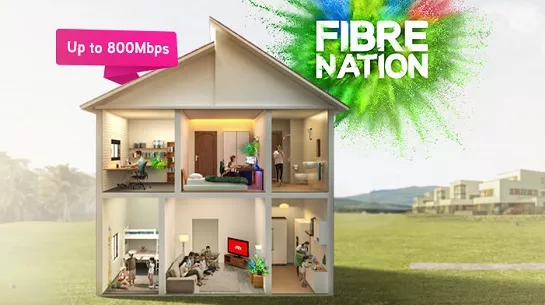


1Gbps Unifi Home Broadband   

完美符合中型家庭的工作及游戏需求。

❯ ❮
Unifi Home
1Gbps
RM249.00 /月

1Gbps/500Mbps

免费 WiFi-6 Combo Box

Unifi Home
1Gbps + Netflix Standard
RM293.90 /月

1Gbps/500Mbps

免费 WiFi-6 Combo Box

 Netflix Standard


2Gbps Unifi Home Broadband   

为满足所有人的一切需求而设的终极高速互联网。

❯ ❮
Unifi Home
2Gbps
RM319.00 /月

2Gbps/1Gbps

免费 WiFi-6 Combo Box

Unifi Home
2Gbps + Netflix Standard
RM363.90 /月

2Gbps/1Gbps

免费 WiFi-6 Combo Box

 Netflix Standard


MaxisONE Fibre Internet

享受Maxis为您打造的更好的WiFi体验

获得与网状WiFi配对的超快光纤,以实现更好的覆盖范围,并由Maxperts优化,以满足您一家大小的互联网需求。


Maxis Business Fibre   

可靠的宽频配套可实现更高层次的业务增长。

❯ ❮
Maxis Business Fibre
100Mbps
RM119.00 /月

支持最多 5 台设备上的 2-3 个用户。

Maxis Business Fibre
100Mbps + Fixed IP
RM319.00 /月

支持最多 5 台设备上的 2-3 个用户。

固定 IP。

Maxis Business Fibre
300Mbps
RM179.00 /月

支持最多 10 台设备上的 6 个用户。

Maxis Business Fibre
300Mbps + Fixed IP
RM379.00 /月

支持最多 10 台设备上的 6 个用户。

固定 IP。

Maxis Business Fibre
500Mbps
RM219.00 /月

支持多台设备上最多10个重度用户。

Maxis Business Fibre
500Mbps + Fixed IP
RM419.00 /月

支持多台设备上最多10个重度用户。

固定 IP。

Maxis Business Fibre
1Gbps
RM299.00 /月

支持多台设备上最多 10 名高级用户。

Maxis Business Fibre
1Gbps + Fixed IP
RM499.00 /月

支持多台设备上最多 10 名高级用户。

固定 IP。


100Mbps Maxis Home Fibre   

适合家居办公及串流。

❯ ❮
Maxis Home Fibre
100Mbps
RM89.00 /月

免费 WiFi-6 Router

Maxis Home Fibre
100Mbps + Voice Unlimited
RM99.00 /月

免费 WiFi-6 Router

无限语音通话


300Mbps Maxis Home Fibre   

适合全高清串流及浏览。

❯ ❮
Maxis Home Fibre
300Mbps
RM99.00 /月

免费 WiFi-6 Router

Maxis Home Fibre
300Mbps + Voice Unlimited
RM109.00 /月

免费 WiFi-6 Router

无限语音通话


500Mbps Maxis Home Fibre   

适合有4K串流及游戏需求的小型家庭。

❯ ❮
Maxis Home Fibre
500Mbps
RM149.00 /月

免费 WiFi-6 Router

Maxis Home Fibre
500Mbps + Voice Unlimited
RM159.00 /月

免费 WiFi-6 Router

无限语音通话


1Gbps Maxis Home Fibre   

完美符合中型家庭的工作及游戏需求。

❯ ❮
Maxis Home Fibre
1Gbps
RM249.00 /月

免费 WiFi-6 Router

Maxis Home Fibre
1Gbps + Voice Unlimited
RM259.00 /月

免费 WiFi-6 Router

无限语音通话


2Gbps Maxis Home Fibre   

为满足所有人的一切需求而设的终极高速互联网。

❯ ❮
Maxis Home Fibre
2Gbps
RM319.00 /月

免费 WiFi-6 Router

Maxis Home Fibre
2Gbps + Voice Unlimited
RM329.00 /月

免费 WiFi-6 Router

无限语音通话


全国范围内安装


签购

Astro  Njoi  UniFi  Maxis 


请输入您的全名(根据身份证)

姓名 (根据身份证)

请输入您的身份证/护照号码

身份证 / 护照

请输入您的手机号码

手机号码

请输入完整的安装地址

安装地址

请输入您的邮编
邮编
请输入您的城镇
城镇
请输入您的州
州


常问问题

在这里找到您要的答案。


为什么要在这里申请?

我们提供一站式服务为您申请Astro和Broadband。不必开车,排队和在销售柜台等候。 我们可以帮助您处理您的申请。


在这里申请需付多少费用?

我们不收取额外费用。 无需提供信用卡信息。 费用与您在销售柜台申请的费用相同。


申请程序如何?

首先,您可以在线申请,我们将在工作时间内立即与您联系。 通过WhatsApp/电子邮件/传真发送您的身份证-IC(马来西亚公民)/ 护照(外国人)的复印件给我们。 收到所有资料后,我们将立即处理您的申请。


申请程序有多快?

一旦收到您的完整资料,我们将在工作时间内立即处理您的申请。一旦您的申请获得批准,服务提供商的承包商将与您联系以进行安装预约。


为什么要同时申请 ASTRO 和宽频?

ASTRO 和宽频收费同时在一张账单,享受更大的节省和无忧的账单支付。 在24个月的合约期内,您可以每月以折扣价享受 Astro 和宽频。


有哪些电视配套可供选择?

Astro 提供多种电视配套,包括娱乐、体育、电影和儿童配套。您可以选择符合您观看需求的配套,并在适用情况下添加额外的串流应用服务。


我可以只订阅电视而不订阅宽频吗?

可以,您可以只订阅 Astro 电视配套而无需绑定宽频。不过,将 Astro 电视与光纤宽频绑定可享有更好的每月优惠,并且只需支付一张综合账单,更加方便。


我家需要多少宽频速度?

对于小型家庭以及轻度上网和串流使用者,100Mbps 通常已足够。较大家庭、游戏玩家或重度串流用户则可选择 500Mbps 或 1Gbps 配套,以获得更流畅的多设备使用体验。


是否有合约期限?

大多数 Astro 电视和光纤宽频配套都附带 24 个月合约期。如在合约期满前取消服务,可能会产生提前终止费用。


之后可以升级电视配套或宽频计划吗?

可以,您可在符合资格及覆盖范围的情况下随时升级电视配套或宽频速度。根据升级情况,可能需要重新计算合约期限。


我将如何收到我的账单?

您的每月账单将由 Astro 直接发出。您可通过电子邮件接收账单,或通过 Astro 账户在线查看。绑定配套用户将收到电视与宽频服务的综合账单。


有哪些付款方式?

付款方式包括网上银行、自动扣款、信用卡或 Astro 提供的其他认可付款渠道。我们的团队将在申请过程中为您提供协助。


如果服务中断怎么办?

如果您遇到任何服务中断问题,可联系 Astro 客户服务寻求技术协助。大多数情况下可远程解决,如有需要将安排技术人员上门处理。


我可以将 ASTRO 服务迁移到新地址吗?

可以,迁移服务需视新地址是否在服务覆盖范围内而定。根据您的配套,可能会产生迁移费用及合约调整。


申请时需要信用卡吗?

不需要,提交申请时无需提供信用卡资料。服务获批后,付款安排将由 Astro 直接处理。


我可以在电视配套中添加串流服务吗?

部分 Astro 电视配套可根据当前促销及服务情况添加串流服务等附加项目。可能需支付额外月费。


安装光纤时是否提供 WIFI 路由器?

是的,光纤安装时通常会提供 WiFi 路由器。路由器型号可能会根据所选宽频速度配套而有所不同。


申请前可以查询宽频覆盖范围吗?

可以,我们会在处理您的申请前确认您地址的服务覆盖范围,以确保该地区可安装宽频服务。


申请宽频需要准备哪些文件?

马来西亚公民需提供 MyKad 复印件。外籍人士则需在提交宽频申请时提供护照复印件。


申请后多久可以安装?

申请获批后,服务提供商通常会在 2 至 7 个工作日内联系您安排宽频安装预约。


宽频合约期限是多久?

大多数 Astro 宽频配套附带 24 个月合约期,从安装日期开始计算。如您搬迁,可能需要在新地址重新签订 24 个月合约。


我可以将宽频迁移到新地址吗?

可以,您可在新地址具备服务覆盖的情况下迁移宽频服务。合约期限可能会从新安装日期起重新计算 24 个月。


我可以要求更改安装位置或移动家中设备吗?

可以,您可申请在家中调整宽频设备位置。若属于非标准安装,可能会产生额外费用,并需在评估后直接支付给安装人员。


如果我已有宽频合约,可以转到 ASTRO 宽频吗?

可以,您可转用 Astro 宽频。为避免服务中断,建议在终止现有宽频合约前先开通新的宽频服务。


非标准安装是否需要额外费用?

标准安装在促销期间可能免费,但非标准安装(如设备迁移或复杂布线)可能会产生额外费用,并需直接支付给安装人员。


HOW CAN I GET COMPLIMENTARY ACCESS TO THE SUN NXT LITE APP?

Complimentary access to the Sun NXT Lite app is only available to Indian Favourites/Maharaja Pack customers. To get an access to Sun NXT Lite, you must be an existing Astro customer with a subscription to Indian Favourites/Maharaja Pack.


WHAT IS VIDEO ON DEMAND?

Video On Demand (VOD) is a new way of enjoying your Astro, for free* as part of your subscription. Here's what you can do by watching your show via VOD:

1. Pick and choose your show anytime of the day without needing to wait for your show to air.

2. Catch-up on episodes you've missed or binge-watch all episodes instantly.

3. Pause, rewind, or fast-forward to your favourite parts of the show.

4. Watch full uncut episodes.

5. No weather or other disruptions during your viewing time.

6. Browse our library of recommended shows for you based on your viewing history. Everything you see is free as part of your subscription.

7. To rent additional blockbuster movies on a pay-per-view basis, visit the "Store' section in our VOD library.


I FORGOT WHICH NETFLIX ACCOUNT IS ASSOCIATED WITH MY ASTRO ACCOUNT. HOW DO I FIND THAT OUT?

You can recover your Netflix login here or at astro.com.my/Netflix

Step 1: Head to astro.com.my/Netflix

Step 2: At the FAQ section look for "How to recover my Netflix login email and password


WHY SHOULD I SUBSCRIBE TO A NETFLIX ON ASTRO VS DIRECT SUBSCRIPTION VIA THE NETFLIX APP?

  • With numerous OTT entrants, consumers are suffering from subscription fatigue. In fact, they are looking for a one stop shop platform where OTT services are integrated in one place.
  • Astro offers flexibility and convenience with new packs where customers can get the convenience of accessing a variety of content via Ultra Box as the single remote-control solution.
  • In addition, there will be cost savings for Astro customers to purchase both Netflix and Astro together. Even better deals available if customers also subscribe to broadband for a better-connected experience.


DOES THE IQIYI PRICE CHANGES ON 21ST MARCH 2025 EFFECT ASTRO CUSTOMERS?

No, price for Astro customers will remain unchanged. Only the RRP price from iQIYI is changed.


WHEN CAN I START ENJOYING MY ZEE5 PREMIUM SUBSCRIPTION?

You will be able to enjoy all the content on ZEE5 immediately upon successful purchase from the Astro website. You may enjoy your Premium privileges from the ZEE5 app on your Ultra Box, Ulti Box, mobile devices (Android & iOS), Apple TV, Android TV, as well as on Web (www.Zee5.com).Please ensure that the email address used to log in to the app is the same one used to purchase your ZEE5 premium subscription.


WHAT IS THE DIFFERENCE BETWEEN WHATSAPP OTP AND SECUREGO?

SecureGo: A transaction authentication alert that is sent to your registered device. With SecureGo, you can either approve or reject the transaction in a matter of seconds. 

WhatsApp OTP: OTP stands for One Time Password which is a 6-digit number that is sent to your mobile number via WhatsApp for verification purposes 


WHAT SHOULD I DO IF I EXPERIENCE TECHNICAL ISSUES WITH THE ASTRO SMART TV OR ASTRO GO APP?

If you're experiencing technical issues, please visit Astro's Help & Support page and follow the troubleshooting steps for your issue: https://support.astro.com.my/category/streaming-app

If the issue persists after following the recommended troubleshooting steps, please contact our customer support team via WhatsApp at 03-9543 3838 for further assistance.


HOW DO I KNOW WHICH CONTENT PLAYS IN WHICH NEW CHANNEL LIST SINCE THE CHANNELS HAVE BEEN RENAMED?

You may refer to our TV Guide for the latest schedule.


WHAT BENEFITS DOES E‑INVOICE OFFER?

e‑Invoice comes with several key benefits that can enhance your overall billing experience, including:

Greater convenience
Receive your invoice in a secure digital format and access it anytime. No printed bills are sent to your address.

Improved security
Each e‑Invoice comes with a validation link through IRBM’s system, helping ensure authenticity and reducing the risk of lost or tampered documents.

Better support for tax compliance
Digital invoices make it easier to submit the right documentation for tax purposes and ensure your records align with regulatory requirements.

More efficient record keeping
All invoices are stored digitally, making retrieval, tracking and financial reporting simpler.

Environmentally friendlier
Going digital helps reduce paper usage and contributes to sustainable, eco‑friendly practices.


IF A CUSTOMER TERMINATED ALL THEIR SERVICES WITH ASTRO, WILL THEY STILL RECEIVE THEIR PAPER BILL?

Upon completion of the termination process, customer will receive one last closing bill stating the total amount due to Astro according to their billing option.

For customers who had opted to switch their billing option to e-bill or SMS bill, they will receive their final bill accordingly.

For customers who opted for paper bill, they will receive the final bill via paper bill. (The Paper Bill Charge will be applied).


I AM A 3RD PARTY, CAN I REQUEST ON BEHALF OF ACCOUNT HOLDER?

No, we’re unable to proceed if request from 3

rd

party. We will need account holder to submit the request or an Authorization letter from account holder is required.


HOW DO I ACTIVATE MY SUN NXT APP?

A . Via www.astro.com.my/sunnxt
Sun NXT Lite Flow

  • Step 1 : Open the Sun NXT app page on your device and click on “Get or activate Sun NXT now” to log in with your Astro ID and user will proceed Add On subscription.
  • Step 2: After successful activation, users will be redirected to the Sun NXT web app.
    Note: An email with an auto-generated password will be sent to the user’s email.


Sun NXT Premium Flow

  • Step 1: Open the Sun NXT app page on your device and click on “Get or activate Sun NXT now” to log in with your Astro ID.
  • Step 2: After successfully activating the Add-on subscription, users will be redirected to the Sun NXT web app.


B. Via the My Astro App

  • Step 1: Download the My Astro app from the Apple App Store, Google Play Store, or Huawei App Gallery.
  • Step 2: Go to Account > Subscription > Add-ons > Apps > Sun NXT Premium > Confirm Order.
  • Step 3: Press "Get or Activate Sun NXT Now" and follow the on-screen steps.
  • Step 4: Once redirected to the Sun NXT app, create a Sun NXT account as instructed.

C. Via the Ultra/Ulti Box
Sun NXT Lite Flow

  • Step 1: Launch the Sun NXT app from the rail of apps at the bottom of the screen. Click on ‘Go to Sun NXT app’ at the bottom.
  • Step 2: Input email address for activation.
  • Step 3: Validate email using an OTP.
  • Step 4: Once account is activated & provisioning is successful, Astro will send an email on the auto-generated password upon successful subscription.
  • Step 5: The user will be redirected to the partner’s app, where they will land on the Sun NXT main page and they can proceed to log in with their activated account via Astro.

Sun NXT Premium Flow

  • Step 1: Launch the Sun NXT app from the rail of apps at the bottom of the screen.
  • Step 2: lick on ‘Go to Sun NXT app’ at the bottom.
  • Step 3: Input email address for activation.
  • Step 4: Validate email using an OTP.
  • Step 5: Once account is activated & provisioning is successful, Astro will send an email on the auto-generated password upon successful subscription.
  • Step 6: The user will be redirected to the partner’s app, where they will land on the Sun NXT main page and they can proceed to log in with their activated account via Astro.


I AM AN EXISTING VIU PREMIUM MEMBER; CAN I SUBSCRIBE TO THE APP VIA ASTRO INSTEAD?

Yes, you can switch your current Asian Favourites selection to Viu Premium for FREE or purchase
Viu Premium as an add-on to your subscription for as low as RM8.40/month. Please refer to Q5
to Q9 for more information.

Please ensure that your existing Viu Premium account is terminated directly via the Viu mobile
app so you are not billed twice on two separate accounts. You can also reach out to Viu's
Customer Service (refer to Q18) or click on the “Contact Us” tab in the Viu app should you
require further assistance.


I AM CURRENTLY SUBSCRIBED TO ASTRO FIBRE STANDALONE. IF I UPGRADE MY PACKAGE TO ASTRO BROADBAND BUNDLE/ASTRO FIBRE BUNDLE, WILL THERE BE ANY IMPACT ON SERVICE TAX?

There will be no changes as long as they relate to the Astro Broadband/Fibre services. This includes add-on subscriptions on Mesh WiFi, which remains at 6%.


SLOW BROWSING AT CERTAIN WEBSITE - ALLO

We would need you to run few tests in order for us to understand your issue and to assist you in fixing the problem.

You may proceed with the troubleshooting steps below which should not require any longer than 15 minutes.

  1. Please run each of the tests according to your your Laptop/PC Software.
  2. Compile the pictures / screenshots of your test results in one file (i.e Microsof Word document, PDF file) and attach them in the Support Ticket below in order for us to assist you further:
    • List of websites effected.
    • Run the Speed Test via LAN (cable) and Wi-Fi connection - Please click here for Speed Test guideline.
    • Run the Traceroute Test - Please click here for Traceroute Test guideline.
    • Run the Ping Test - Please click here for Ping Test guideline.
  3. Once you've gathered all the results, kindly send them all through the Feedback Form below.


Quick Info
A Speedtest is a service that provides free analysis of Internet access parameters, such as connection data rate.

A Ping Test shows how long it takes for packets to reach host.

A Traceroute Test traces the route of packets to destination host from our server.


CAN I RETURN THE BOX EVEN AFTER I HAVE BEEN CHARGED FOR THE BOX FEE?

Yes, you can return the Astro Box & Smart Card/SIM Card even after being charged for the box fee. After successfully returning the box, Astro will proceed to refund the box fee within 30 days from the confirmation date of the returned items to our Astro warehouse.


ARE THESE PPV PURCHASES SUBJECT TO SERVICE TAX?

Yes, all PPV purchases are subjected to a 8% Service Tax beginning 1st March 2024. Additionally, note that the prices displayed are excluding Service Tax.


HOW LONG WILL IT TAKE BEFORE I AM CHARGED THE RM 100 FEE AND HOW DO I KNOW IF I HAVE BEEN CHARGED FOR IT?

Customers are given 90-days from their service termination date to return the Astro Box and SIM Card. If the box is not returned within this period, a “Box Fee” will be charged and appear as an itemized entry on their final bill when 90 days ended.


WHY CHOOSE ASTRO ONE PACK?

Our customers deserve the best streaming entertainment experience with us and from 9 December 2024, the new Astro One Packs make that possible.

From just RM49.99, these new packs make it simple, flexible and accessible for all Malaysians to stream the content they love on one platform, with up-to 4 concurrencies on Astro GO. Customers can easily make changes to their subscriptions via the My Astro app, including updates to their packs, choosing from up to 11 streaming apps, or switching to different ones, as and when they like.

Customers can choose between:

  • The Astro One: Entertainment Pack for a wide range of favourite vernacular entertainment, including the best of Malay, Chinese, Indian, Korean, Horror, Local Live Sports (Liga Malaysia) and international shows enjoyed by Malaysian families.
  • A sports-filled fiesta with Astro One: Sports Pack that comes with all our Sports channels, on top of what is on the Entertainment Pack.
  • And the Astro One: Epic Pack, an indulgence for those who want it all. Adding on to the Entertainment Pack and Sports Pack, this unrivalled streaming experience will include the best from their favourite streaming apps, all on a single platform.

For more information, visit www.astro.com.my or send us a message on WhatsApp at 03-9543 3838.


HOW DO I KNOW THAT ASTRO HAVE RECEIVED THE ULTRA BOX/ULTI BOX?

You will receive an SMS from us informing you of the receipt of your Astro Box. However, if you wish to track the delivery of your Astro Box, you can use the tracking number available on the consignment note.


ERROR MESSAGE: “UNABLE TO PLAYBACK - THERE IS NO INTERNET CONNECTION"

If you see the error message "There is No Internet Connection" while using the Astro app on your Smart TV, please follow these troubleshooting steps:

1. Check Your Internet Connection

  • Confirm whether your Smart TV is connected to the internet via Wi-Fi or a LAN (Ethernet) cable.


2. Check the LAN Cable Connection (if using Ethernet)

  • Ensure the LAN cable is securely connected from the router's LAN port to the TV's LAN port.
  • Verify that the LED indicator lights on both the router and TV network port are active.


3. Test the LAN Cable

  • Connect the same LAN cable to another device (for example, a laptop or another Smart TV).
  • Check whether the device can access the internet to confirm the cable is functioning properly.


4. Reconnect to Wi-Fi (if using Wi-Fi)

  • Go to your TV's network settings.
  • Select your home Wi-Fi network and choose Forget Network.
  • Reconnect to the Wi-Fi network by entering the password again.


5. Check Other Devices

  • Verify that other devices in your home (such as smartphones, tablets, or laptops) can connect to the same Wi-Fi network.
  • If all devices are unable to connect, the issue may be with your internet service.


6. Restart Your Devices

  • Turn off and restart the following devices:
  • Router
  • Modem (if applicable)
  • Smart TV
  • Wait a few minutes for the internet connection to stabilize.
  • Launch the Astro app again and test the playback.


If you are still having issues, proceed to submit report via WhatsApp or Feedback Form and provide:

  • Astro ID use
  • Smart TV model
  • OS version
  • Error reported on device

This will help our support team investigate and assist you further.


HOW DO I RETURN MY PLUG & PLAY BOX?

Want to return your Ultra or Ulti Plug & Play Box? It's simple and free!

Here's what you can do with your unused Ultra/Ulti Plug & Play Box:

1. Return your device to us via Arranged Pick-up:

Step 1: Please call Astro's Contact Centre at 03-9543 3838 to schedule an arranged pick-up by one of our courier partners.

Step 2: Just sit back and relax! A courier agent will come to your doorstep to retrieve the devices.


HOW LONG DO I HAVE TO WAIT UNTIL THESE STREAMING APPS ARE AVAILABLE ON ASTRO?

Please rest assured that streamingapps labelled with "coming soon"

will be available on Astro in the near future.Please visit product.astro.com.my/appsfor more information on the streaming apps available on Astro or follow oursocial media to get notified on latest launches.

Facebook: @Astro
Instagram: @astromalaysia
Twitter: @astroonline

Kindly take note that streaming apps labelled with “coming soon” will be made available on Astro once they areready. Astro reserves the right to delay or cancel streaming app launches, ifnecessary.


CAN I DOWNLOAD THE TVBANYWHERE+ APP ON MY MOBILE PHONE?

Yes. The TVBAnywhere+ app can be downloaded on compatible mobile device via the Apple App Store or Google Play Store. Once installed, customers can log in with their Astro ID to access the app.


IS THE EKYC VERIFICATION MANDATORY? IS THERE AN ALTERNATIVE TO EKYC?

Yes, eKYC verification is mandatory. In addition, this verification process helps to reduce manual handling of customer's personal information and secure against unauthorised usage.


I HAVE ISSUES LOGGING INTO ASTRO GO.

Please make sure that:

  1. You are logging in with the correct registered Astro ID (email or phone number) and password. If you can’t remember your password, please proceed to use the “forget password” function.
  2. You have an Astro ID that is linked to an Astro account. (note: NJOI – linked users will not be able to log into Astro GO)
  3. Your Astro account is active and not under suspension.


If the above points have been met, you may try some quick solutions below:

  1. Clear the cache on your browser or app.
  2. Check if you have the latest version of the browser or app.
  3. Log out and log back into the browser or app.
  4. Relaunch the browser or app.
  5. Restart your mobile device.
  6. Restart your internet connection.


WHERE CAN I OBTAIN MY TAX IDENTIFICATION NUMBER (TIN)?

You can get your TIN from the

MyTax Portal

or visit the nearest IRBM branch.


CAN I DOWNLOAD CONTENT ON THE WETV APP FOR OFFLINE VIEWING?

Yes, you can download WeTV's content on your device for offline viewing if you have subscribed to WeTV VIP. This feature is not available if you are not a VIP member. However, kindly note that some content is subjected to copyright which disables the download function on those selected videos.


CAN I CHANGE THE INTERFACE LANGUAGE OF THE IQIYI APP?

Yes, you may change the interface language of the app. To access the language settings, please click "Profile" > "Settings" > "Language" and select your preferred language


HOW TO TERMINATE MY ASTRO ACCOUNT?

We’re sorry to hear that you’ve decided to leave us, and we truly appreciate your time with Astro.

If you wish to proceed with terminating your account, we understand your decision. However, please ensure there is no outstanding balance and that your contract period has ended. You may then contact our Customer Service at 03-9543 3838, from 9:00 AM – 6:00 PM, Monday to Saturday (exl Public Holidays). Our team will assist you with your request.

Kindly follow these simple steps:

  1. Press 1 for Account
  2. Enter your 10-digit account number
  3. Press 5 for Termination


Alternatively, you may submit your request via our Feedback Form.


WHAT IS ASTRO MULTIROOM?

Astro Multiroom is a 2nd Astro subscription that mirrors all the channels on your primary Astro at a discounted monthly fee. You can now enjoy Astro on different TVs in different rooms.


HOW DO I PURCHASE ASTRO FIRST MOVIES/SERIES?

To purchase Astro First easily, you can do it through My Astro. Here's how:

1. Download the My Astro app or visit My Astro web
2. Login using your Astro ID
3. Go to Astro Store > Astro First section
4. Select your preferred movie and click on rent
5. When your rental is confirmed, you will see details on which channel that you can watch your movie

Purchase via WhatsApp

  1. Go to channel 480
  2. Whatsapp the “movie code” to 03-9543 3838
  3. Enter your “smart card number” (this is available on the top right corner of your tv screen)
  4. Type “1” to confirm
  5. The reply will direct you to the entitlement channel accordingly

Purchase via SMS

  1. Go to channel 480
  2. SMS the “movie code” to 32999
  3. The SMS confirmation reply will direct you to the entitlement channel accordingly

*SMS service is available for Maxis, Celcom, Digi and U Mobile only.


From Beyond PVR On Demand interface:

  1. Press the “Home” button on the Astro remote control
  2. Select “On Demand” and press the “OK” button from the Astro remote control
  3. Scroll to “Store” and search for the Movies/series
  4. Select “Buy” and enter Pin Code.

From Ultra/Ulti On Demand interface:

  1. Press the “Home” button on the Astro remote control
  2. Scroll to the Store tab
  3. Scroll to “Astro First: New Releases” or “Astro First: Blockbusters” and search for the Movies
  4. Select “Rent” and enter Pin Code

From Astro Go app (purchases only applicable for Android devices):

  1. Download the Astro Go app from the Google Play store.
  2. Create an ID and link your account / proceed to log in if you have linked your account
  3. Scroll to “Store” and search for “Astro First: New Releases” or “Astro First: Blockbusters”
  4. Select “Rent” and enter Pin Code

*The default pin code is 0000 if you have not pre-set it.

🎁 Want to buy Astro First movies faster & track your rentals?

📱 Download the My Astro app to:
- Browse Astro First titles
- Rent in 1 tap
- Get reminders when new movies launch


WHY BAND STEERING IS DISABLED BY DEFAULT?

To allow customers to decide on their WiFi connection arrangement based on their preference upon being advised by the installer on-site.

User to manually connect their devices to different WiFi bands based on their usage and preference.


ERR-007 - STREAMING ON ASTRO GO WHILE BEING CONNECTED TO A VPN

This error indicates that you are streaming on Astro GO while being connected to a VPN. Please close your VPN application and try streaming again.

If you are still having issues, proceed to submit report via WhatsApp or Feedback Form.


I'LL BE MOVING TO A NEW HOME AFTER ACTIVATING THE PLUG & PLAY BOX, DO I NEED TO PAY THE ACTIVATION FEE AGAIN?

No additional fees will be charged upon your relocation. However, you are required to notify Astro of your move. Please refer to Astro's General T&Cs for more information.


WHO MAY I CONTACT IF I ENCOUNTER ANY PROBLEMS WITH THE VIU APP?

Please reach out to the Viu team if you have any enquiries or require assistance with
the app. Their customer support is available from 9:00 am to 6:00 pm, Monday to
Friday (excluding Public Holidays).

You may contact Viu’s customer support team by:
1. Emailing to: e[email protected]; or
2. Call or WhatsApp them at 018 - 9429950 ; or
3. Reaching out to them via Facebook: https://www.facebook.com/ViuMalaysia/

If you would like to contact Astro, you may reach out to our Customer Service Centre by:
1. Submitting a feedback form here: www.astro.com.my/contactus/form; or
2. Reaching out to us via WhatsApp by typing “Hi” at 03-9543 3838 for assistance


ERR-701- ISSUES LAUNCHING OR LOADING THE APP

Please check your internet speed and connection status via internet connection test. If your internet is working fine and the issue persists, proceed to submit report via WhatsApp or

Feedback Form

.


I’M SUBSCRIBED TO A MOVIES BUNDLED PACK / MOVIES ADD-ON / ASTRO ONE EPIC PACK. WHAT HAPPENS TO MY HBO MAX APP ACCOUNT, ONCE THE HBO CHANNELS CEASE ON ASTRO?

Starting 1 March 2026, your access to the HBO Max app through Astro will end. If you would like to continue your access to the app service and keep your preferences or account settings, please subscribe to HBO Max as an ala carte add‑on via Astro from RM24.90/month. Additionally, as part of your current subscription, you can access Prime Video and Disney+, which is already included in your subscription at no additional cost.


WHAT IS BAND STEERING?

Band Steering is a functionality that our WiFi router (Huawei K562E) has that intelligently connects devices to its WiFi to the best frequency bands available based on usage, speed and coverage by using only one same SSID for both 2.4GHz and 5GHz band.


HOW DO I GET THE BARCODE TO MAKE PAYMENT?

Step 1:

Type ASTRO<space>BARCODE<space>10 digit account number

Example: ASTRO BARCODE 0866603852

Step 2:

Send SMS to 66688

*Standard telco charges and Terms and Conditions apply


CAN I RENT MOVIES OR SERIES ON WETV VIA ASTRO?

Yes, you will be able to rent titles on the WeTV mobile app. Subsequently, you will be able to stream your rented title on the Ultra/Ulti Box,

wetv.vip

, and the mobile app.


HOW LONG DOES IT TAKE TO COMPLETE THE EKYC VERIFICATION PROCESS?

The entire eKYC verification process may be completed within 5 minutes.


Tags: 签购与安装 Astro / Broadband unifii kampung gali masjid 签购与安装 Astro / Broadband astro tadika pangsapuri berlian 签购与安装 Astro / Broadband unifii kampung selisek 签购与安装 Astro / Broadband wifi pusat khidmat parlimen jelebu 签购与安装 Astro / Broadband uninfi no 1 southkey giordano m sdn bhd 签购与安装 Astro / Broadband internet ibu pejabat penjara sarawak 签购与安装 Astro / Broadband njoi taman batu tiga bangi 签购与安装 Astro / Broadband uninfi kampung sri terubuk durian daun 签购与安装 Astro / Broadband unifi berek k t srk kampung jepak 签购与安装 Astro / Broadband anjoy ksl esplanade hotel 签购与安装 Astro / Broadband wifi klinik desa kg tok dor 签购与安装 Astro / Broadband fibre kuarters guru jelapang jaya 签购与安装 Astro / Broadband uninfi blok a kompleks perumahan polis seri temenggong 签购与安装 Astro / Broadband njoi pusat penjaja bau 签购与安装 Astro / Broadband fiber taman impian jaya jalan junid 签购与安装 Astro / Broadband enjoy sekolah jenis kebangsaan tamil ladang tebrau 签购与安装 Astro / Broadband unifii parit kadhi 签购与安装 Astro / Broadband fiber kampung malinja nabawan 签购与安装 Astro / Broadband uniifi pusat tuisyen mutiara maju 签购与安装 Astro / Broadband unufi kampung sungai sekah 签购与安装 Astro / Broadband unifii kampung che lah 签购与安装 Astro / Broadband anjoy taman khalidi baru jalan khalidi 签购与安装 Astro / Broadband enjoi warehouse 7 签购与安装 Astro / Broadband unifii kampung kempadang soi 签购与安装 Astro / Broadband maxis unit hasil pejabat tanah dan jajahan pasir puteh 签购与安装 Astro / Broadband njoy pangsapuri palma puteri blok d 签购与安装 Astro / Broadband njoi taman subang permai 签购与安装 Astro / Broadband anjoy kampung pondok kempas 签购与安装 Astro / Broadband anjoi sebelah dewan orang ramai 签购与安装 Astro / Broadband internet desa keda sungai yan 签购与安装 Astro / Broadband anjoy taman desa sri emas 签购与安装 Astro / Broadband fiber kiblat walk 签购与安装 Astro / Broadband njoy creative stationery 签购与安装 Astro / Broadband fiber seratok 签购与安装 Astro / Broadband injoi parit haji ismail 1 签购与安装 Astro / Broadband astro bandar kuala kra 签购与安装 Astro / Broadband fiber mk 4 签购与安装 Astro / Broadband uniifi pejabat maahad tahfiz waltarbiyah 签购与安装 Astro / Broadband astro tapak gerai kelapa 签购与安装 Astro / Broadband unufi pksj fertilizers sdn bhd 签购与安装 Astro / Broadband injoi kampung kubang keranji 签购与安装 Astro / Broadband anjoi flat kubong 签购与安装 Astro / Broadband unufi house no 91 签购与安装 Astro / Broadband njoy indah plastic trading 签购与安装 Astro / Broadband anjoy emart moyan genesis walk mall 2 签购与安装 Astro / Broadband injoi merliamu pasir 签购与安装 Astro / Broadband injoi kg banggol karah serada 签购与安装 Astro / Broadband uniifi rumah jubilee perak 签购与安装 Astro / Broadband unifi kba3046 sekolah kebangsaan kampong pasir 签购与安装 Astro / Broadband injoy batu 11 km 18 签购与安装 Astro / Broadband unifii pibakis 签购与安装 Astro / Broadband astro flora green park condominium blok b 签购与安装 Astro / Broadband fiber desa dato klana 签购与安装 Astro / Broadband internet medan gopeng 签购与安装 Astro / Broadband faq bilik warden asrama lelaki ikbn 签购与安装 Astro / Broadband enjoi sabk maahad al khair lil banat 签购与安装 Astro / Broadband anjoy warehouse 5 签购与安装 Astro / Broadband internet taman atira bukit jawa 签购与安装 Astro / Broadband fibre perpustakaan desa kampung lubuk batu 签购与安装 Astro / Broadband injoy blok 7 felda sening