

 Netflix Basic
Nationwide Installation
Applying for
| UniFi Maxis Astro Njoi |
Frequently Asked Questions
Find your answers here.
We provide one stop service to apply Astro and Broadband for you.
You can avoid driving and queuing at the sales counter. We are the dealer that can help you to handle your application from the beginning to the end.
We do not charge you when you apply from us. There is no credit card information required to apply here. Charges are the same as you apply from the sales counter.
First, you can apply online, we will get back to you immediately during business hour. WhatsApp/Email/Fax us your Photocopy of IC (for malaysian) / Passport (for foreigners). When we receive all the information, we will proceed with your application immediately.
Once we receive your application with complete information, we will process your application immediately during business hour. The contractor from the service provider will then contact you for installation appointment once your application is approved.
Enjoy greater savings and hassle-free bill payment in one single bill for both Astro and Broadband. You get to enjoy Astro and Broadband at discounted price every month over the contract period of 24 months.
Astro offers multiple TV packs including Entertainment, Sports, Movies and Kids options. You can choose a pack that matches your viewing preferences and add optional streaming apps where available.
Yes, you may subscribe to Astro TV packs without bundling broadband. However, bundling Astro TV with Fibre Broadband may provide better monthly savings and convenience with a single bill.
For small households with light streaming and browsing, 100Mbps is usually sufficient. Larger families, gamers or heavy streamers may benefit from 500Mbps or 1Gbps plans for smoother performance across multiple devices.
Most Astro TV and Fibre broadband plans come with a 24-month contract. Early termination charges may apply if cancellation is made before the contract ends.
Yes, you may upgrade your TV pack or broadband speed at any time, subject to eligibility and coverage. A new contract period may apply depending on the upgrade.
Your monthly bill will be issued directly by Astro. You may receive it via email or access it through your Astro account. Bundled customers will receive a single combined bill for TV and broadband services.
Payment methods may include online banking, auto debit, credit card or other approved payment channels provided by Astro. Our team can guide you during the registration process.
If you experience any service interruption, you may contact Astro customer support for technical assistance. In many cases, issues can be resolved remotely or a technician will be arranged if necessary.
Yes, relocation is subject to service availability at your new address. Relocation charges and contract adjustments may apply depending on your plan.
No, you do not need a credit card to submit your application. Payment setup will be arranged directly with Astro after your service is approved.
Selected Astro TV packs allow optional add-ons such as streaming services depending on current promotions and availability. Additional monthly charges may apply.
Yes, a WiFi router is typically provided during fibre installation. The router model may vary depending on the selected broadband speed plan.
Yes, we will check the service coverage at your address before proceeding with your application to ensure broadband is available at your location.
For Malaysians, please provide a copy of your MyKad. For foreigners, provide a copy of your passport when submitting your broadband application.
After your application is approved, the service provider typically contacts you within 2 to 7 working days to arrange the broadband installation appointment.
Most Astro Broadband plans come with a 24-month contract starting from your installation date. If you relocate, a new 24-month contract may apply at your new address.
Yes, you can relocate your broadband service, subject to service availability at the new address. Your contract may reset for another 24 months from the new installation date.
Yes, you may request to relocate broadband devices within your home. Non-standard installation charges may apply and are payable to the installer directly after assessment.
Yes, you can switch to Astro Broadband. To avoid service interruption, it is recommended to activate the new service before terminating your current broadband contract.
Standard installations may be free during promotions, but non-standard installations (e.g., device relocation or complex wiring) may incur extra charges payable directly to the installer.
Please check your internet speed and connection status via internet connection test. If your internet is working fine and the issue persists, proceed to submit report via WhatsApp or Feedback Form.
Please be informed that your service will be suspended if there is no payment after 31 days from your bill cycle date. After 62 days of non-payment, your service will be terminated, and an early cancellation fee will be applied if you are still within the 24-month contract.
STEP 1
Press "HOME" button on your remote control.

STEP 2
Navigate to Settings and press "OK".

STEP 3
Navigate to Installation Settings and press "OK".

STEP 4
Enter your PIN to access this setting. (Default PIN is 0000).

STEP 5
Navigate to Restore Factory Settings and press "OK".

STEP 6
Navigate to Yes, continue and press "OK" to confirm your selection.
Otherwise, navigate to No, go back to maintain the settings.

STEP 7
Please reboot your box.

STEP 8
New Installation Settings screen will appear.
Click here to follow New Installation Settings guide.

Yes, Astro is bounded by the PDPA act. All information received will be used in accordance with our Privacy Notice.
If you are subscribed to Netflix via a bundle, Netflix comes by default as part of your entitlement.
If you are subscribed to Netflix as an a-la carte, the cancellation of Netflix can only be done via Netflix's Website, etc). This change will reflect in your next bill. From mid-December 2021 you may also cancel Netflix add-on through Astro Call Center.
You will only be able to watch Astro GO and/or Multiroom Smart TV on up to 2 devices at the same time as opposed to 4 devices with Astro GO+.
Your cloud recording storage will also decrease from 1500 hours down to 200 hours. Your stored recordings/downloaded shows that exceed 200 hours will also be removed.
We are not able to transfer your existing Disney+ Hotstar access. To enjoy our bundle rates with one of our packages, simply sign up or renew your subscription to any of our new Packs for even better value and savings. Please visit astro.com.my to find out more.
The Kids Friendly Profile is an enhancement to the Kids User Profile feature with the following major improvements:
- Kid-Friendly Channels, On Demand content & TV Guide: Only Kid-friendly channels and On-Demand content can be viewed in the Kids Profile. Other channels and content are not viewable. The same applies to the Kids TV Guide.
- PIN control for the Kids Profile: When switching from a Kids Profile to an adult profile (i.e.: Father or Mother), a PIN entry will be required.
- Limited Kids Profile Content Search: Only Kids age-appropriate content can be searched and displayed within the Kids Profile.
- Kids Profile Based Recordings: Kids Profiles will have their own personalised age-appropriate recordings without any overlap with other user profiles. This feature will be available from 17th August onwards.
These enhancements are available across the Astro GO app, Ultra/Ulti Box, and Multiroom Box/Smart TV app.
Click here to find out more on this new feature and how to use it!
When using our One Time Payment (OTP) method, you may register more than one credit card per account. However, a single card account can only be used for a maximum of three accounts for OTP transactions.
When using our auto-debit facility, you can only register one card with Astro. Any subsequent card registrations will override the current one.
For multi-frequency customers, RM10.00 is charged per physical bill generated.
Tune to channel 200 - select on "My Account".Your Total amount due will be stated under the "Bill Summary" section.

**Please note that this feature requires your box to be connected to your home Wi-Fi. Alternatively you can perform the SMS steps displayed on the screen to check your bill amount.
STEP 1
Press "HOME" button on your remote control.

STEP 2
Navigate to Settings and press "OK".
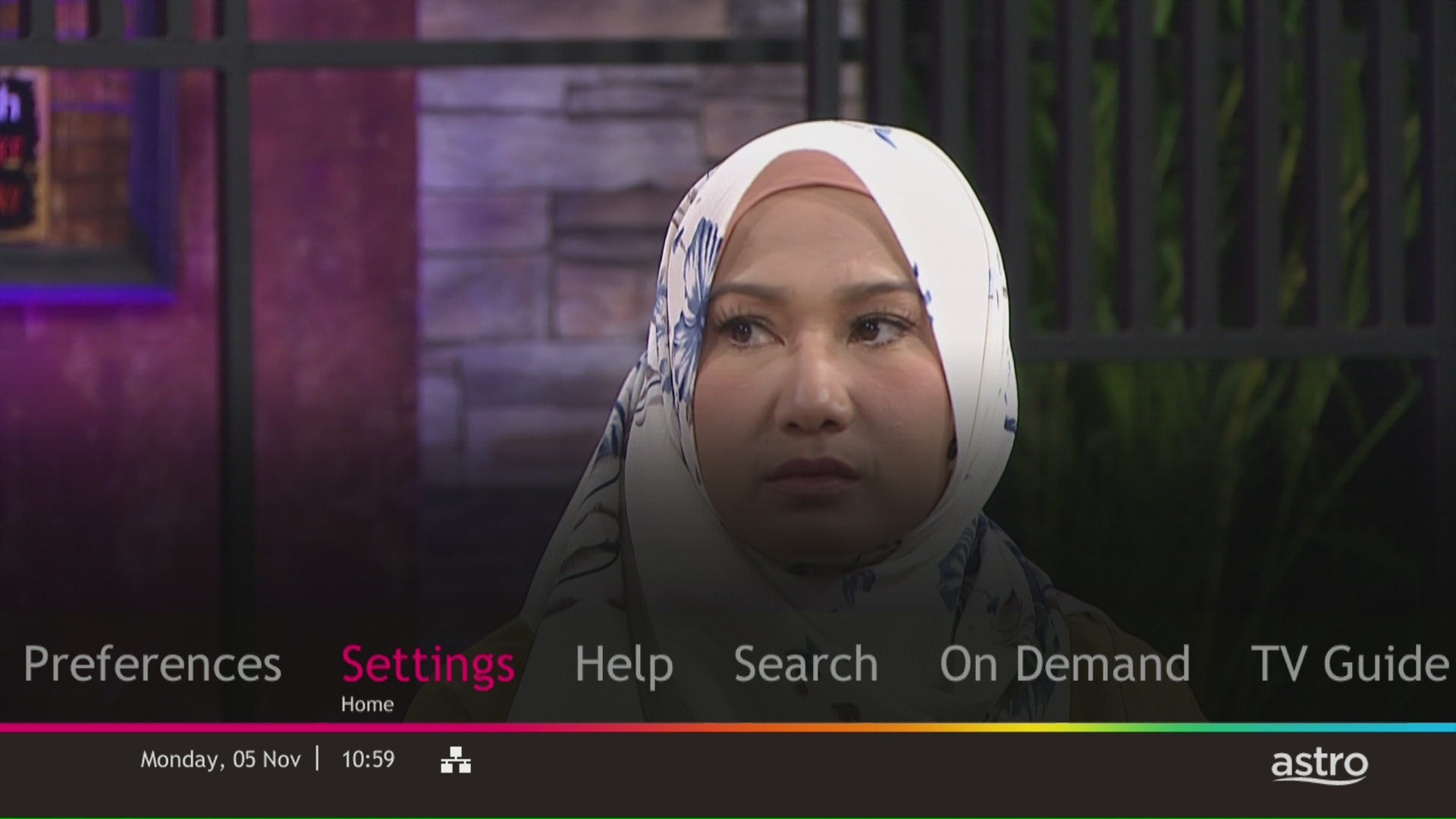
STEP 3
Navigate to Display and press "OK".
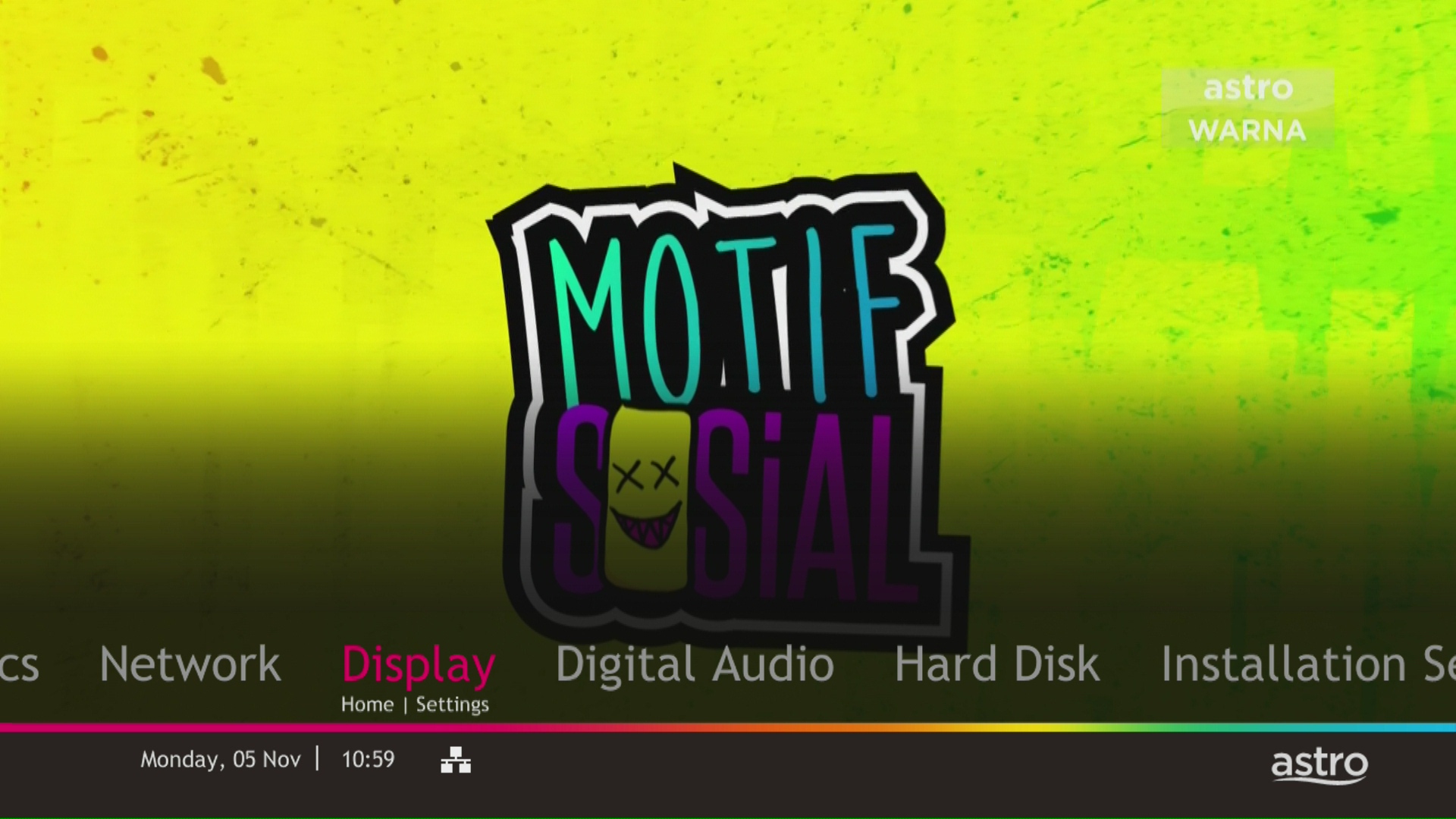
STEP 4
Navigate to TV Settings and press "OK".

STEP 5
Navigate to Conversion for 4:3 Input Video, select your preferred selection and press “OK”.

STEP 6
Select Yes, continue and press "OK" to confirm on the changes.
Otherwise, select No, go back to cancel.

STEP 1
Try to change channels on your Astro remote. Check the LED light.
If the LED is blinking 3 times or if it is not blinking, replace the batteries and proceed to STEP 2.
Otherwise, if the LED is blinking 1 time, your remote is working fine, let's proceed to STEP 3.
STEP 2
Check if you can change channels using your Astro remote control. You should no longer be experiencing this problem if is a battery issue.
If issue remain after batteries replacement, proceed to STEP 3.
STEP 3
You need to refresh the box setting manually from the box front panel.
Refer to Refresh Box setting (Clear NVRAM) - Ultra / Ulti Box.
If issue persist, please submit the issue on our Feedback Form.
Please note that your request to opt out has been processed, and payment for Disney+ Hotstar is not required. Your bill adjustment will be reflected in your next bill.
Yes, Mesh WiFi add-on is available for both Astro Fibre Bundle and Astro Fibre subscription.
Customers with HD boxes can subscribe to the All-New Astro Pack without a box upgrade except if the customer request to move to OTT bundled pack which is mandatory to upgrade to Ulti or Ultra.
Note: OTT is referring to either Netflix, D+H or both.
No, Astro & Broadband with Maxis/Allo comes in bundle packages only.
Standalone broadband subscription is only applicable to our Astro Fibre service.
No, the Ulti Box does not support 4K UHD content. If you would like to watch Astro's 4K UHD content, please sign up for an Ultra box at Astro Ultra Box and Ulti Box | Astro.
Currently, My Astro app and web supports TV pack upgrade. You can go to "Account' and scroll to "Subscription' section and select "TV pack'. You may reach out to us via WhatsApp at 03-9543 3838 for more details.
For Ultra and/or Ulti box users, launch the My Astro app on your Home screen and you will land on the My Astro account dashboard. Press ">' remote button to go to your Subscription card and "OK' button to proceed with the TV pack upgrade.
STEP 1
On your remote, press the HOME button and the home menu will be displayed on top of your screen.

STEP 2
Navigate to Settings.

STEP 3
Navigate to Master PIN and press “OK”.

STEP 4
Please enter your PIN (Default PIN is 0000).

STEP 5
Please enter your new PIN.

STEP 6
Please re-enter your new PIN to confirm.

STEP 7
Your PIN successfully changed when this screen appears.

Please make sure that:
- You are logging in with the correct registered Astro ID (email or phone number) and password. If you can’t remember your password, please proceed to use the “forget password” function.
- You have an Astro ID that is linked to an Astro account. (note: NJOI – linked users will not be able to log into Astro GO)
- Your Astro account is active and not under suspension.
If the above points have been met, you may try some quick solutions below:
- Clear the cache on your browser or app.
- Check if you have the latest version of the browser or app.
- Log out and log back into the browser or app.
- Relaunch the browser or app.
- Restart your mobile device.
- Restart your internet connection.
You will need to bring along all devices to your new place as no new devices will be issued.
Relocation will be subjected to new 24 months recontract and standard relocation fee applies for both Maxis and Allo respectively.
1. Unifi netis brand
The following shows an Interface based on Unifi router

- Launch Web Browser and enter the default's gateway's IP address (192.168.1.1) in the address bar.

- Enter Username and Password.
- Username = tmadmin
- Password = Adm@xxxx (xxxx refers to last four digits of MAC address)

- Choose WLAN -> wlan0 (2.4GHz) Basic Setting. Note down on SSID.

- Choose WLAN -> wlan1 (5GHz). Compare SSID with previous SSID.

- If SSID for wlan0 (2.4GHz) and wlan1 (5GHz) are the same. Change wlan1 (5GHz) SSID by adding number 5(i.e. ifuni_5G) to differentiate from 2.4 GHz. Click Apply Changes.
Note: Connection to Wi-Fi may be temporarily loss while the changes is updated.
Astro's Plug & Play Box is our latest box where users can enjoy the latest Astro box simply by connecting it to the TV and internet. There is no longer a need to schedule or pay for an installation. By connecting your Plug & Play Box to home broadband, you will be able to-do the following:
- Watch your channels over the Internet. No more rain fade!
- Never miss your favorite shows again as you can stream LIVE events from the beginning, or simply pause and resume the program as you wish.
- Access a library of over 110,000 videos on demand. Catch-up or binge-watch full episodes whenever you like.
- Access your recordings anytime on TV or the Astro GO app via Cloud Recording.
Other features include pause on TV and continue watching on the Astro GO app, enhanced search capabilities and more.
Please refer to these FAQs and Terms and Conditions for more information.
For more support and options for your subscription, please WhatsApp us at 03 9543 3838 and type DH Help. Alternatively, you may visit astro.com.my/Disney for more information.
STEP 1
On your remote, press the HOME button and the home menu will be displayed on top of your screen.
STEP 2
Navigate to Settings.
STEP 3
Navigate to TV Settings and press “OK”.

STEP 4
Navigate to your preferred selection and press “OK”.

STEP 5
Navigate to Save and press "OK" to confirm your selection.

Unfortunately, your Disney+ Hotstar access with Astro will be terminated as well.
Please visit any of Astro’s digital platform that you would like to log into, such as Astro’s official website (www.astro.com.my). Then, create a new Astro ID using your email address or mobile number by clicking “No Astro ID? Create Now!”. After creating your new Astro ID, please use it to log into our digital platforms moving forward.
If you have an active Astro subscription, you may also link it to your Astro ID. Please click here for the guide.
Please refer to "Upon downloading the app, what do I do next?" question on this FAQ here or call us at 03-9543 3838 for any further queries.
Advance payment can be made via credit/debit card or online banking.
Yes, you may terminate the service, however an early cancellation fee will be applied for termination/cancellation within 24 months. Please refer to the Astro Fibre's cancellation details.
Astro ID and / or account deletion is permanent. Upon deletion, it will be unlinked from your TV subscription account and you will be logged out from all the associated Astro apps and / or services connected including the partner apps that you have logged in using the same Astro ID. If you have any queries regarding Astro ID or would like to request for Astro ID account deletion, click on submit your request here, fill in the required details and our Astro representative will get back to you within 3 business days for security verification purposes.
Starting 12 December 2023, users have to use their registered email address, mobile number or a social account (Facebook, Google or Apple) to log into any of Astro's digital platforms, including My Astro, Astro GO and Astro's official website. Usernames as an Astro ID is no longer available. This change was made to ensure details linked to your Astro account are always updated and to improve the overall user experience on our platforms.
Yes, you may terminate the service. However, an early cancellation fee will be applied for terminations/cancellations within 24 months. Please refer to the Astro Fibre's cancellation details.
STEP 1
Check your current software version on your box.
If the software version updated (Refer to Table 1) , proceed to STEP 2.
If software version different from Table 1, click here for Software Update guide.

Once software is updated, tune to the impacted channel.
If issue persist, proceed to STEP 2.
STEP 2
Run Test Satellite Frequency.
Click here for the guide.
If dCSS Scan Entrypoint Success, proceed to submit report here.
Guide to submit report:
At Feedback Type select "I have Astro service related question/request" and Sub Category as "Technical Interruption".
Fill up all the required information and submit.
Please indicate if you agreed to recontract for 12 months (technical visit is FOC) or paid visitation (RM65).
You will receive appointment details via SMS within 48 hours.
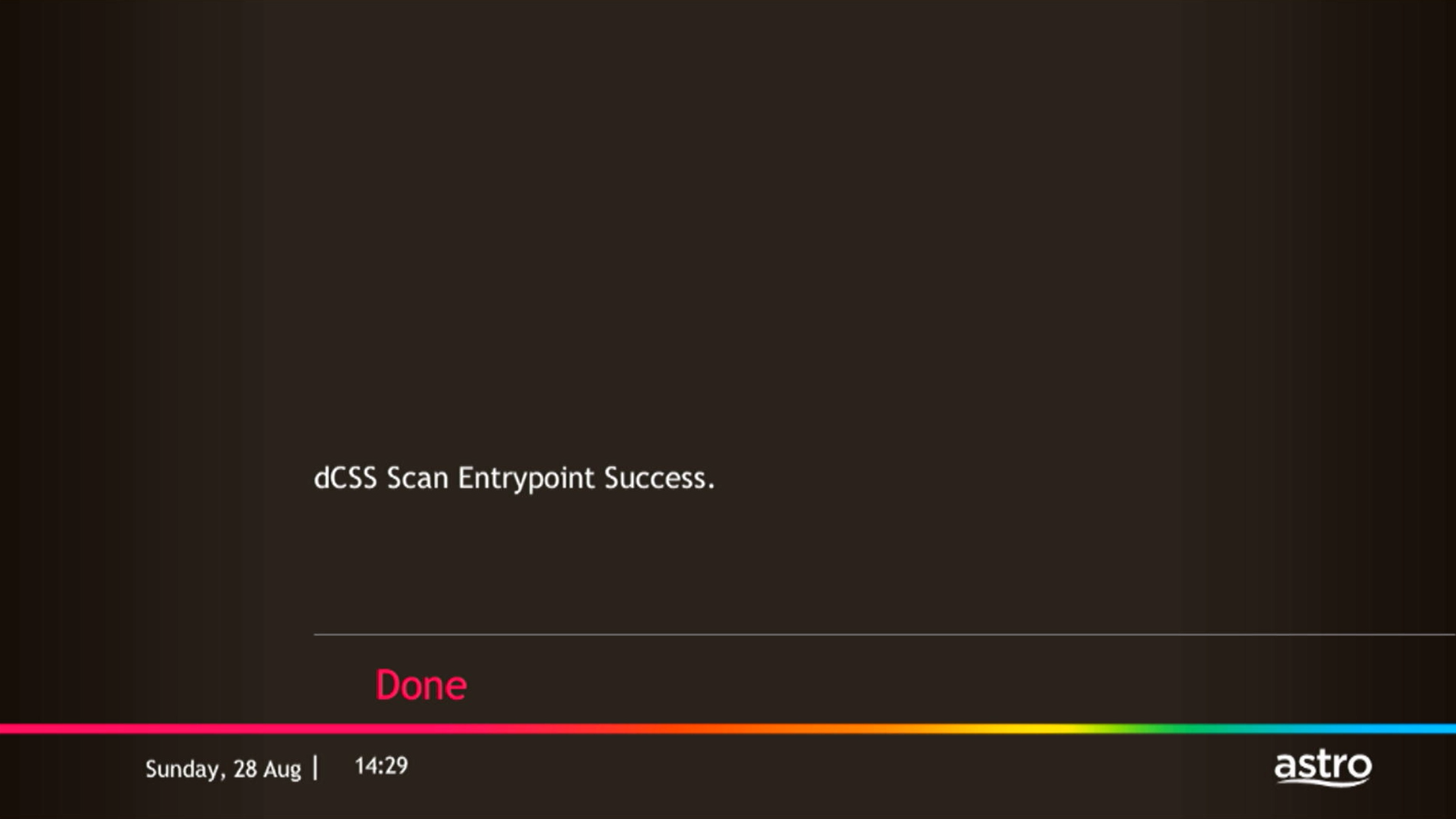
If dCSS Scan Entrypoint Fail, proceed to STEP 3.

STEP 3
Proceed to Update Satellite Frequency.
Click here for the guide.
Once completed, tune to the impacted channel.
If issue persist, proceed to submit report here.
Guide to submit report:
At Feedback Type select "I have Astro service related question/request" and Sub Category as "Technical Interruption".
Fill up all the required information and submit.
Please indicate if you agreed to recontract for 12 months (technical visit is FOC) or paid visitation (RM65).
You will receive appointment details via SMS within 48 hours.
Each Astro customer can subscribe to a maximum of one (1) Multiroom (Smart TV) subscription. If you need additional Multiroom access, you may subscribe to Multiroom (Astro Box). All subscription has to be used within the same location as per the main subscription.
Some of our payment partners require payees to scan the barcode on the statement to make payment. Always bring your Astro bill statement when making payment over the counter.

| Step 1: Visit https://id.astro.com.my/ and click on “Forgot Password?” | Step 2: Enter your username, email or mobile number. A verification code will be sent to you. Please enter it into the field and click “Verify” to reset your password. |
From Channels 480 (Astro First):
- Go to channel 480
- Search for the Movie title or Series and press “OK” button from Astro remote control;
- Choose how to purchase via WhatsApp or SMS.
- Enter the Pin Code
Purchase via Whatsapp
- Go to channel 480
- Whatsapp the “movie code” to 03-9543 3838
- Enter your “smart card number” (this is available on the top right corner of your tv screen)
- Type “1” to confirm
- The reply will direct you to the entitlement channel accordingly
Purchase via SMS
- Go to channel 480
- SMS the “movie code” to 32999
- The SMS confirmation reply will direct you to the entitlement channel accordingly
*SMS service is available for Maxis, Celcom, Digi and U Mobile only.
From Beyond PVR On Demand interface:
- Press the “Home” button on the Astro remote control
- Select “On Demand” and press the “OK” button from the Astro remote control
- Scroll to “Store” and search for the Movies/series
- Select “Buy” and enter Pin Code.
From Ultra/Ulti On Demand interface:
- Press the “Home” button on the Astro remote control
- Scroll to the Store tab
- Scroll to “Astro First: New Releases” or “Astro First: Blockbusters” and search for the Movies
- Select “Rent” and enter Pin Code
From Astro Go app (purchases only applicable for Android devices):
- Download the Astro Go app from the Google Play store.
- Create an ID and link your account / proceed to log in if you have linked your account
- Scroll to “Store” and search for “Astro First: New Releases” or “Astro First: Blockbusters”
- Select “Rent” and enter Pin Code
*The default pin code is 0000 if you have not pre-set it.
Your documents will be handled in compliance with standards set by PDPA (Personal Data Protection Act 2010) and will not be used for other means without your specific consent.
The New Astro First serves as the one-stop, ultimate home cinema offering the biggest and latest local and international blockbuster films where you can:-
- Enjoy value for money viewing for local and international movies from only RM15* per movie or RM17* for UHD movies (*excluding tax).
- Stream each rented movie for as many times as you like within 48 hours* (*unless stated otherwise) anytime, anywhere via On Demand on your Astro Box or Astro GO.
- Watch local/regional movies or international movies from Hollywood studios as recent as 2 weeks or 3 months respectively from Malaysia's cinematic release, in addition to exclusive titles only available on Astro First.
You can track your ticket status by contacting us via WhatsApp or call us at 03-9543 3838.
Unfortunately, this means that you are using a TV model that does not support 4K UHD resolution (Sony BRAVIA 4K GB, Sony BRAVIA 4K UR or Sony BRAVIA VH). Not to worry, we are working with the Sony team to ensure you will be able to enjoy these 4K UHD channels soon. We will keep you posted once these channels are available to you!
Astro Fibre subscription also comes with a 24-month contract commitment and will NOT be auto renewed at the end of contact period.
Please refer below for the installation and activation fees for Astro customers on the new pack.

To cancel your Multiroom (Smart TV) subscription, please call us at 03-9543 3838.
Mesh WiFi technology greatly improves the WiFi network coverage within your home and virtually eliminates all WiFi “dead spots”. However, like all technologies there are limitations that you should be aware of.
The pairing of Mesh unit to the WiFi router is automatically handled between the WiFi router and the Mesh unit after it calculates its current position in relation to the WiFi router and surrounding Mesh unit (if available) already connected to the WiFi router.
If you are self-installing the mesh at your house, it is advisable for you to always pair the Mesh unit(s) with the WiFi router only regardless of how many Mesh unit available at your house.
Please note that if you have a Mesh connected to another Mesh, the expected performance of the WiFi speed will not perform as optimally as when compared to a Mesh connected directly to the WiFi router. Adding more points (also referred as Number of hops) in between your device to the WiFi router which will cause a reduction in bandwidth and add latency.
Netflix is available to IPTV customers on the Ultra Box and Ulti Box. Non-Ultra Box customers will not be able to access Netflix on CH741. Please upgrade to the Ultra Box/Ulti Box to access Netflix on the Ultra Box.
The notification you receive will depend on the payment method you choose:
(i) My Astro Portal: e-receipt will indicate payment confirmation.
(ii) IVR: Payment status will be notified over the IVR and an SMS notification will be sent for successful transactions.
(iii) SMS: Payment status will be notified via SMS.
(iv) Call: Payment status will be notified via SMS.
(v) Customer Service Centre: Physical receipt will indicate payment confirmation.
For payments made using credit cards, refunds will be reversed back to the respective card. Whilst payment made by cash and online banking will be made to the account holders bank account.
You may submit your request via Feedback Form with below information details based on your payment method.
Please choose below option in the Feedback Form:
Category: I would like to request for refund
Sub Category: Request for Refund
1) Refund via Bank transfer:
Bank Name:
Bank Account Number:
*Note: Please confirm your bank account details and ensure it's correct
2) Refund via Foreign bank:
Bank Name:
Bank Account Number:
Bank Swift Code:
IBAN Code:
Currency: Eg: Dollar/Yen etc
*Note: Please confirm your bank account details and ensure it's correct
3) Credit Card:
Credit Card Number:
ONLY last 4 digit credit card updated with Astro account
*Note: Please confirm your credit card details and ensure it's correct
