
Sign Up and Install Njoi | Sign Up and Install Njoi @ Rumah Cecelia.

Njoi

FREE lifetime entertainment.

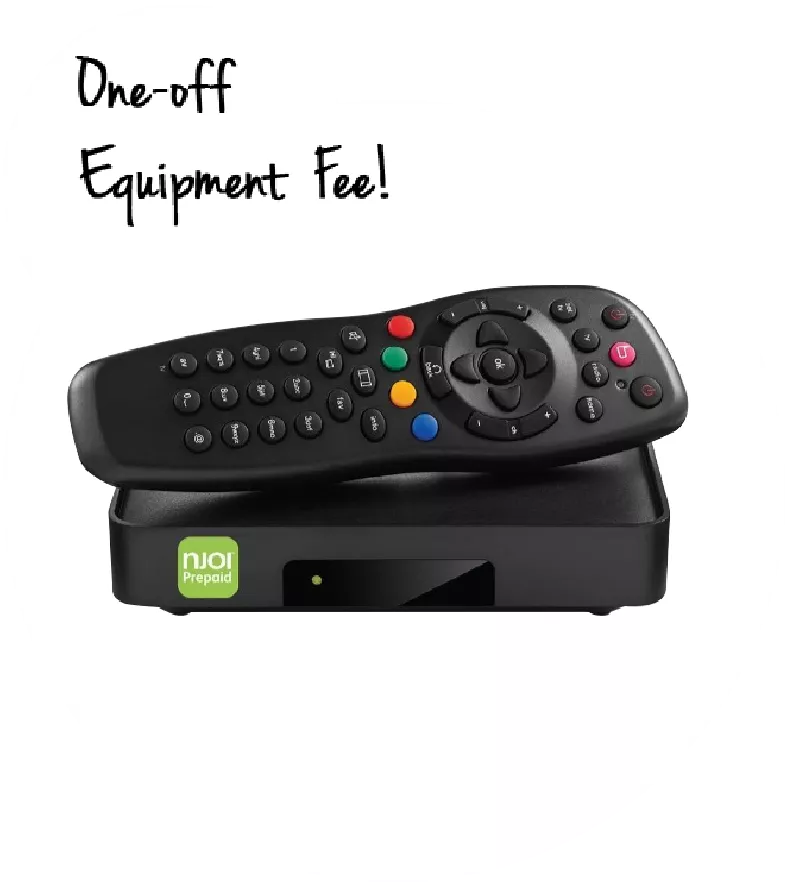
The NJOI HD Box, comes packed with free 15+ TV channels & 10+ radio channels for a variety of entertainment from local, international, kids, latest news and sports channels!

Njoi

A free satellite TV service from Astro. Watch lifetime entertainment, news, learning & information and more.
 

Njoi

Pictures for illustration only.

Enjoy free access to 15+ TV channels & 10+ radio channels.


* Subject to Astro terms & conditions.

Njoi
 
❯ ❮
njoi
New Decoder
RM325.00

New decoder only without satellite dish & cabling. You must have Astro/Njoi satellite dish and cable installed and working properly.

Including installation.

njoi
New Decoder & Satellite Dish
RM415.00

New decoder complete with satellite dish & cabling.

Including installation.


Nationwide Installation


Applying for

Njoi  Astro  UniFi  Maxis 


Please enter your full name (As per IC)

Name (As per IC)

Please enter your IC/Passport Number

IC/Passport

Please enter your handphone number

Handphone

Please enter your full address

Installation Address

Please enter your postcode
Postcode
Please enter your city
City
Please enter your state
State


Frequently Asked Questions

Find your answers here.


WHY SHOULD I APPLY HERE?

We provide one stop service to apply Astro and Broadband for you.
You can avoid driving and queuing at the sales counter. We are the dealer that can help you to handle your application from the beginning to the end.


HOW MUCH DOES IT COST TO APPLY FROM HERE?

We do not charge you when you apply from us. There is no credit card information required to apply here. Charges are the same as you apply from the sales counter.


WHAT IS THE PROCEDURE TO APPLY?

First, you can apply online, we will get back to you immediately during business hour. WhatsApp/Email/Fax us your Photocopy of IC (for malaysian) / Passport (for foreigners). When we receive all the information, we will proceed with your application immediately.


HOW FAST IS THE APPLICATION PROCESS?

Once we receive your application with complete information, we will process your application immediately during business hour. The contractor from the service provider will then contact you for installation appointment once your application is approved.


WHY SHOULD I CHOOSE ASTRO + BROADBAND?

Enjoy greater savings and hassle-free bill payment in one single bill for both Astro and Broadband. You get to enjoy Astro and Broadband at discounted price every month over the contract period of 24 months.


WHAT TV PACKS ARE AVAILABLE?

Astro offers multiple TV packs including Entertainment, Sports, Movies and Kids options. You can choose a pack that matches your viewing preferences and add optional streaming apps where available.


CAN I SUBSCRIBE TO TV ONLY WITHOUT BROADBAND?

Yes, you may subscribe to Astro TV packs without bundling broadband. However, bundling Astro TV with Fibre Broadband may provide better monthly savings and convenience with a single bill.


WHAT BROADBAND SPEED DO I NEED FOR MY HOME?

For small households with light streaming and browsing, 100Mbps is usually sufficient. Larger families, gamers or heavy streamers may benefit from 500Mbps or 1Gbps plans for smoother performance across multiple devices.


IS THERE A CONTRACT PERIOD?

Most Astro TV and Fibre broadband plans come with a 24-month contract. Early termination charges may apply if cancellation is made before the contract ends.


CAN I UPGRADE MY TV PACK OR BROADBAND PLAN LATER?

Yes, you may upgrade your TV pack or broadband speed at any time, subject to eligibility and coverage. A new contract period may apply depending on the upgrade.


HOW WILL I RECEIVE MY BILL?

Your monthly bill will be issued directly by Astro. You may receive it via email or access it through your Astro account. Bundled customers will receive a single combined bill for TV and broadband services.


WHAT PAYMENT METHODS ARE AVAILABLE?

Payment methods may include online banking, auto debit, credit card or other approved payment channels provided by Astro. Our team can guide you during the registration process.


WHAT HAPPENS IF THERE IS A SERVICE INTERRUPTION?

If you experience any service interruption, you may contact Astro customer support for technical assistance. In many cases, issues can be resolved remotely or a technician will be arranged if necessary.


CAN I RELOCATE MY ASTRO SERVICE TO A NEW ADDRESS?

Yes, relocation is subject to service availability at your new address. Relocation charges and contract adjustments may apply depending on your plan.


DO I NEED A CREDIT CARD TO APPLY?

No, you do not need a credit card to submit your application. Payment setup will be arranged directly with Astro after your service is approved.


CAN I ADD STREAMING SERVICES TO MY TV PACK?

Selected Astro TV packs allow optional add-ons such as streaming services depending on current promotions and availability. Additional monthly charges may apply.


IS WIFI ROUTER PROVIDED WITH FIBRE INSTALLATION?

Yes, a WiFi router is typically provided during fibre installation. The router model may vary depending on the selected broadband speed plan.


CAN I CHECK BROADBAND COVERAGE BEFORE APPLYING?

Yes, we will check the service coverage at your address before proceeding with your application to ensure broadband is available at your location.


WHAT DOCUMENTS DO I NEED FOR BROADBAND REGISTRATION?

For Malaysians, please provide a copy of your MyKad. For foreigners, provide a copy of your passport when submitting your broadband application.


HOW LONG UNTIL INSTALLATION AFTER APPLICATION?

After your application is approved, the service provider typically contacts you within 2 to 7 working days to arrange the broadband installation appointment.


WHAT IS THE CONTRACT PERIOD FOR BROADBAND?

Most Astro Broadband plans come with a 24-month contract starting from your installation date. If you relocate, a new 24-month contract may apply at your new address.


CAN I MOVE MY BROADBAND TO A NEW ADDRESS?

Yes, you can relocate your broadband service, subject to service availability at the new address. Your contract may reset for another 24 months from the new installation date.


CAN I REQUEST INSTALLATION CHANGES OR DEVICE RELOCATION IN MY HOME?

Yes, you may request to relocate broadband devices within your home. Non-standard installation charges may apply and are payable to the installer directly after assessment.


IF I HAVE AN EXISTING BROADBAND CONTRACT, CAN I SWITCH TO ASTRO BROADBAND?

Yes, you can switch to Astro Broadband. To avoid service interruption, it is recommended to activate the new service before terminating your current broadband contract.


IS THERE AN INSTALLATION FEE FOR NON-STANDARD INSTALLATION?

Standard installations may be free during promotions, but non-standard installations (e.g., device relocation or complex wiring) may incur extra charges payable directly to the installer.


Tags: Sign Up and Install Njoi @ Rumah Cecelia anjoi peniagaan knh guar Sign Up and Install Njoi @ Rumah Cecelia anjoy prowess dagang sdn bhd Sign Up and Install Njoi @ Rumah Cecelia anjoy kampung pandan shah bandaraya Sign Up and Install Njoi @ Rumah Cecelia anjoi kg seberang tayor Sign Up and Install Njoi @ Rumah Cecelia unufi kampung melalia Sign Up and Install Njoi @ Rumah Cecelia fibre farmasi eco cahaya sdn bhd Sign Up and Install Njoi @ Rumah Cecelia fibre taman kangkar jaya Sign Up and Install Njoi @ Rumah Cecelia njoi pinggiran tapai kampung tapang Sign Up and Install Njoi @ Rumah Cecelia internet d24 Sign Up and Install Njoi @ Rumah Cecelia internet petronas tiara sendayan Sign Up and Install Njoi @ Rumah Cecelia uniifi kampung kedai mulong Sign Up and Install Njoi @ Rumah Cecelia wifi kilang beststone rubber m sdn bhd Sign Up and Install Njoi @ Rumah Cecelia unifii tabika pulapol Sign Up and Install Njoi @ Rumah Cecelia fibre kampung pt daun drt pt raja Sign Up and Install Njoi @ Rumah Cecelia internet kampung panji taman sri iman Sign Up and Install Njoi @ Rumah Cecelia maxis lili apartment iab Sign Up and Install Njoi @ Rumah Cecelia unufi bilik rehat cawangan khas ipd Sign Up and Install Njoi @ Rumah Cecelia enjoy kuaters madrasah idrisiah Sign Up and Install Njoi @ Rumah Cecelia wifi fo guang shan dong zen temple Sign Up and Install Njoi @ Rumah Cecelia njoy jkr mekanikal elektrik Sign Up and Install Njoi @ Rumah Cecelia anjoi rumah rakyat sri kendong Sign Up and Install Njoi @ Rumah Cecelia injoy km33 kilang papan Sign Up and Install Njoi @ Rumah Cecelia unifii kuarters kelas h9 Sign Up and Install Njoi @ Rumah Cecelia astro taman tunas jaya fasa 3 Sign Up and Install Njoi @ Rumah Cecelia injoi kawasan perindustrian kelemak fasa 2 Sign Up and Install Njoi @ Rumah Cecelia faq jesselton twin tower Sign Up and Install Njoi @ Rumah Cecelia anjoi hovis industries sdn bhd Sign Up and Install Njoi @ Rumah Cecelia wifi aman suria Sign Up and Install Njoi @ Rumah Cecelia anjoy kampung air belaga b ulu sat Sign Up and Install Njoi @ Rumah Cecelia anjoy blok g pangsapuri titiwangsa Sign Up and Install Njoi @ Rumah Cecelia fibre kampung mak chili atas Sign Up and Install Njoi @ Rumah Cecelia astro caltex kodiang Sign Up and Install Njoi @ Rumah Cecelia astro kampung sentosa batu 2 1 2 Sign Up and Install Njoi @ Rumah Cecelia fiber parit pechah taman molek Sign Up and Install Njoi @ Rumah Cecelia injoy sekolah kebangsaan agama sri aman Sign Up and Install Njoi @ Rumah Cecelia uninfi taman seri lemawang Sign Up and Install Njoi @ Rumah Cecelia faq kg patarikan sindumin Sign Up and Install Njoi @ Rumah Cecelia njoy jabatan kerja raya blk baru jkr Sign Up and Install Njoi @ Rumah Cecelia fiber kuarters kesihatan tualang Sign Up and Install Njoi @ Rumah Cecelia fiber pangsapuri daman crimson Sign Up and Install Njoi @ Rumah Cecelia internet tiger excellent sdn bhd Sign Up and Install Njoi @ Rumah Cecelia broadband jalan sepilok Sign Up and Install Njoi @ Rumah Cecelia uniifi batu 15 1 2 kampung bator jelawat Sign Up and Install Njoi @ Rumah Cecelia unufi beladin tengah Sign Up and Install Njoi @ Rumah Cecelia unifii kampung sungai bogak Sign Up and Install Njoi @ Rumah Cecelia unufi tsp 3g sdn bhd Sign Up and Install Njoi @ Rumah Cecelia wifi alam suria Sign Up and Install Njoi @ Rumah Cecelia uniifi blok 4 pangsapuri mutiara subang Sign Up and Install Njoi @ Rumah Cecelia broadband kg manir Sign Up and Install Njoi @ Rumah Cecelia uninfi wad 3 hospital tangkak Sign Up and Install Njoi @ Rumah Cecelia faq mukim kasa daerah kubang gadong Sign Up and Install Njoi @ Rumah Cecelia uninfi ck lighting sdn bhd Sign Up and Install Njoi @ Rumah Cecelia internet 83050 sekolah rendah jenis kebangsaan Sign Up and Install Njoi @ Rumah Cecelia faq desa kasia Sign Up and Install Njoi @ Rumah Cecelia fiber masjid jamik sandakan Sign Up and Install Njoi @ Rumah Cecelia enjoi rpt taman batu 30 Sign Up and Install Njoi @ Rumah Cecelia broadband menara a pangsapuri puncak kempas utama dsummit residences Sign Up and Install Njoi @ Rumah Cecelia wifi taman desa penaga