
 Netflix Basic
Pemasangan Untuk Seluruh Malaysia
Mendaftar untuk
| UniFi Maxis Astro Njoi |
Soalan Yang Kerap Ditanya (FAQ)
Cari jawapan anda di sini.
Kami menyediakan perkhidmatan untuk mendaftar Astro dan Broadband untuk anda.
Anda boleh mengelakkan memandu dan beratur di kaunter jualan. Kami adalah peniaga yang boleh memproseskan pendaftaran anda dalam talian.
Anda tidak akan dicaj untuk mendaftar di sini. Tidak ada maklumat kad kredit yang diperlukan. Caj adalah sama seperti yang anda mendaftar di kaunter jualan.
Yang pertama, anda boleh mendaftar dalam talian di sini, kami akan menghubungi anda dengan segera semasa waktu perniagaan. WhatsApp / E-mel / Fax salinan fotokopi IC (untuk warganegara Malaysia) / Pasport (untuk orang asing) kepada kami. Apabila kami menerima semua maklumat, kami akan memproses pendaftaran anda segera.
Sebaik sahaja kami menerima pendaftaran anda dengan maklumat lengkap, kami akan memproses permohonan anda dengan segera pada waktu perniagaan. Kontraktor dari pembekal perkhidmatan kemudian akan menghubungi anda untuk pelantikan pemasangan setelah permohonan anda diluluskan.
Nikmati penjimatan yang lebih besar dan pembayaran bil tanpa gangguan dalam satu bil untuk Astro dan Broadband. Anda dapat menikmati Astro dan Broadband dengan harga potongan setiap bulan sepanjang tempoh kontrak 24 bulan.
Astro menawarkan pelbagai pakej TV termasuk Hiburan, Sukan, Filem dan Kanak-kanak. Anda boleh memilih pakej yang sesuai dengan pilihan tontonan anda serta menambah aplikasi penstriman pilihan jika tersedia.
Ya, anda boleh melanggan pakej TV Astro tanpa menggabungkan broadband. Namun, menggabungkan TV Astro dengan Fibre Broadband boleh memberikan penjimatan bulanan yang lebih baik serta kemudahan satu bil sahaja.
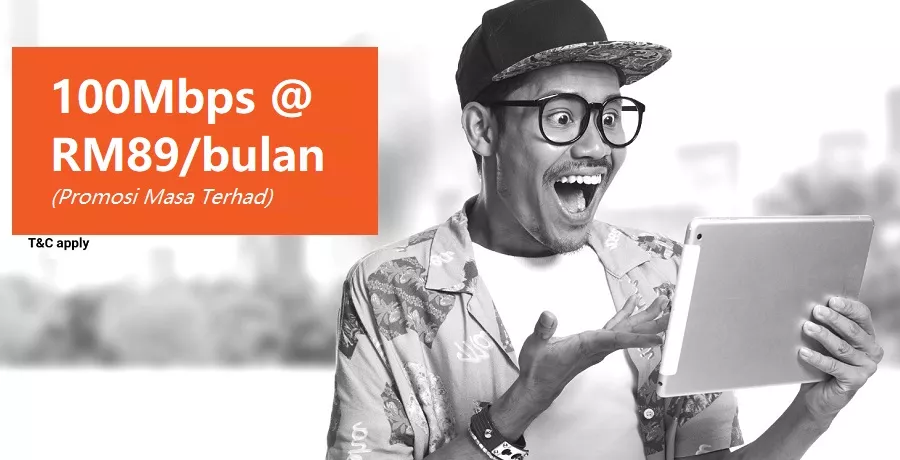
Untuk isi rumah kecil dengan penggunaan penstriman dan pelayaran ringan, 100Mbps biasanya mencukupi. Keluarga besar, pemain permainan dalam talian atau pengguna penstriman berat mungkin mendapat manfaat daripada pelan 500Mbps atau 1Gbps untuk prestasi lebih lancar pada pelbagai peranti.
Kebanyakan pelan TV dan Fibre broadband Astro disertakan dengan kontrak 24 bulan. Caj penamatan awal mungkin dikenakan sekiranya pembatalan dibuat sebelum tamat tempoh kontrak.
Ya, anda boleh menaik taraf pakej TV atau kelajuan broadband pada bila-bila masa, tertakluk kepada kelayakan dan liputan kawasan. Tempoh kontrak baharu mungkin dikenakan bergantung kepada naik taraf tersebut.
Bil bulanan anda akan dikeluarkan terus oleh Astro. Anda boleh menerimanya melalui emel atau mengaksesnya melalui akaun Astro anda. Pelanggan pakej gabungan akan menerima satu bil gabungan untuk perkhidmatan TV dan broadband.
Kaedah pembayaran termasuk perbankan dalam talian, debit automatik, kad kredit atau saluran pembayaran lain yang diluluskan oleh Astro. Pasukan kami boleh membantu anda semasa proses pendaftaran.
Jika anda mengalami gangguan perkhidmatan, anda boleh menghubungi khidmat pelanggan Astro untuk bantuan teknikal. Dalam kebanyakan kes, masalah boleh diselesaikan dari jauh atau juruteknik akan dijadualkan jika perlu.
Ya, pemindahan tertakluk kepada ketersediaan perkhidmatan di alamat baharu anda. Caj pemindahan dan pelarasan kontrak mungkin dikenakan bergantung kepada pelan anda.
Tidak, anda tidak memerlukan kad kredit untuk menghantar permohonan. Pengaturan pembayaran akan dibuat terus dengan Astro selepas perkhidmatan anda diluluskan.
Pakej TV Astro terpilih membenarkan tambahan pilihan seperti perkhidmatan penstriman bergantung kepada promosi semasa dan ketersediaan. Caj bulanan tambahan mungkin dikenakan.
Ya, router WiFi biasanya disediakan semasa pemasangan fibre. Model router mungkin berbeza bergantung kepada pelan kelajuan broadband yang dipilih.
Ya, kami akan menyemak liputan perkhidmatan di alamat anda sebelum meneruskan permohonan untuk memastikan broadband tersedia di kawasan anda.
Bagi warganegara Malaysia, sila sediakan salinan MyKad anda. Bagi warga asing, sila sediakan salinan pasport semasa menghantar permohonan broadband.
Selepas permohonan anda diluluskan, penyedia perkhidmatan biasanya akan menghubungi anda dalam tempoh 2 hingga 7 hari bekerja untuk menetapkan janji temu pemasangan broadband.
Kebanyakan pelan Astro Broadband disertakan dengan kontrak 24 bulan bermula dari tarikh pemasangan. Jika anda berpindah, kontrak 24 bulan baharu mungkin dikenakan di alamat baharu.
Ya, anda boleh memindahkan perkhidmatan broadband tertakluk kepada ketersediaan perkhidmatan di alamat baharu. Kontrak anda mungkin diperbaharui untuk 24 bulan lagi bermula dari tarikh pemasangan baharu.
Ya, anda boleh memohon untuk memindahkan peranti broadband di dalam rumah. Caj pemasangan bukan standard mungkin dikenakan dan perlu dibayar terus kepada pemasang selepas penilaian dibuat.
Ya, anda boleh bertukar ke Astro Broadband. Untuk mengelakkan gangguan perkhidmatan, disarankan untuk mengaktifkan perkhidmatan baharu sebelum menamatkan kontrak broadband sedia ada.
Pemasangan standard mungkin percuma semasa tempoh promosi, namun pemasangan bukan standard (contohnya pemindahan peranti atau pendawaian kompleks) mungkin dikenakan caj tambahan yang perlu dibayar terus kepada pemasang.
If you don't know your HBO Max password, you can reset it. You need to have access to your account email to reset your password:
- Do one of the following:
- On the HBO Max sign-in screen, choose Forgot Password?
- Go to hbomax.com/forgot-password.
- Enter your HBO Max (or HBO Max) account email and choose Submit. Forgot your account email?
- Check your inbox for a HBO Max Password Reset email. This email should arrive within a few minutes.
- Open the most recent Password Reset email and choose Reset Your Password.
- Enter a new password and choose Save.
Now, sign in with your account email and your new password.If you don't get a HBO Max Password Reset email, go to Can't reset password.
Yes. The TVBAnywhere+ app can be downloaded on compatible mobile device via the Apple App Store or Google Play Store. Once installed, customers can log in with their Astro ID to access the app.
Tidak. Anda perlu menggunakan nombor telefon yang berdaftar dengan pengendali rangkaian mudah alih tempatan untuk mengaktifkan langganan Disney+ anda melalui Astro.
The "coming soon" label on some streaming apps on your TV and the "Apps" page of Astro's website allows our customers to stay on top of new launches as they happen! Stay tuned for these upcoming streaming apps so you can access even more content that you love from across the world.
Yes, you can. Click on Menu > Language and choose your preferred language. Then, click “SAVE”
Ejen kurier kami akan mengemaskan peralatan untuk anda. Walau bagaimanapun, jika peralatan anda sudah dikemaskan, sila bungkus di dalam kotak/pembungkusan asalnya jika boleh. Jika pilihan ini tidak tersedia untuk anda, serahkan sahaja peralatan kepada perkidmatan kurier tanpa sebarang pembungkusan. Anda tidak akan dikenakan sebarang bayaran jika pembungkusan asal telah rosak/hilang.
Sila gunakan Astro ID anda untuk log masuk ke aplikasi Astro Fibre. Jika anda tidak mempunyai Astro ID, ikuti langkah mudah di sini untuk menciptanya.
Pada masa ini, Maxis, Digi, Celcom, TuneTalk, U-Mobile, Yes, XOX dan Webe.
Ya, anda boleh mendaftar untuk auto-debit selepas akaun anda telah diaktifkan melalui aplikasi My Astro atau laman web My Astro dengan mengikut langkah yang tertera di sini.
Lihat video atau ikut langkah-langkah dibawah untuk memuat semula isyarat box Astro anda
Error “Subscription Required” tapi akaun masih aktif? Brader Astro boleh bantu!
ATAU
Pastikan box Astro berada di dalam mod "standby" untuk 'refresh' signal.
Cara paling cepat adalah melalui My Astro:
- Buka atau muat turun aplikasi My Astro app atau layari My Astro web
- Log masuk dengan Astro ID anda
- Pergi ke Akaun
- Tekan pada Langganan atau Pek TV
- Tekan pada Bilik
- Bagi kotak yang anda ingin 'refresh', tekan pada butang 'Muat semula'. Isyarat kotak anda akan dimuat semula
ATAU
WhatsApp
1. Mesej 'Hi' kepada kami di 03-95433838
2. Tekan butang Tekan Untuk Pilih
3. Pilih Bantuan & Panduan
4. Taip Memuat Semula Isyarat Box Astro
-
📡 Experiencing technical issues?
📱 Download the My Astro app to:
- Perform self-troubleshoot
- Solve in a few minutes
- No need to call customer service
You may cancel your iQIYI subscription in the app by following these steps:
Step 1: Go to Home Page
Step 2: Click on "VIP subscription"
Step 3: Click on "Manage VIP subscription" (Gear icon)
Step 4: Click on "Cancel VIP subscription"
Anda boleh mendapatkan bil atau invois terkini anda melalui salah satu platform yang tersenarai:
A. My Astro app
1. Muat turun aplikasi My Astro app
2. Log masuk dengan Astro ID anda
3. Pergi ke Akaun > Bil
4. Anda boleh menyemak jumlah bil, buat bayaran, muat turun penyata bil, dan melihat sejarah pembayaran - semuanya dalam satu aplikasi
B. My Astro Web
Sebagai alternatif, anda juga boleh guna versi laman web My Astro
C. IVR
1. Hubungi +603-9543 3838
2. Tekan 1 untuk pertanyaan akaun
3. Masukkan akaun Astro 10 digit anda atau MyKad 12-digit
4. Tekan 2 untuk Pembayaran dan Pengebilan
5. Tekan 1 untuk menerima SMS dengan baki bil andadan pautan pembayaran dalam talian
Nota: Anda tidak boleh muat turun bil atau melihat sejarah pembayaran melalui IVR. Muat turun aplikasi My Astro app untuk pengalaman pengurusan bil yang lebih lengkap.
💳 Nak urus bil Astro anda dengan mudah?
📱 Muat turun My Astro app sekarang untuk:
- Lihat dan muat turun penyata bil
- Semak sejarah pembayaran
- Bayar dengan beberapa klik sahaja
If you receive this error message while activating Astro Smart TV, please follow the steps below:
1. Ensure that you have entered the sign-in code exactly as displayed on your TV screen.
- The code must be exactly 8 characters long.
- Do not enter fewer or more than 8 characters.
2. Check the code carefully before submitting.
- The activation code can be entered in uppercase or lowercase.
- The code will be accepted with or without dashes (-), as long as the characters entered are correct.
3. If the issue persists
- Refresh the activation screen on your Smart TV to generate a new code and try again.
If you are still having issues, proceed to submit report via WhatsApp or Feedback Form.
This will help our support team investigate and assist you further.
Jika anda TIDAK membuat sebarang perubahan pada pek Astro anda pada atau selepas 9 November 2021, anda boleh menikmati sehingga empat (4) aliran serentak di Astro GO di mana-mana, pada bila-bila masa. Tetapi jika anda mempunyai langganan Astro GO+, anda boleh menikmati sehingga empat (4) aliran serentak.
If you require any assistance with the app, you may:
1. Visit the WeTV official Facebook Page for more information: WeTV Malaysia - Home | Facebook; or
2. Drop the WeTV team a message via Facebook chat here
If you encounter any issues with your Astro billing and entitlement, you may contact our Customer Service by:
1. Submitting a feedback form here: www.astro.com.my/contactus/form; or
2. Reaching to us via WhatsApp by typing "Hi"at 03-9543 3838
After completing the subscription process, you will be able to access the iQIYI App on the Ultra/Ulti Box by following the steps below:
On your Ultra/Ulti Box
Step 1: At the Home menu, go to the App Rail and select "iQIYI"
Step 2: Click "OK" on your Astro remote
Step 3: While on the iQIYI App Home Page, navigate to "VIP account" located at the top left pane and click "Login". A page with a QR Code will be presented on your TV screen
Step 4: Scan the QR code using your mobile device and you will be directed to the iQIYI mobile app
Step 5: Follow the steps under "On Mobile App" below to pair your iQIYI account with your Ultra/Ulti Box
On the iQIYI Mobile App
Step 1: Download the iQIYI App on your mobile device
Step 2: At the login page, select "Continue with Astro"
Step 3: Log in with your Astro ID
Step 4: Click on the "Me" icon located at the bottom of the screen, and you will be presented with your iQIYI profile page
Step 5: Click on the in-app QR code scanner located at the top right corner of the screen
Step 6: Scan the QR Code displayed on your TV screen with the in-app QR code scanner. Refer to Step 3 under "On your Ultra/Ulti Box" above
Step 7: The screen on your TV will reload automatically and the iQIYI App home screen will be displayed. Now, you can enjoy the iQIYI App on your Ultra/Ulti Box!
Malangnya, ini bermaksud anda sedang menggunakan model TV yang tidak menyokong resolusi 4K UHD (Sony BRAVIA 4K GB, Sony BRAVIA 4K UR atau Sony BRAVIA VH).
Jangan risau, kami sedang bekerjasama dengan pasukan Sony untuk memastikan anda dapat menikmati saluran 4K UHD ini dalam masa terdekat. Kami akan memaklumkan kepada anda sebaik sahaja saluran-saluran ini tersedia.
Starting from 24 January 2025, Astro One Pack customers can add on Netflix ala-carte (comes with 24 months contract) plan to their subscription. This plan allows customers to choose from three Netflix subscription plans Basic, Standard, and Premium with a 24-month contract. This plan is offered at a discounted rate compared to the regular monthly Netflix add on, providing a cost-effective way to enjoy Netflix content.
Anda boleh menyemak bil dan tunggakan anda melalui laman web My Astro atau aplikasi My Astro melalui tapak web ini.
Nota: Penyata bil dan sejarah pembayaran tidak tersedia melalui WhatsApp. Untuk pengalaman pengurusan bil yang lebih lengkap, termasuk akses kepada sejarah pembayaran anda, muat turun dan gunakan aplikasi My Astro.
Each account can only have one Astro X3 pack subscription at a time, whether it is the Astro X3: Entertainment 12 Pack or the Astro X3: Sports 12 Pack. Multiple subscriptions under the same account are not supported. If you wish to subscribe to another plan, you can do so by creating a separate account using a different email address. Each subscription will be managed independently.
Anda diberi tempoh 90 hari untuk memulangkan Astro Box dan Kad SIM sebelum caj dikenakan ke dalam bil. Caj di dalam bil akan diletakkan sebagai “Box Fee” selepas tempoh masa 90 hari berakhir.
Ya, anda boleh periksa status pemohonan anda menerusi aplikasi/lama sesawang MyAstro.
Yes, you can activate your access anytime between April 24, 2025, and June 23, 2025, to get 2 months of access to Prime Video at no additional charge. Please note that the offer is subject to change. All sign-ups are also subject to the Prime Video app usage terms and conditions.
Please ensure that your Ultra or Ulti Box is set as the primary (main) decoder to enjoy 2 months of access to Prime Video at no additional charge.
If your primary box is an older model, don’t worry as you can still enjoy this offer by upgrading to an Ultra/Ulti Box within the offer period. Just contact us to arrange your upgrade.
Please perform the following checks and troubleshooting steps:
1. Check if your TV supports the Astro app.
The Astro app is generally available on selected:
- Android TV / Google TV
- Samsung Smart TV (selected models)
- LG Smart TV (selected models)
Kindly check that your Smart TV supports the Astro Smart TV app (kindly refer here).
If your TV uses a different operating system (e.g., older proprietary OS), the Astro app may not be available.
2. Update your TV software.
Go to: Settings → Support → Software Update
Install any available updates, then restart the TV and try again.
3. Search the correct app store
- Samsung: Apps
- LG: LG Content Store
- Android/Google TV: Google Play Store
Search for "Astro" or "Astro GO" (depending on your region and service availability).
4. If your TV's region is set incorrectly, certain apps may not appear.
Look under: Settings → General → Location/Region
Ensure it matches your actual country.
If you are still having issues, proceed to submit report via WhatsApp or Feedback Form and provide:
- Astro ID use
- Smart TV model
- OS version
- Error reported on device
This will help our support team investigate and assist you further.
Astro X3 is a new way to become an Astro customer, designed for the big screen. It allows customers to sign up instantly and start streaming Astro directly on their Smart TV—without the need for a set-top box, satellite dish or installation.
Astro GO, on the other hand, is a companion app that comes with every Astro subscription. It extends the experience to smaller screens, enabling customers to watch their content on smartphones, tablets and PCs anytime, anywhere.
The iQIYI App is an on-demand video streaming service provided by iQIYI that was first launched in June 2019 in more than 191 countries providing the best Asian dramas to viewers across the world. iQIYI allows subscribers to watch all their favourite Asian entertainment including dramas, variety shows, movies and anime, with subtitles in multiple languages and equipped with Dolby Atmos for the most immersive experience at their fingertips.
Sila hubungi bank yang mengeluarkan kad untuk membolehkan transaksi tanpa kad (CNP). Langkah keselamatan ini membantu kami melindungi informasi kad anda daripada disalah guna dalam transaksi penipuan.
If you are currently on the Entertainment, Entertainment Plus, Premium 2, Premium 3 or
Platinum Pack, you may switch your current Asian Favourites selection to Viu Premium via the
My Astro app or myastro.astro.com.my. Simply go to the "Account” tab and scroll down to the
“Subscription” section. Select “TV Pack” > “Add-ons” and then click the “Switch” button.
Alternatively, you may also reach out to us via WhatsApp by typing “Hi” at 03-9543 3838 to
make your switch to Viu Premium.
Anda memerlukan perkhidmatan HD-PVR untuk melanggan kepada PVR. Perkhidmatan ini termasuk dalam semua langganan Starter Pack, Value Pack, Super Pack Lite, Super Pack dan Super Pack Plus.
Customers with a Netflix Premium account are allowed to watch on up to 4 supported devices in 4K UHD and Netflix Spatial Audio. In addition, Netflix Premium subscribers are also allowed to download shows to watch offline on 6 devices at a time.
No. Your scheduled recordings will remain the same, although the channel numbers have changed.
Buat masa ini, aplikasi Disney+ pada Astro Ultra dan Ulti Box tidak menyokong audio Dolby. Kami sedang berusaha untuk menyediakan ciri ini.
Unfortunately, subtitles and dubbing options are currently not available.
If you’re facing issues updating your email address via My Astro, here’s how you can update your email address through your Set Top Box (STB).
Note: This method only works if you are on Ultra or Ulti box that is connected to the internet. If you are on an older box, kindly reach out to us via our Feedback Form.
- Switch on your box and launch My Astro through the top menu or from the ‘Apps’ section.
- Once you are in My Astro, press the yellow button on your Astro remote control to visit your ‘Account details’.
- Press the down button to view ‘Personal info’.
- Press the left button and focus on the edit icon for email address, press on "OK" to change your contact details.
- To verify your identity, please enter the last 6 digits of the Astro account holder’s MyKad/Passport.
- Please enter your new email address.
- Please enter the OTP sent to the new email address.
- Once the OTP is verified, your email address will be updated.
If you’re still unable to update your email address, kindly reach out to us via our Feedback Form and a representative from our team will get in touch to assist you soon.
Yes, you can choose the other Astro Packs, which do not have Netflix bundled together. However, any changes in your Astro Pack are subject to the terms & conditions.
Starting 29th April 2025 onwards, the Sun NXT app will be available on the Ultra/Ulti Box for all Astro customers to enjoy on the big screen, web app or/and mobile app.
No, the Netflix 24-month ala-carte plans do not include an auto-renewal contract. After your contract has expired, you can continue to enjoy the discounted price as long as you maintain your Netflix subscription with Astro.
You can access your Viu Premium account on up to five (5) devices at a time. To ensure a
smoother streaming experience, please sign out from any unused devices.
Anda boleh mendaftar sehingga empat (5) peranti.
Untuk mengalih keluar peranti di Astro GO, klik pada Tetapan > Peranti Berdaftar untuk melihat dan mengalih keluar peranti daripada senarai peranti yang didaftarkan kepada Astro ID anda.
Ya, pelanggan akan dikenakan 8% Cukai Perkhidmatan untuk pakej yang dibeli selepas 29hb Februari berikutan perlaksanaan Cukai Perkhidmatan 8% yang berkuat kuasa 1hb Mac 2024.
Anda hanya perlu memulangkan Ultra dan Ulti Box bersama kad SIM. Alat kawalan jauh, kabel atau piring satelit tidak perlu dipulangkan dan boleh dihantar ke pusat kitar semula yang boleh di dapati di sini.
Ruang rakaman awan akan ditukar kepada 200 jam sahaja. Jika rakaman semasa anda melebihi 200 jam, sistem akan memadam lebihan masa sebaik sahaja anda menamatkan langganan Astro GO+ bermula dengan rakaman lama terlebih dahulu.
Yes, you can download selected content on the Viu mobile app for offline viewing at a later time
if you are a Viu Premium member. To view all the shows you have downloaded, please click on
the “download (downwards arrow)” button at the Home Page.
