
 Netflix Basic
Pemasangan Untuk Seluruh Malaysia
Mendaftar untuk
| UniFi Maxis Astro Njoi |
Soalan Yang Kerap Ditanya (FAQ)
Cari jawapan anda di sini.
Kami menyediakan perkhidmatan untuk mendaftar Astro dan Broadband untuk anda.
Anda boleh mengelakkan memandu dan beratur di kaunter jualan. Kami adalah peniaga yang boleh memproseskan pendaftaran anda dalam talian.
Anda tidak akan dicaj untuk mendaftar di sini. Tidak ada maklumat kad kredit yang diperlukan. Caj adalah sama seperti yang anda mendaftar di kaunter jualan.
Yang pertama, anda boleh mendaftar dalam talian di sini, kami akan menghubungi anda dengan segera semasa waktu perniagaan. WhatsApp / E-mel / Fax salinan fotokopi IC (untuk warganegara Malaysia) / Pasport (untuk orang asing) kepada kami. Apabila kami menerima semua maklumat, kami akan memproses pendaftaran anda segera.
Sebaik sahaja kami menerima pendaftaran anda dengan maklumat lengkap, kami akan memproses permohonan anda dengan segera pada waktu perniagaan. Kontraktor dari pembekal perkhidmatan kemudian akan menghubungi anda untuk pelantikan pemasangan setelah permohonan anda diluluskan.
Nikmati penjimatan yang lebih besar dan pembayaran bil tanpa gangguan dalam satu bil untuk Astro dan Broadband. Anda dapat menikmati Astro dan Broadband dengan harga potongan setiap bulan sepanjang tempoh kontrak 24 bulan.
Astro menawarkan pelbagai pakej TV termasuk Hiburan, Sukan, Filem dan Kanak-kanak. Anda boleh memilih pakej yang sesuai dengan pilihan tontonan anda serta menambah aplikasi penstriman pilihan jika tersedia.
Ya, anda boleh melanggan pakej TV Astro tanpa menggabungkan broadband. Namun, menggabungkan TV Astro dengan Fibre Broadband boleh memberikan penjimatan bulanan yang lebih baik serta kemudahan satu bil sahaja.
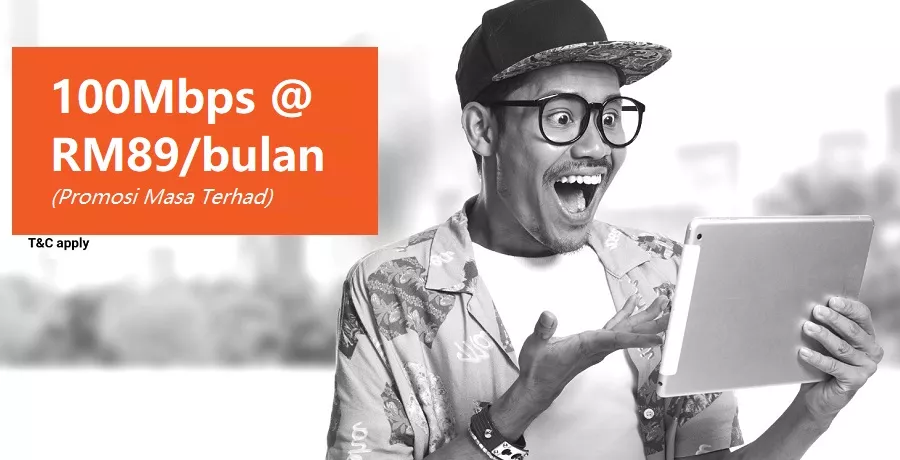
Untuk isi rumah kecil dengan penggunaan penstriman dan pelayaran ringan, 100Mbps biasanya mencukupi. Keluarga besar, pemain permainan dalam talian atau pengguna penstriman berat mungkin mendapat manfaat daripada pelan 500Mbps atau 1Gbps untuk prestasi lebih lancar pada pelbagai peranti.
Kebanyakan pelan TV dan Fibre broadband Astro disertakan dengan kontrak 24 bulan. Caj penamatan awal mungkin dikenakan sekiranya pembatalan dibuat sebelum tamat tempoh kontrak.
Ya, anda boleh menaik taraf pakej TV atau kelajuan broadband pada bila-bila masa, tertakluk kepada kelayakan dan liputan kawasan. Tempoh kontrak baharu mungkin dikenakan bergantung kepada naik taraf tersebut.
Bil bulanan anda akan dikeluarkan terus oleh Astro. Anda boleh menerimanya melalui emel atau mengaksesnya melalui akaun Astro anda. Pelanggan pakej gabungan akan menerima satu bil gabungan untuk perkhidmatan TV dan broadband.
Kaedah pembayaran termasuk perbankan dalam talian, debit automatik, kad kredit atau saluran pembayaran lain yang diluluskan oleh Astro. Pasukan kami boleh membantu anda semasa proses pendaftaran.
Jika anda mengalami gangguan perkhidmatan, anda boleh menghubungi khidmat pelanggan Astro untuk bantuan teknikal. Dalam kebanyakan kes, masalah boleh diselesaikan dari jauh atau juruteknik akan dijadualkan jika perlu.
Ya, pemindahan tertakluk kepada ketersediaan perkhidmatan di alamat baharu anda. Caj pemindahan dan pelarasan kontrak mungkin dikenakan bergantung kepada pelan anda.
Tidak, anda tidak memerlukan kad kredit untuk menghantar permohonan. Pengaturan pembayaran akan dibuat terus dengan Astro selepas perkhidmatan anda diluluskan.
Pakej TV Astro terpilih membenarkan tambahan pilihan seperti perkhidmatan penstriman bergantung kepada promosi semasa dan ketersediaan. Caj bulanan tambahan mungkin dikenakan.
Ya, router WiFi biasanya disediakan semasa pemasangan fibre. Model router mungkin berbeza bergantung kepada pelan kelajuan broadband yang dipilih.
Ya, kami akan menyemak liputan perkhidmatan di alamat anda sebelum meneruskan permohonan untuk memastikan broadband tersedia di kawasan anda.
Bagi warganegara Malaysia, sila sediakan salinan MyKad anda. Bagi warga asing, sila sediakan salinan pasport semasa menghantar permohonan broadband.
Selepas permohonan anda diluluskan, penyedia perkhidmatan biasanya akan menghubungi anda dalam tempoh 2 hingga 7 hari bekerja untuk menetapkan janji temu pemasangan broadband.
Kebanyakan pelan Astro Broadband disertakan dengan kontrak 24 bulan bermula dari tarikh pemasangan. Jika anda berpindah, kontrak 24 bulan baharu mungkin dikenakan di alamat baharu.
Ya, anda boleh memindahkan perkhidmatan broadband tertakluk kepada ketersediaan perkhidmatan di alamat baharu. Kontrak anda mungkin diperbaharui untuk 24 bulan lagi bermula dari tarikh pemasangan baharu.
Ya, anda boleh memohon untuk memindahkan peranti broadband di dalam rumah. Caj pemasangan bukan standard mungkin dikenakan dan perlu dibayar terus kepada pemasang selepas penilaian dibuat.
Ya, anda boleh bertukar ke Astro Broadband. Untuk mengelakkan gangguan perkhidmatan, disarankan untuk mengaktifkan perkhidmatan baharu sebelum menamatkan kontrak broadband sedia ada.
Pemasangan standard mungkin percuma semasa tempoh promosi, namun pemasangan bukan standard (contohnya pemindahan peranti atau pendawaian kompleks) mungkin dikenakan caj tambahan yang perlu dibayar terus kepada pemasang.
Anda boleh melaporkan insiden melalui WhatsApp di 03-95433838 dengan menaip PNP dan ejen kami yang berdedikasi akan mengendalikan urusan anda. Sila sediakan nombor pengesanan Airway Bill anda untuk pengesahan.
Jika kotak penggantian/kad SIM Astro dianggap perlu, Plug & Play Box yang baharu dan kad SIM Astro yang baharu akan dihantar melalui kurier ke alamat perkhidmatan anda.
Our customers deserve the best streaming entertainment experience with us and from 9 December 2024, the new Astro One Packs make that possible.
From just RM49.99, these new packs make it simple, flexible and accessible for all Malaysians to stream the content they love on one platform, with up-to 4 concurrencies on Astro GO. Customers can easily make changes to their subscriptions via the My Astro app, including updates to their packs, choosing from up to 11 streaming apps, or switching to different ones, as and when they like.
Customers can choose between:
- The Astro One: Entertainment Pack for a wide range of favourite vernacular entertainment, including the best of Malay, Chinese, Indian, Korean, Horror, Local Live Sports (Liga Malaysia) and international shows enjoyed by Malaysian families.
- A sports-filled fiesta with Astro One: Sports Pack that comes with all our Sports channels, on top of what is on the Entertainment Pack.
- And the Astro One: Epic Pack, an indulgence for those who want it all. Adding on to the Entertainment Pack and Sports Pack, this unrivalled streaming experience will include the best from their favourite streaming apps, all on a single platform.
For more information, visit www.astro.com.my or send us a message on WhatsApp at 03-9543 3838.
Astro GO is free for all Astro customers to enjoy their favourite shows and channels on their smartphones, tablets, and computers – anytime, anywhere in Malaysia. Astro customers with an active Pay-TV subscription can link their accounts to watch corresponding On Demand and TV channels available on Astro GO as part of their subscription.
Don't have an Astro account? Fret not, you may still preview and browse content available on Astro GO via Web, Mobile Phone or your tablet using Astro GO Guest Mode.
Jangan risau, anda hanya perlu sahkan Astro ID anda sekali sahaja. Selepas itu, anda boleh log masuk ke akaun anda seperti biasa.
Netflix changes their prices and plans from time to time to reflect the improvements that they make to the service. They continue to invest heavily in great new shows and films, to deliver great value for money.
Anda tidak perlu meminta untuk penyambungan semula kerana sistem kami akan mengesan bayaran anda dan memprosesnya serta merta, dengan syarat anda membayar melalui saluran bayaran masa nyata.
Klik di sini untuk senarai penuh saluran bayaran kami.
Yes, please visit Astro's Self Service Portal via
myastro.astro.com.my
to update your email address or mobile number.
Dokumen anda akan dikendalikan dengan mematuhi piawaian yang ditetapkan oleh PDPA (Akta Perlindungan Data Peribadi 2010) dan tidak akan digunakan untuk tujuan lain tanpa kebenaran khusus anda.
Lihat panduan pengguna kami untuk cara yang cepat dan mudah untuk bermula!
Muat turun panduan pengguna kami dalam Bahasa Inggeris
Muat turun panduan pengguna kami dalam Bahasa Melayu
Muat turun panduan pengguna kami dalam Bahasa Cina
Anda perlukan lebih banyak informasi? Tonton video Astro Ultra How To kami di sini.
Anda boleh melakukan perubahan pada pelan Netflix yang termasuk dalam Pek Gabungan (bundle pack) anda melalui My Astro app
Anda boleh menukar pelan Netflix ala-carte bukan pek kombo Astro (bundle pack) anda pada bila-bila masa dengan mendaftar masuk ke Netflix.com dan mengunjungi halaman Akaun, kemudian memilih Tukar Pelan (change plan) untuk melihat dan memilih pelan yang disediakan.
No, there will be no changes to your existing Astro subscription, package, pricing, or services. You can continue enjoying your current Astro experience as usual. The launch of Astro X3 does not affect your existing subscription unless you choose to make changes to your plan.
Your Astro X3 pack will be activated immediately after you complete your sign-up. Once your sign-up is complete, you can start streaming its content immediately via the Astro app on your Smart TV or through Astro GO on supported devices
a) If you sign up via Astro’s Official Website:
You will be required to create an Astro ID and password during sign-up. Once your subscription is successfully activated, you will receive a "Welcome to Astro" email confirming your activation and can start streaming right away.
To find out more, please visit: Here
i. If you sign up via Astro Sales Agents:
ii. You will receive a “Welcome to Astro” email prompting you to create your Astro ID password and confirming your successful activation. Once your password is set, you can start streaming.
b)Important Notes:
i. When creating your Astro ID, you will be required to use an Astro ID that is not linked to an active Astro account. If the Astro ID (i.e. email address) you enter is already linked to an active Astro account, you will be prompted to use a different Astro ID
ii. However, if the Astro ID you enter is linked to an inactive Astro account, you will have the option to reuse that Astro ID.
Astro X3 is a new way to become an Astro customer, designed for the big screen. It allows customers to sign up instantly and start streaming Astro directly on their Smart TV—without the need for a set-top box, satellite dish or installation.
Astro GO, on the other hand, is a companion app that comes with every Astro subscription. It extends the experience to smaller screens, enabling customers to watch their content on smartphones, tablets and PCs anytime, anywhere.
Jika anda mendapat kod ralat berikut pada PVR box anda semasa cuba mengakses ciri On Demand (VOD):
- Terdapat gangguan rangkaian Internet, sila cuba sebentar lagi. Jika masalah berterusan, sila WhatsApp HELP ke 03-9543 3838.
(Code: V6A / V63 / V65)
- Unable to load the On Demand Catalogue due to failure in resolving server's DNS address. Please check your internet connection and try again later. (V6B)
Mesej ralat ini muncul kerana anda cuba mengakses perkhidmatan yang telah dihentikan.
Harap maklum bahawa perkhidmatan Video On Demand (VOD) telah dihentikan pada Astro PVR box bermula 31 Disember 2025, 12:01 AM. Ini adalah sebahagian daripada usaha berterusan kami untuk meningkatkan pengalaman tontonan pelanggan kerana PVR box tidak lagi dapat menyokong ciri-ciri lanjutan dan kualiti tontonan yang tersedia pada kotak baharu kami disebabkan oleh batasan teknologi.
Untuk terus menikmati kandungan Video On Demand (VOD) pada mana-mana Astro box, anda hendaklah menaik taraf PVR box anda kepada Ultra Box atau Ulti Box. Penaiktarafan ini tersedia tanpa sebarang kos tambahan untuk pengguna PVR box, dan ia memberi anda akses kepada ciri terkini dan pengalaman tontonan yang lebih baik. Sebagai alternatif, jika anda tidak mahu menaik taraf PVR box anda, anda boleh terus mengakses kandungan On Demand pada bila-bila masa melalui Astro GO, yang tersedia tanpa sebarang kos tambahan untuk semua pelanggan Astro.
Semua ciri PVR biasa yang lain termasuk ciri rakaman akan kekal tersedia.
Untuk mengetahui lebih lanjut tentang tawaran naik taraf ini, hubungi khidmat pelanggan Astro di 03-95433838.
Router Astro Fibre Wifi ialah dwijalur (dual band) Residential Gateway yang menyokong dua jalur frekuensi 2.4GHz dan 5GHz.
Secara umumnya, peringkat Astro Rewards adalah berdasarkan tempoh anda sebagai pelanggan aktif perkhidmatan TV berbayar Astro:
- Magenta: 0 - 2 tahun
- Silver: >2 - 9 tahun
- Gold: >9 - 15 tahun
- Diamond: >15 tahun ke atas
Ganjaran yang anda bakal terima adalah bergantung pada jenis peringkat yang anda langgani. Untuk pengetahuan anda, ini adalah ganjaran terkumpul dimana, jika anda berada di peringkat Diamond, anda juga layak untuk menikmati semua faedah daripada peringkat Magenta, Silver dan Gold.
Sebagai pelanggan Astro, anda boleh semak peringkat Astro Rewards anda melalui aplikasi My Astro app.
1. Muat turun aplikasi My Astro app
2. Login masuk dengan Astro ID anda
3. Pergi ke Ganjaran
4. Anda boleh semak peringkat anda di sini. Tekan peringkat anda untuk info lebih lanjut
Jika anda ingin batalkan perkhidmatan TV berbayar Astro tetapi berhasrat untuk melanggannya semula pada suatu tarikh, tempoh (tahun) anda bersama kami akan ditetapkan kepada status permulaan asal mengikut tarikh pengaktifan baru dimana peringkat Astro Rewards anda akan ditetapkan semula ke peringkat Magenta.
Yes, there will be a selection of titles available with Video On Demand (VOD) rights. Please note that VOD availability for movies is subject to content rights.
The "coming soon" label on some streaming apps on your TV and the "Apps" page of Astro's website allows our customers to stay on top of new launches as they happen! Stay tuned for these upcoming streaming apps so you can access even more content that you love from across the world.
Untuk pertanyaan berkaitan kandungan, ciri aplikasi, tetapan atau fungsi Disney+, sila layari Pusat Bantuan Disney+.
Sebagai pelanggan Astro, anda boleh menebus ganjaran melalui aplikasi My Astro app.
1. Muat turun aplikasi My Astro app
2. Login masuk dengan Astro ID anda
3. Pergi ke Ganjaran
4. Anda boleh melihat ganjaran yang sedia ada dan click 'Tebus'. Ikut arahan dalam aplikasi untuk cara tebus ganjaran tersebut
🎁 Nak tebus ganjaran ekslusif untuk pelanggan Astro?
📱 Muat turun My Astro app sekarang untuk:
- Tebus tiket filem atau konsert percuma
- Jumpa selebriti kegemaran anda
- Sertai peraduan & cabutan bertuah
Sejurus sahaja e-Invois diaktifkan, anda tidak boleh menukar kaedah penghantaran bil anda. Jika anda melakukan sedemikian, maka e-Invois anda akan dinyahaktifkan secara automatik.
There will be no changes to your billing cycle.
Yes, you will be able to rent titles on the WeTV mobile app. Subsequently, you will be able to stream your rented title on the Ultra/Ulti Box,
wetv.vip
, and the mobile app.
You can access your Prime Video Account on up to three (3) devices at a time (including your Ultra/Ulti Box), have up to 6 different profiles. However, you are only able to stream 2 devices concurrently for a single show/movie. To ensure a smoother streaming experience, please sign out from any unused devices.
Description | Benefit |
Profiles | Up to 6 profiles including Kids profile |
Concurrent streams | Up to 3 devices |
Simultaneous streams of same content | Up to 2 devices |
Sila rujuk Soalan Lazim ini untuk maklumat lanjut, atau klik di sini untuk mengetahui lebih lanjut dan daftar untuk Ultra Box. Secara alternatif, anda boleh membuat panggilan di 03-7481 8000 untuk menghubungi wakil Astro.
You can access your ZEE5 Premium account on up to five (5) devices at a time, including your Ultra/Ulti Box. To ensure a smoother streaming experience, please sign out from any unused devices.
Please perform the following checks and troubleshooting steps:
1. Check if your TV supports the Astro app.
The Astro app is generally available on selected:
- Android TV / Google TV
- Samsung Smart TV (selected models)
- LG Smart TV (selected models)
Kindly check that your Smart TV supports the Astro Smart TV app (kindly refer here).
If your TV uses a different operating system (e.g., older proprietary OS), the Astro app may not be available.
2. Update your TV software.
Go to: Settings → Support → Software Update
Install any available updates, then restart the TV and try again.
3. Search the correct app store
- Samsung: Apps
- LG: LG Content Store
- Android/Google TV: Google Play Store
Search for "Astro" or "Astro GO" (depending on your region and service availability).
4. If your TV's region is set incorrectly, certain apps may not appear.
Look under: Settings → General → Location/Region
Ensure it matches your actual country.
If you are still having issues, proceed to submit report via WhatsApp or Feedback Form and provide:
- Astro ID use
- Smart TV model
- OS version
- Error reported on device
This will help our support team investigate and assist you further.
Currently, you can only select one Netflix subscription at a time. Your available options include the Basic 24 Months, Standard 24 Months, or Premium 24 Months plans.
Tidak. Disney+ tidak tersedia pada aplikasi Astro Smart TV atau Astro GO.
Anda boleh mengakses Disney+ melalui:
a. Astro Ultra dan Ulti Box dengan memilah aplikasi Disney+ di baris Apps pada halaman Home.
b. Peranti peribadi (cth. telefon pintar, tablet dan Smart TV) dengan memuat turun aplikasi Disney+ atau melayari laman web Disney+.
All Customers on any Bundle which includes Movies Pack, those with the Movies Add‑On, customers subscribed to the HBO Pack Add‑On, as well as customers on the Astro One Epic Pack, will automatically be entitled to the new channels.
Anda akan menerima e-mel dalam masa 45 minit selepas pembayaran dibuat untuk memberitahu anda sama ada pembayaran pendahuluan anda berjaya atau tidak. Jika pembayaran anda gagal, anda boleh menghubungi Pusat Khidmat Pelanggan Astro di 03-9543 3838 atau tunggu wakil Astro menghubungi anda dalam masa 2 hari bekerja untuk membantu anda dengan pesanan anda.
You will be able to watch the same video on demand content on your Ultra/Ulti Box as the ZEE5 mobile app or website. However, ZEE5 live channels are currently not available on the Ultra/Ulti Box. Please stay tuned for updates!
Astro sentiasa menambah baik antaramuka pengguna (User Interface) kami dan memperkenalkan ciri baharu pada platform kami untuk memastikan pengalaman Astro anda lebih lancar, cekap dan mesra pengguna.
Untuk mendapatkan butiran tentang antaramuka terbaharu kami, mod Picture-in-Picture dan mod interaktif automula di Astro GO, sila klik di sini.
Selain itu, kami juga telah memperkenalkan wajah baharu pada Halaman Maklumat Rancangan (Title Information Page), keupayaan untuk melumpuhkan Skrin Pemilihan Profil dan pemasaan auto-standby boleh laras. Untuk maklumat lanjut, sila klik di sini.
Please perform the following checks and troubleshooting steps:
1. Check if your TV supports the Astro app.
The Astro app is generally available on selected:
- Android TV / Google TV
- Samsung Smart TV (selected models)
- LG Smart TV (selected models)
Kindly check that your Smart TV supports the Astro Smart TV app (kindly refer here).
If your TV uses a different operating system (e.g., older proprietary OS), the Astro app may not be available.
2. Update your TV software.
Go to: Settings → Support → Software Update
Install any available updates, then restart the TV and try again.
3. Search the correct app store.
- Samsung: Apps
- LG: LG Content Store
- Android/Google TV: Google Play Store
Search for "Astro" or "Astro GO" (depending on your region and service availability).
4. If your TV's region is set incorrectly, certain apps may not appear.
Look under: Settings → General → Location/Region
Ensure it matches your actual country.
If you are still having issues, proceed to submit report via WhatsApp or Feedback Form and provide:
- Astro ID use
- Smart TV model
- OS version
- Error reported on device
This will help our support team investigate and assist you further.
Ultra Plug & Play Box hadir dengan waranti perkakasan kotak selama satu tahun.
Untuk pemasangan kendiri, terdapat meterai jaminan di bahagian bawah Ultra Plug & Play Box, yang tidak boleh ditanggalkan atau diubah kerana ini akan membatalkan jaminan perkakasan Ultra Box selama satu tahun.
Astro tidak menyediakan kemudahan pelan ansuran. Anda dinasihatkan untuk membayar caj anda sebelum tarikh tamat tempoh seperti penyata bil bulanan anda.
If you cancel your Astro X3 subscription mid-month while still under contract, the termination will take effect at the end of your current billing cycle. Your service will remain active until then, and no partial or prorated refund will be provided. And early termination fee charges may still apply.
However, refunds may be applicable if there is an excess credit balance in your account, such as an overpayment or duplicate payment. Any eligible refund will be processed in accordance with Astro's refund policy.
Ya, anda boleh mengurus semua langgananAstro Fibre anda menggunakan aplikasi Astro Fibre. Tetapi, anda perlu mencipta Astro ID unik bagi setiap langganan Astro Fibre anda.
Ya, pihak ketika dibenarkan membuat bayaran pendahuluan bagi pihak anda. Bagi kes bayaran balik, jumlah tersebut akan dikembalikan kepada akaun pihak ketiga yang membuat bayaran tersebut (sumber bayaran).
If you see the error message "There is No Internet Connection" while using the Astro app on your Smart TV, please follow these troubleshooting steps:
1. Check Your Internet Connection
- Confirm whether your Smart TV is connected to the internet via Wi-Fi or a LAN (Ethernet) cable.
2. Check the LAN Cable Connection (if using Ethernet)
- Ensure the LAN cable is securely connected from the router's LAN port to the TV's LAN port.
- Verify that the LED indicator lights on both the router and TV network port are active.
3. Test the LAN Cable
- Connect the same LAN cable to another device (for example, a laptop or another Smart TV).
- Check whether the device can access the internet to confirm the cable is functioning properly.
4. Reconnect to Wi-Fi (if using Wi-Fi)
- Go to your TV's network settings.
- Select your home Wi-Fi network and choose Forget Network.
- Reconnect to the Wi-Fi network by entering the password again.
5. Check Other Devices
- Verify that other devices in your home (such as smartphones, tablets, or laptops) can connect to the same Wi-Fi network.
- If all devices are unable to connect, the issue may be with your internet service.
6. Restart Your Devices
- Turn off and restart the following devices:
- Router
- Modem (if applicable)
- Smart TV
- Wait a few minutes for the internet connection to stabilize.
- Launch the Astro app again and test the playback.
If you are still having issues, proceed to submit report via WhatsApp or Feedback Form and provide:
- Astro ID use
- Smart TV model
- OS version
- Error reported on device
This will help our support team investigate and assist you further.
Pelanggan hanya dibenarkan memilih SATU pilihan bil (sama ada Bil Bercetak atau E-bil atau Bil SMS). Tapi, pelanggan yang memilih Bil Bercetak masih boleh menyemak bil mereka melalui laman web My Astro, aplikasi My Astro, IVR, dan WhatsApp.
Tidak aka nada sebarang perubahan selagi ianya berkaitan dengan perkhidmatan Astro Broadband/Astro Fibre. Ini termasuklah langganan tambahan seperti Mesh WiFi, yang kekal pada 6%.
TVBAnywhere+ is the global streaming app from Television Broadcasts Limited (TVB) and is available as an add on for all Astro customers. It offers a vast library of over 40,000 hours of Chinese entertainment, including the latest drama series, variety shows, evergreen classics, and unlimited TVB originals. Customers can enjoy these shows anytime, anywhere.
Key features include:
- Up to two concurrent streams per account
- Watch on the big screen via Astro’s Ultra/Ulti Box, Android TVs, and selected Samsung and LG Smart TVs.
- Subtitles and dubbing in multiple languages: major dramas are available in Traditional Chinese, Simplified Chinese, English, Bahasa Malaysia and Bahasa Indonesia.
Anda memerlukan sambungan internet yang stabil untuk memastikan transaksi anda lebih lancar dengan SecureGo.
